

PC Builder AI
PC Builder AI · Coding
PC Builder AI turns a plain description of what you need into one complete, compatible PC parts list with real Amazon prices. Free to use, no account required.
About PC Builder AI
What Is PC Builder AI
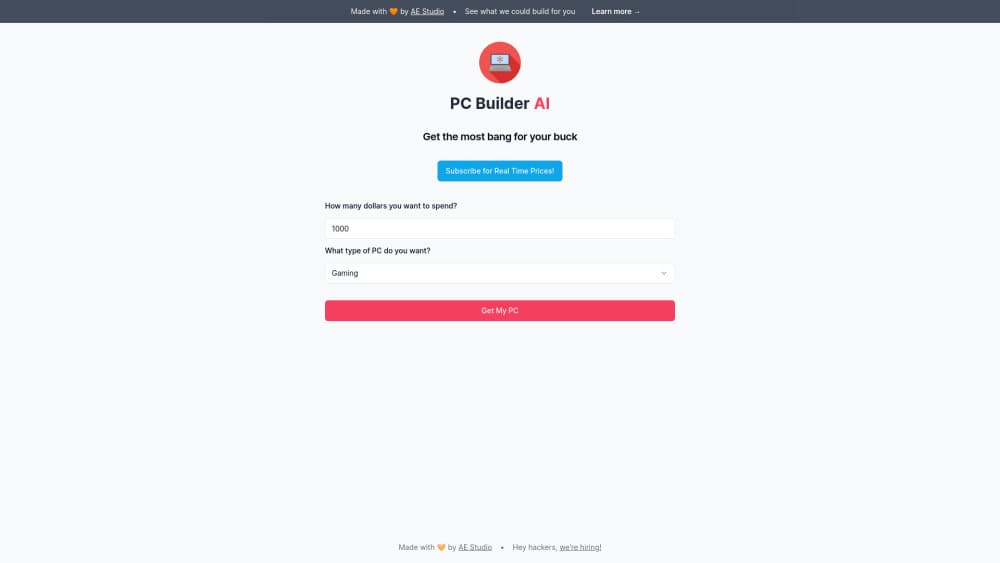
PC Builder AI is a web tool that designs a whole desktop PC from a short brief. You say what the machine is for, like 1440p gaming or running local AI models, set a budget, and get one finished parts list instead of a blank compatibility table. In practice it works like a PC build generator: you give the brief, it returns the list. Every part is a real product with an Amazon listing and a recent price.
The interesting part is the split between the AI and the rules engine. The AI reads your description, explains each choice in plain words, and estimates what the finished machine will do. It never decides whether a processor fits a motherboard or whether a graphics card clears a case. A deterministic rules engine checks socket, chipset, memory type, power supply wattage, GPU length, and cooler clearance on every build. That's why the same answers give you the same build twice.
The limits are worth knowing before you start. It's a parts list service, not a shop and not a builder. You buy the components yourself and put them together, or pay a local shop to do it. Prices track Amazon, so availability and totals move with that retailer. And a build is tuned for one balanced result at your budget, which means people with strong brand preferences will spend time swapping parts.
Getting Started
- Open pcbuilderai.com. Pick a use case such as gaming, workstation, AI, streaming, everyday, developer, video editing, 3D rendering, graphic design, Linux, or Hackintosh.
- Set the budget with the slider, or type a sentence describing your mix of needs in the free text box. The box is optional.
- Read the suggested build. It arrives as a complete list with eight parts, a total, an estimated peak wattage, and a compatibility status.
- Swap anything you don't like. The build rechecks fit and power the moment you change a part.
- Save or share the list, then click through to Amazon to buy each part. Choose Upgrade instead if you already own a PC and want to know what to replace first.
Product Information
A quick look at PC Builder AI's pricing, supported platforms, and performance.
Best for
The users, tasks, and scenarios where this tool fits best.
Users
- First-time builders
- Budget-conscious gamers
- People building a local AI PC
Tasks
- Designing a 1440p gaming build
- Sizing a machine for local language models
- Planning an upgrade
- Sanity-checking a parts list before you buy
Scenarios
- Replacing an eight-year-old desktop
- Building one PC for gaming and streaming at once
- Quoting a build for a friend or client
Key features
Builds From a Plain Description
You don't have to know part numbers or model names. Type something like "4K gaming plus a bit of video editing, and keep it quiet", or just pick a use case and a budget. The AI parses the intent, then hands the actual configuration to the rules engine. The output is one list, not a menu of options you have to narrow down.
Compatibility Handled by Rules, Not Guesswork
Most PC part picker tools start with parts you already chose and warn you afterwards. This one runs the check before you see the list. Every build is checked for CPU socket, motherboard chipset and generation, DDR4 or DDR5 memory type, memory slot count, case and motherboard size, graphics card length, cooler clearance, and estimated power draw. The AI is deliberately kept out of this step, so a confident sentence can't produce a machine that won't POST. Swap a part and the whole list is checked again.
Budget Allocation by Workload
The tool decides where your money goes based on what you said the PC is for. A gaming build puts more into the graphics card. A developer build shifts money toward cores and memory for containers and virtual machines. A local AI build spends on VRAM first. You can override any of it, but the first draft is already balanced for the job.
Real Parts and Recent Amazon Prices
Each line item is a real component with an Amazon listing and a recent price, so the total is close to what you'll actually pay. Click a part to see today's live price on Amazon. The tool doesn't invent products, and it doesn't estimate prices from a database that nobody maintains.
Performance Estimates in Everyday Terms
Instead of benchmark scores, the explanation tells you what the machine will do: frame rates in named games at a stated resolution, export times for video, and which AI model sizes fit in graphics memory. Those estimates are the vendor's own, and they're a starting point rather than a promise. Check reviews for the specific card before a big purchase.
Upgrade Advice for a PC You Already Own
Switch to Upgrade, describe your current machine, and the tool names the component to replace first. That's a different question from "what should I build", and it's the one most people with a working desktop actually have. The answer usually comes down to the graphics card, the drive, or the memory.
Pros and cons
Pros
- It produces a complete, compatible build rather than a list of parts you still have to vet yourself.
- Compatibility is checked by a rules engine, so the result is repeatable and doesn't depend on how the AI phrases things.
- The free tier covers the whole flow: design, save, share, and swap parts. There's no paywall in front of the parts list.
- Plain-language explanations of each part make the list readable for someone who has never built a PC.
- The Upgrade mode answers a question most part pickers ignore, which is what to change in the machine you already own.
Cons
- Every part links to Amazon, so pricing and stock reflect one retailer. If you buy locally or want a used graphics card, you'll re-price the list yourself.
- It stops at the parts list. You still buy the components and assemble them, or pay someone else to do it.
- Builds are tuned for balance at a budget, not for a specific brand, a color scheme, or a small-form-factor case, so those preferences mean manual swaps.
- Prices are recent estimates, not live quotes. The total can shift between reading the list and checking out.
Frequently asked questions
It designs a desktop PC from a description of your needs and a budget. You get one complete parts list with compatible components, recent Amazon prices, and an explanation of why each part is there. It replaces the part-by-part research most first-time builders do.
Related content
Explore related tools, skills, and articles for PC Builder AI.
PC Builder AI Alternatives

Base Code
Base44 (Wix) · Coding · ProductivityBase Code is a shared cloud development environment from Base44. Teammates describe changes to an existing GitHub codebase in chat, preview them live and send them back as pull requests.

Google EmbeddingGemma 2
Google DeepMind · Writing · Image · CodingGoogle EmbeddingGemma 2 is a 740M-parameter open model that turns text, code, images, audio, and video frames into vectors in one 768-dimension space, running on phones and laptops.

GitGlow
GitGlow · Coding · ProductivityGitGlow is a local-first desktop Git client that lets independent developers review their own code and their AI agents' changes in one place before shipping.