

PDF Translator
PDF Translator · Writing · Image
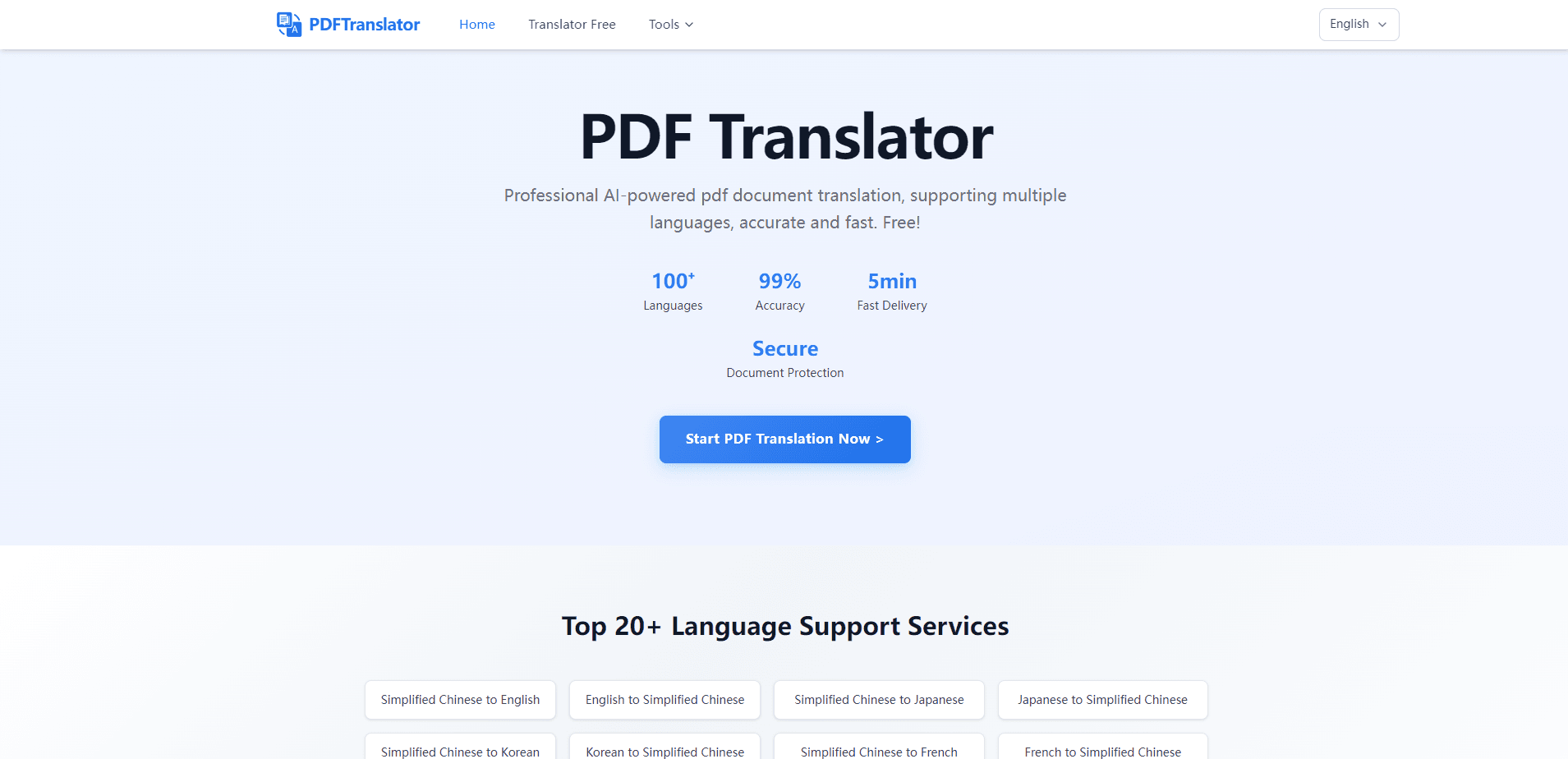
PDF Translator is a free online tool that translates PDF documents into more than 100 languages while keeping the original layout intact. Ever tried to translate a PDF and watched the tables turn into soup? PDF Translator handles the awkward job most people dread: feeding a foreign PDF through a translator and getting back something that still looks like a proper document. You drop in a file, pick a language, and download the result.
About PDF Translator
What Is PDF Translator
PDF Translator is a browser-based service that translates whole documents rather than snippets of text. Founded on a simple problem, it targets anyone who's ever copied a paragraph out of a PDF, pasted it into a translator, and watched the formatting fall apart.
The service leans on AI translation engines instead of a single generic machine translator. That matters for academic papers, contracts, and manuals, where tables, columns, and figure captions carry meaning. Translating those by hand is slow, and ordinary tools wreck the structure.
The core limit is size, and it bites sooner than you'd expect: each file has to stay under 20MB, and you get 1,000 pages a month for free before the counter resets. The site won't translate scanned or image-only PDFs either, since there's no OCR layer to pull text off a photographed page. If your document is a photo of a page, this isn't the tool for it.
Getting Started
- Open the PDF Translator website in any browser. No account or email is needed.
- Drag your PDF into the upload area, or click to browse for a file. Keep it under 20MB.
- Pick your target language. The tool detects the source language automatically.
- Click translate and wait while the page is processed in the background.
- Download the translated PDF once it finishes.
Product Information
A quick look at PDF Translator's pricing, supported platforms, and performance.
Best for
The users, tasks, and scenarios where this tool fits best.
Users
- Students and researchers
- Business and trade teams
- Casual readers
Tasks
- Translating a multi-column academic paper
- Converting a product manual for overseas clients
- Reading a foreign contract or report
Scenarios
- Quick one-off translation
- Working through a stack of monthly documents
- Batch reading for study
Key features
Layout-Preserving Translation
Most translators hand back a wall of text. PDF Translator tries to keep the document you started with: tables stay tables, columns stay aligned, and images hold their place. It reads the structure of the page first, then places translated text back into the right blocks, and it keeps everything anchored so a translator that usually scatters your document into loose paragraphs leaves it looking like the file you uploaded. That's the whole point of the tool, and it's the part users notice first.
AI Translation Engines
The service draws on AI translation models rather than one fixed engine. Academic writing with long, tangled sentences and everyday business documents are different problems, and the tool routes between models to suit the content, so a legal contract and a research abstract each get an engine that fits the job rather than one generic pass that mangles both. The site claims accuracy above 99%. That number refers to terminology consistency, not general grammar.
100+ Language Support
PDF Translator covers more than 100 languages, from common pairs like English to Spanish, French, or Chinese, down to less common ones. Source language detection is automatic, so you only pick where you want the text to land. That range makes it useful for small-language documents that cheaper tools skip.
No Signup, No Install
You don't create an account, confirm an email, or install anything. The whole tool lives in the browser, which keeps the barrier low for one-time jobs. There's no credit card prompt and no trial countdown, so you can test it on a single file and walk away.
Free Monthly Allowance
The free tier covers 1,000 pages a month and resets on the first of each month, which is enough for most students grinding through readings or freelancers handling the odd document without ever reaching for a card. You don't pay per file or hit a "first 5 pages only" wall, which is where a lot of free PDF translators stop.
File Size and Privacy Limits
Files are capped at 20MB, and transfers run over SSL. Uploaded documents are deleted automatically within 24 hours, according to the site. There's no OCR, so scanned or image-based PDFs won't translate. These limits are worth knowing before you upload a 40MB scanned report.
Pros and cons
Pros
- Keeps original layout, tables, and columns mostly intact.
- Free with a 1,000-page monthly allowance and no signup.
- Supports 100+ languages with automatic source detection.
- Runs entirely in the browser, no install required.
- Files deleted within 24 hours after translation.
Cons
- 20MB file cap rules out large scanned documents.
- No OCR, so image-only PDFs can't be translated.
- Server processing can take a few minutes on long files.
Frequently asked questions
It's free. The service gives you 1,000 pages a month at no charge, with no account or credit card required. The allowance resets at the start of each month, so heavy users can plan around it.
Related content
Explore related tools, skills, and articles for PDF Translator.
PDF Translator Alternatives

Google EmbeddingGemma 2
Google DeepMind · Writing · Image · CodingGoogle EmbeddingGemma 2 is a 740M-parameter open model that turns text, code, images, audio, and video frames into vectors in one 768-dimension space, running on phones and laptops.

MePersona
MePersona, Inc. · Writing · Productivity · MarketingMePersona is an AI unified inbox for creators. It learns your voice, drafts replies to fan messages from 12 platforms, and sends only what you approve.

Fluence
Yay Software (Yannick Huchard) · Writing · Voice & Language · ProductivityFluence is an Android app that reads PDFs, EPUBs, Word files and web articles aloud, follows each sentence as it speaks, and answers questions about the text on the phone itself.