

PenguinBot AI
PenguinBot AI · Other · Chatbot
PenguinBot AI is a cloud-based AI employee platform that runs around the clock and plugs into the channels a team already uses, including Telegram, WhatsApp, Slack and email. Instead of juggling separate scripts or a single chatbot window, you get one assistant that handles recurring workflows and answers requests wherever people happen to be. It runs in the cloud. No spare machine required. It's pitched at teams that want automation without hiring a developer.
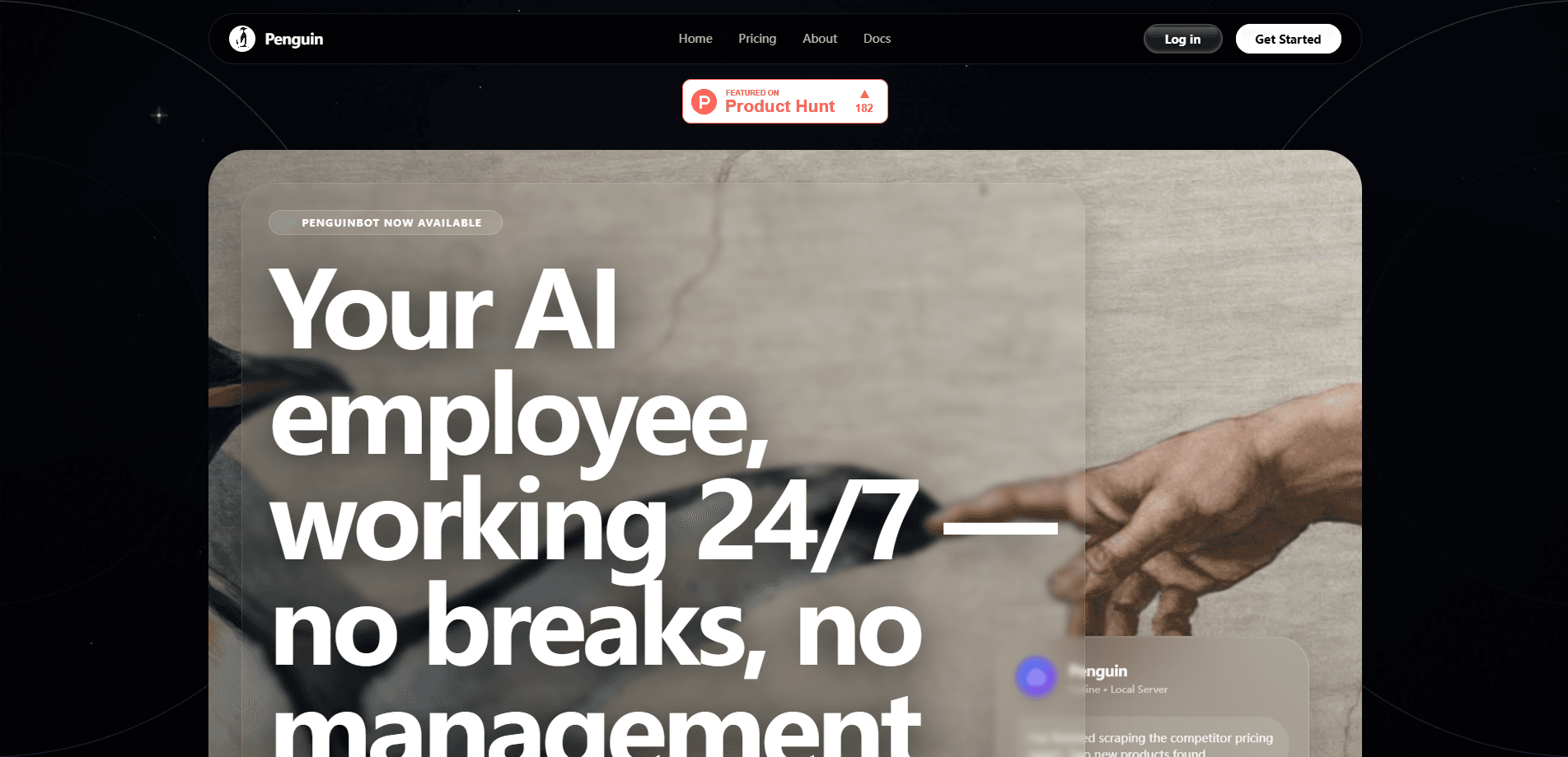
About PenguinBot AI
What Is PenguinBot AI
PenguinBot AI is best understood as an AI employee rather than another chat tool. It lives in the cloud, picks up work through messaging channels you already use, and keeps running when your laptop is closed. For a small team, that means an always-on helper that drafts replies, triages requests and moves routine work along without someone logging in to poke it.
The pitch is convenience. Most automation tools ask you to stitch together APIs, cron jobs and a hosting box before you see any payoff. Not this one. PenguinBot AI folds those pieces into one product and meets users inside Telegram, WhatsApp, Slack or email, which lowers the barrier for people who aren't technical.
The main thing to weigh is opacity. Because the vendors' public materials are thin on exact limits and data-handling details, treat any specific number you see, including the ones on this page, as a starting estimate and confirm it on the official site before you commit. A tool that touches your messages and files deserves that check anyway.
Getting Started
- Head to the official website and create an account with your email.
- Pick the messaging channels you want the assistant to work in, such as Telegram, WhatsApp, Slack or email.
- Connect each channel to your workspace using the setup steps the dashboard provides.
- Describe the tasks you want handled, for example answering common questions or routing incoming requests.
- Test the workflow on a low-stakes task first, then widen it once the replies look right.
Product Information
A quick look at PenguinBot AI's pricing, supported platforms, and performance.
Best for
The users, tasks, and scenarios where this tool fits best.
Users
- Small teams without a developer
- Founders and solo operators
- Support and ops staff
Tasks
- Handling repetitive questions
- Routing incoming messages
- Running around-the-clock coverage
Scenarios
- A lean startup watching a shared inbox overnight
- A community manager juggling several channels
- A support desk drowning in the same five questions
Key features
Cloud-Based Always-On Operation
PenguinBot AI runs in the cloud, so it keeps working whether your computer is on or not. Think of it as a cloud AI agent you don't have to babysit. That matters for teams that can't leave a machine running overnight just to keep a bot alive. You set it up once and it stays available.
Multi-Channel Presence
The assistant meets users in Telegram, WhatsApp, Slack and email rather than forcing everyone into one app. People can send a request from whatever tool they already open in the morning. That cuts the friction. No one has to learn yet another dashboard.
Workflow Automation
PenguinBot AI handles recurring tasks such as answering standard questions, forwarding requests and chasing routine follow-ups. The value is in the repetition it removes, not in flashy one-off tricks. So who wins here? Teams with predictable, high-volume work. They get the most out of it.
No Heavy Setup
Setup centers on connecting channels and describing tasks instead of writing integration code. That makes it approachable for people without an engineering background. The trade-off is that very custom logic may still need outside help.
One Assistant Across Tools
Instead of running separate bots per platform, you manage a single assistant that works across them. One AI assistant for business, not five. Fewer moving parts means less to maintain and one place to check behavior. It also keeps replies consistent across channels.
Pros and cons
Pros
- Works across Telegram, WhatsApp, Slack and email, so you don't need a separate tool per channel.
- Cloud hosting keeps it running 24/7 without a spare machine on your desk.
- Setup leans on channel connections and task descriptions rather than code.
- Repetitive, high-volume tasks are where it earns its keep.
Cons
- Public pricing and plan details aren't clearly documented, so budgeting takes extra legwork.
- Most workflows live in the cloud, which means your messages pass through a third party; check the data policy before sending anything sensitive.
- Deeply custom logic may still need technical help, even with the low-code setup.
Frequently asked questions
It runs as a cloud-based AI employee that handles recurring tasks and replies across Telegram, WhatsApp, Slack and email. You connect the channels, describe the work, and it keeps running in the background.
Related content
Explore related tools, skills, and articles for PenguinBot AI.
PenguinBot AI Alternatives
BinkBink
BinkBink · OtherBinkBink is a free online game platform and AI game maker that lets anyone turn a short text description into a playable browser game. You can jump into hundreds of community-made games. Or describe your own idea and play it in seconds, then share it with friends. Want to create your own game? You don't need to code. No engine setup, no download, no hassle.

Audiogen
Audiogen Inc. · OtherAudiogen is an AI music generator built by Audiogen Inc., a small research team that spent about 2.5 years training its own generative music model and designing a web interface around it. Instead of a plain text box, this AI music tool turns the timeline into a beginner-friendly Generative Audio Workstation, or GAW, where inpainting, extending, remixing and stem editing work more like painting on a canvas. The product is still in beta, so access runs through a waitlist or an invite. Paid plans aren't published yet.

Aiml API
AIMLAPI OÜ · OtherAiml API is a unified AI model API that puts more than 1000 models from OpenAI, Google, Anthropic, and others behind one endpoint and one bill. You write code against a single OpenAI-compatible schema, then switch between chat, image, video, and audio models by changing a model string. It suits developers and small teams who want multi-model access without juggling a dozen separate provider accounts, and it removes the usual billing headache that comes with testing several vendors. One key covers it all.