
PhantomBuster
PhantomBuster · Coding · Marketing
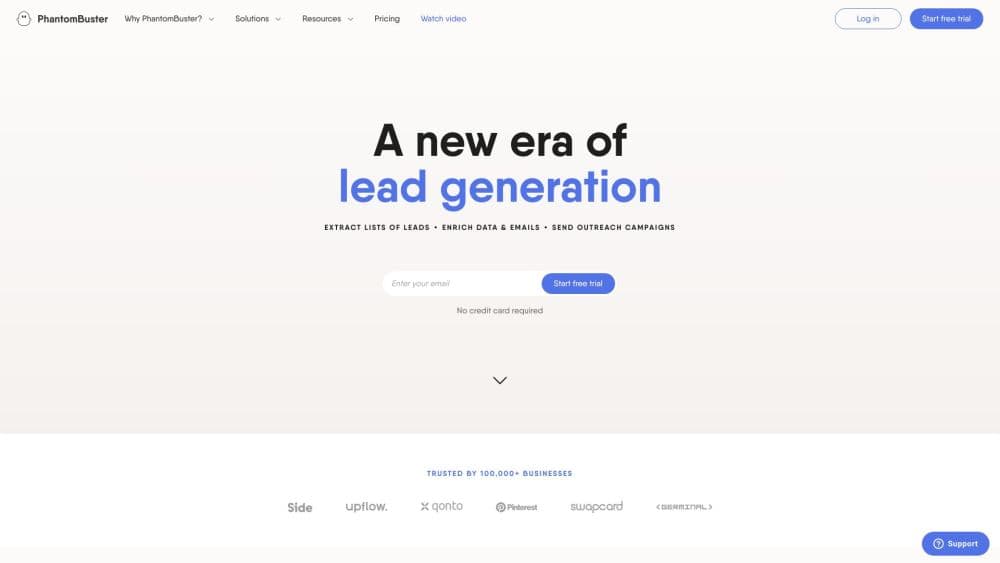
PhantomBuster is a no-code automation platform for scraping and enriching web data, best known for turning LinkedIn and sales data into structured leads.
About PhantomBuster
What Is PhantomBuster
PhantomBuster is a lead generation tool and data extraction platform built around small, single-purpose scripts, called Phantoms, that pull data off websites and turn it into usable lists. You point a Phantom at a source like a LinkedIn search, a set of profile URLs, or an event page, and it exports the results as a CSV or JSON file. Chain several Phantoms together and you get a Workflow: find leads, scrape their profiles, look up email addresses, and push the clean list into a CRM without touching each step by hand.
The appeal is the work you skip. Instead of copying contact details from LinkedIn one profile at a time, you run an automation that collects thousands of rows while you do something else. Sales teams, recruiters, and growth marketers lean on it for exactly this reason. There are hundreds of ready-made Phantoms, and most of the LinkedIn ones cover common B2B prospecting tasks out of the box.
Two limits shape the fit. PhantomBuster scrapes other platforms, so how fast you can pull data depends on those platforms, and aggressive automation on LinkedIn can get an account flagged. The other is pricing. You pay for execution time, active slots, and credits, not seats, so a heavy daily LinkedIn routine costs more than an occasional export. For steady, repeatable prospecting, that model works well.
Getting Started
- Sign up on phantombuster.com. You can start on the Free plan or a 14-day trial, and there's nothing to install because everything runs in the browser.
- Pick a Phantom from the store. Search by task, like a LinkedIn search export or an email finder, and open its settings.
- Connect the account it needs. For LinkedIn Phantoms, you connect your session cookie so the automation can act on your behalf.
- Fill in the input. Paste a search URL, a list of profiles, or a spreadsheet, then set how many rows to collect.
- Run it and export the result. Launch the Phantom, let it finish, and download the output as CSV or JSON, or send it straight into a Workflow and on to your CRM.
Product Information
A quick look at PhantomBuster's pricing, supported platforms, and performance.
Best for
The users, tasks, and scenarios where this tool fits best.
Users
- Sales teams and SDRs
- Growth marketers
- Recruiters
- Agencies and data teams
Tasks
- Building a LinkedIn prospect list from a search
- Finding email addresses at scale
- Enriching and routing leads into a CRM
- Monitoring job changes and engagement
- Scraping data beyond LinkedIn
Scenarios
- Running a weekly prospecting routine
- Preparing an outreach campaign for a new market
- Keeping CRM records current
Key features
Phantom Store
The store holds hundreds of ready-made automations, each built for a single job like scraping a LinkedIn search, exporting a Twitter following list, or pulling attendees from an event page. You configure one with a few inputs and run it, so there's no code to write. For most prospecting tasks, a prebuilt Phantom already covers it.
Workflows
Workflows chain Phantoms so data flows from one step to the next automatically. A typical sequence finds leads, extracts their profiles, looks up emails, and pushes the result to a CRM. This is where the platform saves the most time, because you stop moving files between tools by hand. Complex Workflows can consume more than one automation slot.
LinkedIn Automation
The LinkedIn scraper is the platform's strongest area, with Phantoms for Sales Navigator extraction, profile and company scraping, connection requests, message sending, and inbox export. You connect your session cookie to let an automation act on your account. It's powerful for B2B prospecting, but it runs on a platform that watches for automation, so volume and timing matter.
Email Discovery and Enrichment
The email finder step attempts to locate and verify an address for each record, and the platform also covers company URL lookups through its URL Finder. Each attempt uses a credit whether or not it finds a match, so it pays to sample a few hundred records to learn your real match rate before scaling up.
Scheduling and Exports
Every Phantom can run on a schedule, so a list stays current without you launching it each time. Results export as CSV or JSON, and the API lets you pull output into your own systems. Free and trial accounts cap exports at 10 rows for validation, while paid plans allow full-result exports.
API and Integrations
The platform exposes a REST API included with every paid plan, so you can trigger Phantoms and fetch results from your own code. It also connects to common CRMs and outreach tools, and an MCP server lets AI agents drive automations directly. That makes it viable as a data layer inside a larger pipeline, not just a manual tool.
Pros and cons
Pros
- Hundreds of prebuilt Phantoms cover most LinkedIn and web scraping tasks, so you don't build automations from scratch.
- Workflows connect extraction, enrichment, and CRM routing without manual file handling, which saves real time on repeatable prospecting.
- API access is included with every paid plan, so you can wire the platform into your own systems.
- Scheduling keeps lists current and supports monitoring tasks like job changes.
- Free plan and a 14-day trial let you validate a use case before paying.
Cons
- You pay for execution time, slots, and credits rather than seats, so a heavy daily LinkedIn routine can cost more than expected.
- Scraping runs on third-party platforms that limit automation, and pushing too hard on LinkedIn risks an account flag.
- Email discovery uses a credit per attempt even when no address is found, which can add up on low-quality lists.
- The most generous resources sit on the top Scale plan at $439/mo, so growing usage pushes you up the tiers quickly.
Frequently asked questions
PhantomBuster is a web scraping and data extraction tool for lead generation. You run small automations called Phantoms to pull data from LinkedIn and other sites, enrich it with emails, and route the result into a CRM. It's aimed at sales, marketing, and recruiting workflows that repeat.
Related content
Explore related tools, skills, and articles for PhantomBuster.
PhantomBuster Alternatives

Base Code
Base44 (Wix) · Coding · ProductivityBase Code is a shared cloud development environment from Base44. Teammates describe changes to an existing GitHub codebase in chat, preview them live and send them back as pull requests.

Google EmbeddingGemma 2
Google DeepMind · Writing · Image · CodingGoogle EmbeddingGemma 2 is a 740M-parameter open model that turns text, code, images, audio, and video frames into vectors in one 768-dimension space, running on phones and laptops.

GitGlow
GitGlow · Coding · ProductivityGitGlow is a local-first desktop Git client that lets independent developers review their own code and their AI agents' changes in one place before shipping.