

Phare
Phare · Coding
Phare is a website monitoring platform that bundles uptime checks, incident management, public status pages, and traffic analytics into one dashboard. It watches your site from up to 12 global regions and alerts you the moment something breaks, so you can respond before customers start complaining on social media or opening support tickets. Everything runs on European infrastructure, and the free Hobby plan doesn't expire.
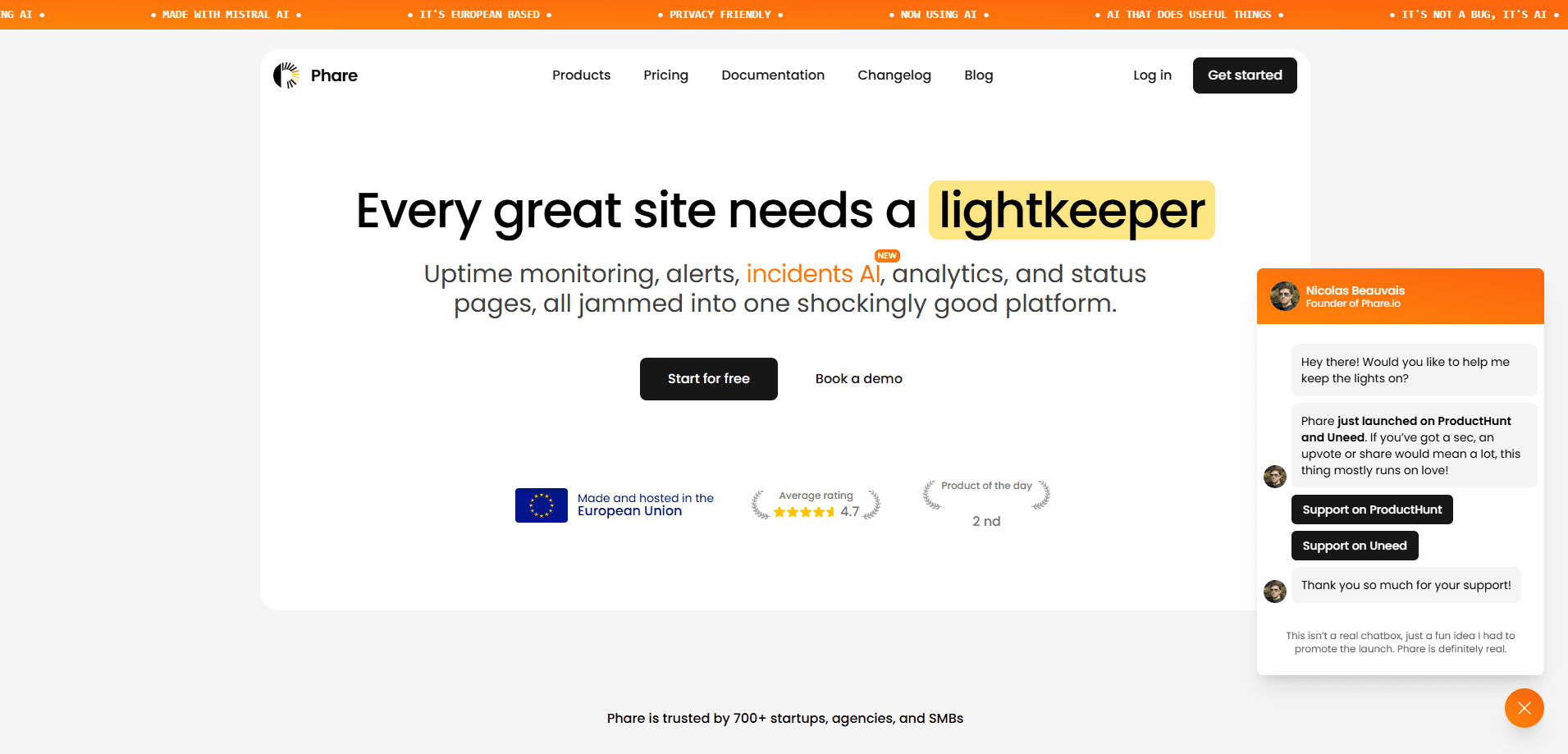
About Phare
What Is Phare
Phare is an uptime monitor and incident manager built for people who run websites and want to stop juggling a dozen separate tools. Uptime monitoring, alerting, status pages, and analytics normally come from four different vendors with four logins and four bills. Phare folds them into one command center, and it hosts the whole thing in the European Union.
The product is bootstrapped and has been online since September 2022. Phare publishes its own revenue and expenses at phare.io/open, which is a rare level of transparency for a commercial monitoring service. The company leans hard on its EU-only data stance. European hosting sits in Germany, the CDN in Slovenia, phone lines in the Netherlands, and email infrastructure in France. No ad trackers, no third-party cookies. A German data center isn't a marketing gimmick here. It's the whole point.
The catch is scale and polish. Phare is a small independent shop. You won't find the sprawling integration catalog or 24/7 account managers of enterprise vendors. Support is direct with the founder, and most questions get answered the same day. If your organization needs formal SLA monitoring with a dedicated rep, this probably isn't the tool for you.
Getting Started
- Create a free account at phare.io. No credit card is required, and the Hobby plan stays free.
- Add your first monitor by pasting a URL and choosing check frequency and the regions you want to test from.
- Turn on alert channels such as email, Slack, Telegram, or SMS so you hear about downtime fast.
- Publish a status page, optionally on your own domain, to keep visitors updated during outages.
- Invite teammates and set up incident rules to automate how problems get tracked and resolved.
Product Information
A quick look at Phare's pricing, supported platforms, and performance.
Best for
The users, tasks, and scenarios where this tool fits best.
Users
- Solo founders and indie developers
- Web agencies
- SaaS and e-commerce teams
- Privacy-conscious businesses
Tasks
- Monitoring HTTP, HTTPS, and TCP endpoints
- Tracking SSL certificate expiry
- Managing incidents
- Publishing a status page
Scenarios
- Launching a new product
- Running client websites
- Handling peak traffic
- Preparing for review
Key features
Multi-Region Uptime Checks
Phare pings your site from up to 12 global monitoring regions across Europe, America, Asia, and Oceania. That spread gives you a real picture of availability worldwide instead of a single-region snapshot. Why does that matter? A site can be up in Frankfurt and down in Tokyo. You can monitor HTTP and HTTPS endpoints plus TCP ports, and you can adjust check frequency per monitor.
Incident AI
Incident AI reads the event timeline of an outage and writes a short summary or post-mortem for your team and clients. It runs on Mistral AI and keeps output to one or two lines, so you get the gist fast. This saves the manual write-up that usually eats the first hour of a post-incident review.
Automated Incident Management
When a monitor fails, Phare creates an incident automatically. If a single database crash takes down five sites, smart merging combines the alerts into one incident so your timeline doesn't drown in noise. Team members can comment and coordinate inside the dashboard, or move the conversation to Slack.
Custom Status Pages
You can spin up a public or private status page and host it on your own domain. Post incident updates straight from the management interface, so customers see what's happening without emailing support. For a small business, this alone replaces a paid status page subscription. Simple, and it works.
Alerting Integrations
Phare connects to Slack, Discord, Telegram, Pushover, and ilert, along with email, SMS, and outgoing webhooks. Webhooks matter most for teams that want to trigger their own runbooks. You choose where alerts land, and each monitor can feed a different channel if needed.
SSL Certificate Monitoring
SSL/TLS certificates get discovered automatically and tracked over time. Phare warns you before expiry, which prevents the connection warnings that scare visitors off a checkout page. It's a small feature that heads off a very embarrassing outage.
Website Analytics
Alongside uptime, Phare offers privacy-friendly website analytics. You see traffic and performance data without bolting on a separate tracker. Since the platform refuses third-party cookies, the analytics avoid the consent-banner headache that comes with mainstream tools.
Transparent Open Metrics
Phare publicly discloses its revenue and expenses. That openness is unusual, and it lets you judge whether the business looks stable enough to depend on. It's also a useful signal for buyers wary of tools that vanish after a funding round dries up.
Pros and cons
Pros
- Free Hobby plan with unlimited team members and projects, no credit card needed.
- Uptime monitoring, incidents, status pages, and analytics in one platform, which cuts subscriptions and logins.
- Data stays in the EU with zero ad trackers, useful for GDPR compliance.
- Well-documented API makes it easy to fold Phare into existing infrastructure.
- Direct founder support answers most questions the same day.
- Transparent public metrics let you assess the company's stability.
Cons
- Smaller integration list than enterprise competitors, so niche tools may need webhooks as a workaround.
- No formal 24/7 account-manager support, which rules it out for teams that require contractual SLAs.
- Basic internet terms like HTTP and SSL appear throughout, so total beginners face a short learning curve.
- Some analytics and reporting depth is lighter than dedicated single-purpose tools.
Frequently asked questions
Phare monitors websites and APIs for uptime and reports problems fast. It also handles incidents and hosts status pages, so it's a full monitoring stack rather than a bare ping checker.
Related content
Explore related tools, skills, and articles for Phare.
Phare Alternatives
Forefront
Forefront · CodingForefront is a web platform for building with open-source AI. It lets you fine-tune leading open-source language models on your own data, evaluate how they perform, and run them through an API or export them to host yourself. Developers who want the convenience of a closed-source platform but insist on owning their models and data are the target audience here.

Startkit
StartKit.AI · CodingStartkit is a boilerplate for building AI SaaS and AI wrapper products. Think of it as an AI startup boilerplate with the boring parts already wired up: authentication, Stripe and Lemon Squeezy payments, usage limits, transactional email, and an AI API starter that talks to OpenAI, Anthropic, Groq, or Llama. You clone the repo, set your price, and start on the part of your product that people actually pay for. It's Next.js under React and Tailwind, so most of the boilerplate code already feels familiar.
Testim
Tricentis · CodingTestim is an AI-powered test automation platform for building and running end-to-end tests across web, mobile, and Salesforce applications. It leans on machine learning to keep tests stable when an interface changes, so teams spend less time fixing broken selectors. Not bad for an automated testing tool you can start using today. You create tests by recording actions in a browser, then optionally add JavaScript when you need more control. It's a solid pick for busy QA teams.