

Phonable
Frits Polman · Voice & Language · Productivity
Phonable is a smarter voicemail app for iPhone that texts missed callers back and sends you a transcript plus a one-line AI summary.
About Phonable
What Is Phonable
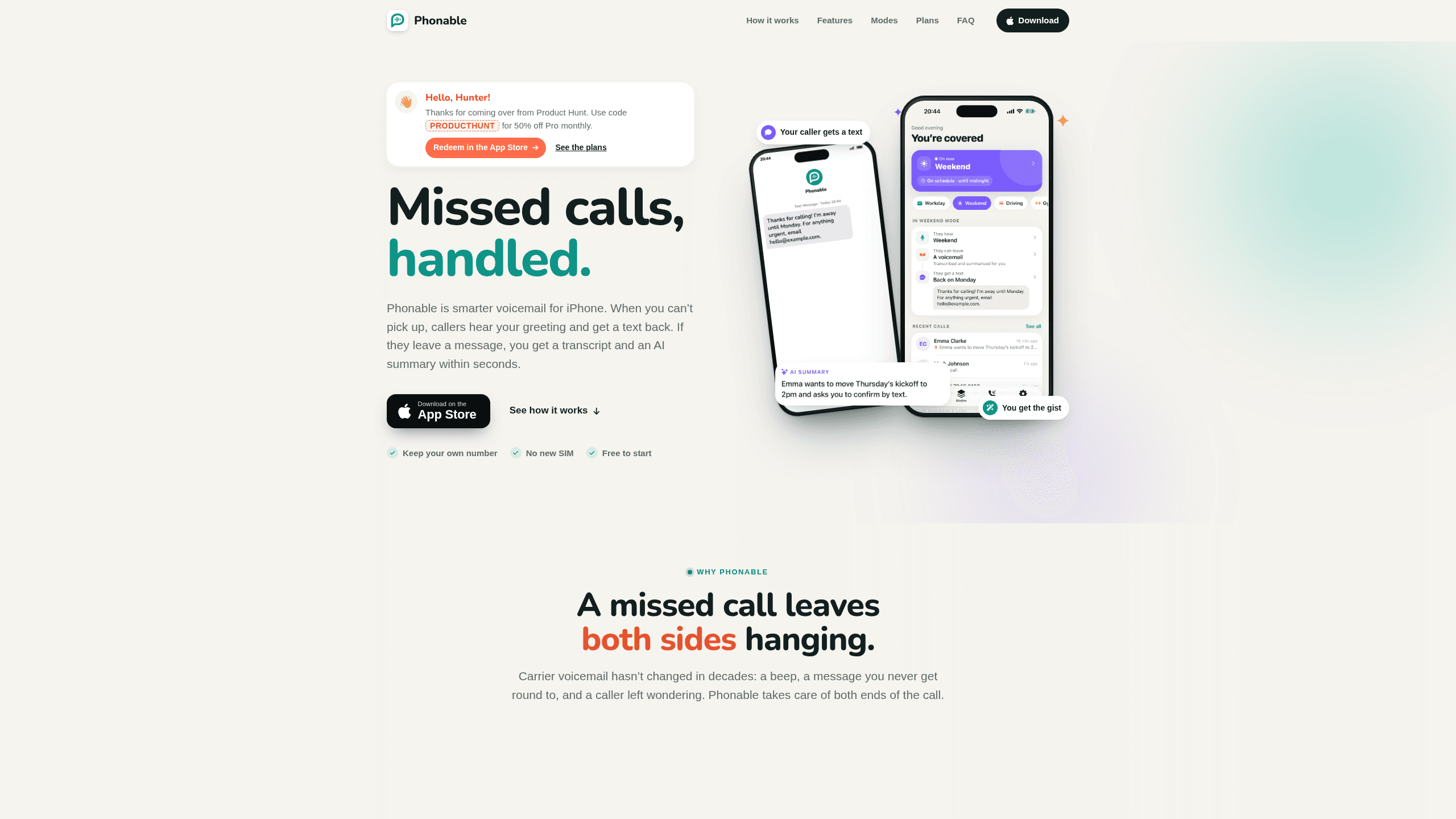
Phonable is an AI voicemail app for iPhone built by independent developer Frits Polman. It sits behind your normal number and only steps in when you don't pick up. The caller hears a greeting, gets a short text explaining the missed call, and you get their message in writing.
Carrier voicemail leaves both people guessing. Phonable gives you a visual voicemail list with transcripts instead of a tape you dial into, and the gap closes on both ends: the caller knows you noticed, and you know what they wanted without pressing 1.
As an iPhone voicemail app, it works through conditional call forwarding, a feature mobile networks already support. Your SIM, phone and number stay as they are, and you can turn forwarding off from the app whenever you like.
Getting Started
- Install Phonable from the App Store and create an account.
- Pick a greeting. Record your own voice or type the words and choose an AI voice.
- Follow the three in-app steps to switch on conditional call forwarding with your carrier. It takes about a minute.
- Choose a mode such as Workday or Driving so callers hear and read something that fits the moment.
- Miss a call and open the notification. The transcript and AI call summary are already there.
Product Information
A quick look at Phonable's pricing, supported platforms, and performance.
Best for
The users, tasks, and scenarios where this tool fits best.
Users
- Freelancers and solo business owners
- People in back-to-back meetings
- Drivers and delivery workers
- Anyone who avoids voicemail
Tasks
- Explaining a missed call without typing
- Checking messages between meetings
- Setting expectations for a whole weekend
Scenarios
- A client calls while you're on another line
- A quiet week away
- A day of site visits
Key features
Missed call text back on your own number
The missed call text back goes out the moment a call rings out, even if the caller hangs up without leaving a message. You can start from a template like "In a meeting" or "Driving" and write your own wording. Each caller gets at most one text per hour, so someone who tries twice isn't flooded with messages.
Voicemail transcription with a one-line AI call summary
Every voicemail lands in the app with the recording, a full voicemail transcription and a short AI call summary. The summary arrives as a notification before you open anything, so you can decide in seconds whether to call back now. You can skim the text, play the audio at your own speed, or reply with one tap.
AI voice greeting in six voices and four tones
If recording yourself feels awkward, type what you want said and Phonable speaks it in a natural voice. Six voices cover American, British and Australian accents, and each one can be set to a professional, friendly, calm or energetic tone. You can still record your own greeting in seconds if you prefer your own voice.
Modes that change with your day
A mode pairs what callers hear with the text they receive. Workday, Driving, Gym and Weekend each carry their own greeting and message, so a caller at 7 pm on a Friday doesn't hear your office line. You can switch a mode for an hour, three hours or until the next morning, or set days and hours and let Phonable change it for you.
Setup in about a minute, with your number intact
Phonable walks you through the exact code to dial for conditional call forwarding, then confirms it worked. Calls you answer connect as they always did, because Phonable only handles the ones you don't take. Turn forwarding off and missed calls go back to your carrier's voicemail.
One call timeline with names, not numbers
Calls and voicemails sit in a single timeline sorted by contact name. If someone hung up without speaking, the entry still shows that they got your text. Contacts stay on your iPhone and aren't uploaded, and the app follows your iPhone's light and dark mode.
Pros and cons
Pros
- Callers get an answer in writing within seconds, which matters most for work calls that would otherwise go to a competitor.
- Voicemail transcription and the AI call summary cut a two-minute listen down to a five-second read.
- Your number, SIM and phone stay the same, so nobody has to save a new contact.
- Modes make the greeting and the text fit the situation without any manual editing.
- Contacts aren't uploaded, and the developer states that data isn't sold.
Cons
- iPhone only. There's no Android app, so mixed teams can't standardise on it.
- Texts use the SMS credits in your plan and aren't sent to landlines or to countries Phonable doesn't support yet.
- Setup depends on your carrier supporting conditional call forwarding, and a few prepaid carriers don't.
- The free Test Drive runs on a shared community line and caps you at two modes, so the dedicated line and AI voices need a paid plan.
Frequently asked questions
No. You keep your number, SIM and phone. Phonable only handles calls you don't answer, through conditional call forwarding, so people still dial your usual number.
Related content
Explore related tools, skills, and articles for Phonable.
Phonable Alternatives

Foley
Hanamori Labs, LLC · Voice & Language · Productivity · AI AssistantFoley is a voice to-do list that turns a spoken sentence into a filed task, complete with project, date and time, then helps you plan the day around what is already there.

HireKey
HireKey · Voice & Language · Productivity · LeaningHireKey is an AI job search copilot built by a former tech recruiter. It checks role fit, tailors resumes, runs interview practice and tracks every application.

Fluence
Yay Software (Yannick Huchard) · Writing · Voice & Language · ProductivityFluence is an Android app that reads PDFs, EPUBs, Word files and web articles aloud, follows each sentence as it speaks, and answers questions about the text on the phone itself.