

Pieces for Developers
Pieces (Mesh Intelligent Technologies) · Coding
Pieces for Developers is a local-first AI memory layer that captures your workflow and carries that context into tools like Claude and Cursor through MCP.
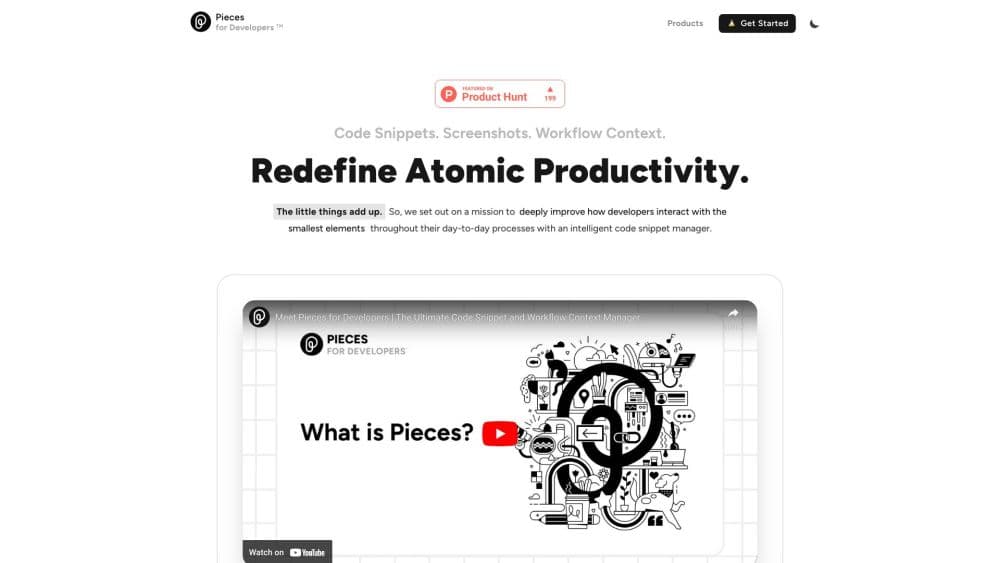
About Pieces for Developers
What Is Pieces for Developers
Pieces for Developers is an AI memory tool that watches the work you do and turns it into a searchable record you and your AI assistants can query later. It started life as a code snippet manager for developers, and it has since grown into a broader memory layer that captures code you copy, screens you view, and conversations you join. Everything it collects is stored on your own machine first.
The problem it targets is context loss. AI assistants forget what you did five minutes ago, let alone last week. Pieces fills that gap by building a timeline of your activity and handing the relevant parts back to your tools when you ask.
Two limits define when it fits. Capture runs in the background by default, so you're trading some privacy for recall, even when the data stays local. And the AI features that need a large model call out to the cloud, which means a small slice of scoped context leaves your device for each request. If neither bothers you, it removes a lot of retracing.
Getting Started
- Download the Pieces Desktop App and sign in with GitHub, Google, or Microsoft. PiecesOS installs alongside it and runs as a background service.
- Turn on Long-Term Memory and let the engine form its first memories. The Single-Click Summaries stay locked until enough context has been captured.
- Connect your AI tools. Copy the MCP endpoint from Settings into Claude, Cursor, GitHub Copilot, VS Code, or the Codex CLI.
- Work as usual. Copy code, browse, and take notes, and Pieces records the activity on its own.
- Ask for what you need. Use Conversational Search or generate a standup update, day recap, or custom summary from the Timeline.
Product Information
A quick look at Pieces for Developers's pricing, supported platforms, and performance.
Best for
The users, tasks, and scenarios where this tool fits best.
Users
- Software developers
- Solo builders and founders
- Teams on the Enterprise plan
Tasks
- Recovering past work
- Writing standup updates and recaps
- Feeding context to an AI coding assistant
- Keeping code snippets organized
Scenarios
- Debugging with an assistant that knows the history
- Onboarding a new machine or editor
- Preparing for a meeting or a call
Key features
Long-Term Memory Engine
The LTM-2.7 Engine is the core of Pieces. It runs on your device and continuously captures workflow context, from code you copy to screens you view and, if you opt in, audio you hear. It forms memories roughly every two seconds and stores them locally. The point is recall: you can revisit a decision from months ago without having saved it anywhere on purpose.
Pieces Timeline
The Timeline is a chronological view of everything the engine captured, laid out so you can filter by time, topic, person, or tool. You can scroll back through activity, open past summaries, and jump into a specific moment. It's the browse layer for your memory, useful when you know roughly when something happened but not exactly where you noted it.
Single-Click Summaries
This feature generates contextual summaries without you writing a prompt. You pick a type, such as a standup update, a day recap, a meeting prep, or a custom summary, and Pieces builds it from your real activity. For developers who owe a status update every morning, it turns a manual write-up into one click.
Conversational Search
Conversational Search is the main chat interface. You ask questions in plain language and the agent reasons across your memory in multiple turns, following threads and cross-referencing events, people, and conversations. It can also reach into the web, your calendar, local files, and browser history when a query needs them.
Pieces MCP Server
The MCP server carries your full history into any MCP-ready assistant, including Claude, Cursor, Codex, GitHub Copilot, and VS Code. It runs over Server-Sent Events, and you copy the endpoint from Settings into the tool. This is the feature that makes Pieces a memory layer for other apps rather than a standalone dashboard, and it's what most developers come for.
Local-First Privacy and Model Choice
All captured data is stored on-device, and Pieces applies on-device filtering to strip out sensitive information. It holds SOC 2 Type II certification and says it never trains on your data. When an AI feature needs a large model, you can pick between Claude, Gemini, and ChatGPT families, each with fast, balanced, and extra-thinking modes, so model choice stays under your control.
Pros and cons
Pros
- It fills a real gap: AI assistants forget everything between sessions, and Pieces gives them a persistent, searchable memory.
- The MCP server works with the tools developers already use, so the context shows up in Cursor, Claude, and VS Code without bespoke integration.
- Data is captured and stored locally first, and the company holds SOC 2 Type II certification, which answers the first privacy question a team will ask.
- Summaries and recaps are generated from actual activity, which saves the manual work of writing status updates.
- You can switch between Claude, Gemini, and ChatGPT model families under one plan instead of juggling separate subscriptions.
Cons
- There's no free plan. You get a 7-day trial that requires a card, so trying it means entering billing details up front.
- Capture runs by default, and turning it off costs you the recall that makes the product useful, so the privacy trade-off is real even with local storage.
- AI features send a scoped slice of context to the cloud, which rules it out for anyone who needs strictly offline processing.
- The cost adds up quickly: it's a per-user subscription on top of whatever you already pay for an AI assistant or editor.
Frequently asked questions
Pieces for Developers is a developer productivity tool that captures your workflow and turns it into memory you and your AI tools can query. It records code you copy, screens you view, and conversations you join, then lets you search that history or feed it into an assistant through MCP. It's built for people who lose time reconstructing what they already did.
Related content
Explore related tools, skills, and articles for Pieces for Developers.
Pieces for Developers Alternatives

Base Code
Base44 (Wix) · Coding · ProductivityBase Code is a shared cloud development environment from Base44. Teammates describe changes to an existing GitHub codebase in chat, preview them live and send them back as pull requests.

Google EmbeddingGemma 2
Google DeepMind · Writing · Image · CodingGoogle EmbeddingGemma 2 is a 740M-parameter open model that turns text, code, images, audio, and video frames into vectors in one 768-dimension space, running on phones and laptops.

GitGlow
GitGlow · Coding · ProductivityGitGlow is a local-first desktop Git client that lets independent developers review their own code and their AI agents' changes in one place before shipping.