

PitchHighway
PitchHighway · Voice & Language
PitchHighway is a vocal training app that turns a song you already love into a guided singing path. Upload an MP3 or paste a YouTube link and it builds warmups in that song's key, drills for the notes you can't hit yet, phrase-by-phrase practice, and a final full-song run scored in real time. It's also a solid practice app for anyone who wants to sing along with a track and hear exactly how close they got. It runs as an iOS app for iPhone and iPad and as a full app in the browser, so you can start singing today without buying anything.
About PitchHighway
What Is PitchHighway
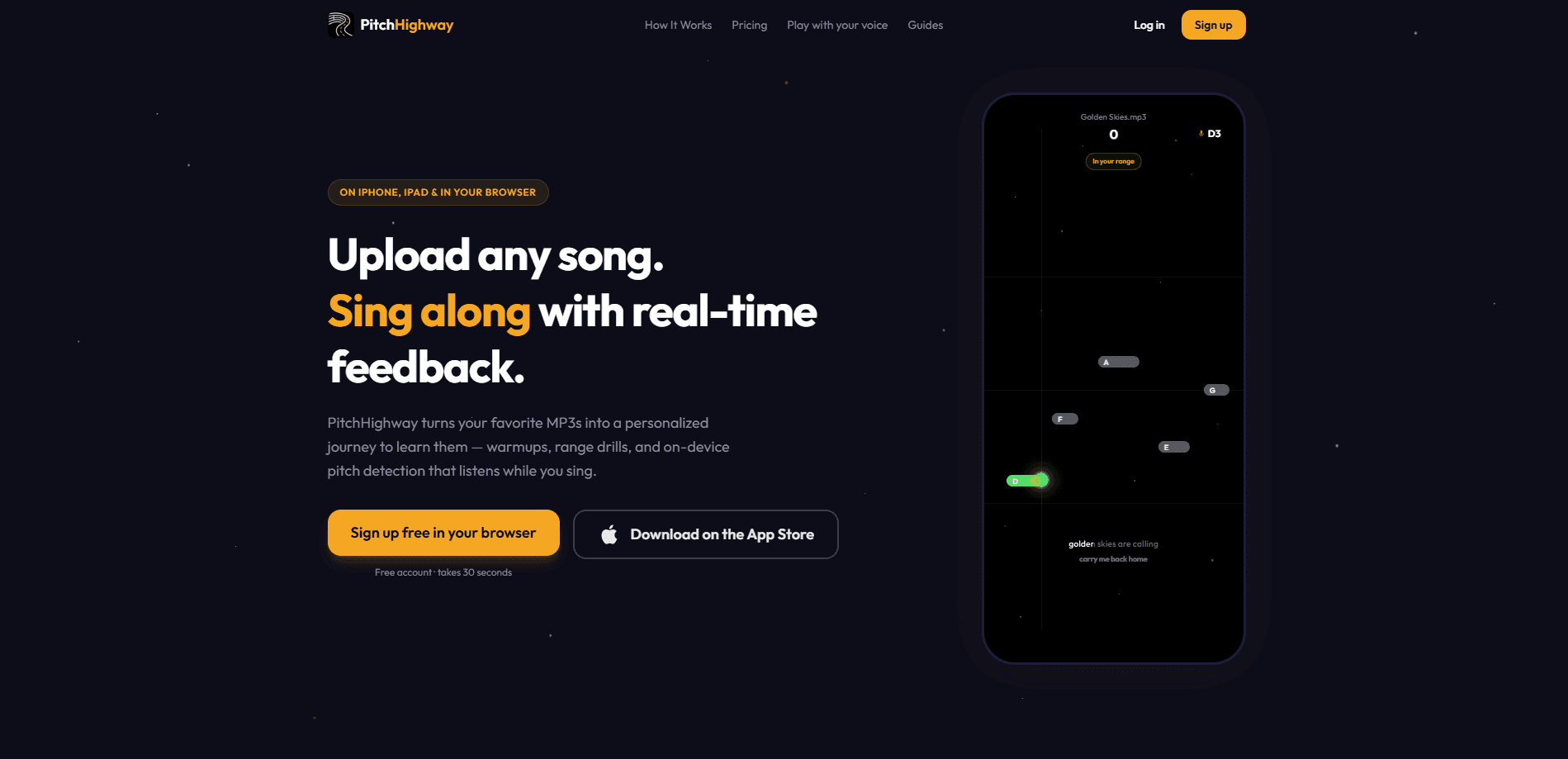
PitchHighway is a vocal training app built around a single, practical idea: you learn to sing by learning actual songs, not by grinding abstract exercises. Upload a track and the service separates the vocals, analyzes the melody, and turns that one file into a structured, multi-level path aimed at that specific song. You get warmups written in the song's own key, range stretches for the notes that sit outside your comfort zone, drills on the hardest phrases, and finally a full-song run where the notes scroll down the screen and the app scores your voice against them.
The pitch detection that powers all of this is a neural model that runs on your device. On iPhone and iPad it uses Core ML, and in the browser it runs locally too, so your live singing voice isn't streamed to a server just to be graded. That matters if you care about privacy while you practice, and it also keeps the feedback immediate. Does it help? Yes, noticeably. If you want to just mess around with pitch for free, the website has a set of no-signup browser tools you can try before you commit to anything.
The main limitation is scope. There's no Android app, so Android users have to work through the web version. That's the catch. Free accounts currently get a single lifetime song upload, which is set by a server-side flag and can change, so treat it as a taster rather than a habit. Premium unlocks more uploads and premium content if you plan to work through a whole playlist.
Getting Started
- Sign up at the PitchHighway website to create a free account, or install the iOS app on your iPhone or iPad.
- Upload your own audio file (MP3) or paste a YouTube link. Tracks up to 10 minutes long work best.
- Let the service analyze the vocals, then open the practice path it builds for that song.
- Work through the levels: warmups, range stretches, phrase drills, then the full-song Highway run.
- Check the My Voice tab over time to watch your range, timbre, and pitch accuracy change as you practice.
Product Information
A quick look at PitchHighway's pricing, supported platforms, and performance.
Best for
The users, tasks, and scenarios where this tool fits best.
Users
- Beginners learning their first songs
- Singers who want to nail one specific song
- Trans and gender-affirming singers
Tasks
- Learning a song note by note
- Checking your pitch accuracy
- Measuring your vocal range
Scenarios
- Practicing at home with headphones
- Warming up before a performance
- Building a long-term practice habit
Key features
Upload a Song and Get a Personal Path
This is the core of the app. Bring your own MP3 or a YouTube link, and PitchHighway separates the vocals and builds a multi-level path around that exact track. You get warmups in the song's key, stretches for notes you can't reach yet, drills on the hard passages, and a final run through the whole song. The learning material is the song itself, so it rarely feels like homework the way a generic routine does.
Real-Time On-Device Pitch Feedback
As you sing, the app scores your pitch against the target notes in real time and shows you the result visually. The detection model runs on your device, Core ML on iOS and in-browser on the web, so your live voice stays local while you practice. That combination of instant feedback and local processing is the part that keeps practice sessions honest.
The Highway Mode
Highway mode turns a song into a run of scrolling notes you sing along to, and it scores you as you go. It's the closest thing here to playing a rhythm game with your voice. It's a good test. It also shows whether the drills actually stuck. On iOS you can download songs for offline play, so a commute without signal doesn't stop a session.
My Voice Progress Profile
The My Voice tab builds a running picture of your instrument from your practice recordings, which are opt-in. It tracks your vocal range with personal records, your timbre across brightness, clarity, resonance, and vibrato, and a pitch-accuracy trend that updates as you keep singing. It's free, and it's where the one-off results from the website's tools turn into a trend you can actually watch.
General Training Paths and Practice Modes
Not every session centers on a song. PitchHighway has general training paths for pitch work, beginner foundations, voice confidence, and dedicated feminine- and masculine-voice practice. Alongside those are focused modes: note practice, pitch matching, scale runs, and interval training. Singers who want to improve their ear as well as their voice have somewhere to go.
A Live Vocal Coach
Inside the app there's an AI vocal coach that can see your own practice progress and answer questions about it, with the option to hand off to a human. It's a low-stakes way to get feedback on what to work on next. Handy when you don't have a teacher and don't want to guess.
Free No-Signup Browser Tools
The website carries a set of tools you can use without making an account: a vocal range test, a voice type test, a timbre and resonance analyzer, a song key finder, guided warm-ups, note practice, and a guided breathing exercise. You can figure out your range or voice type before deciding whether the app is worth your time.
Singing Games
Three free browser games, Sing to Survive, Sing & Snack, and Sing Soccer, use your voice pitch as the controller. You steer a ship, a hungry animal, or a goalkeeper by singing higher or lower to hit target notes. They run on the same on-device detection, and they're a genuinely fun way to drill pitch without calling it practice.
Pros and cons
Pros
- Learns your specific song instead of forcing generic exercises, which fits singers with a concrete goal.
- Pitch feedback is real time and runs on your device, so there's no lag and no streamed voice.
- Works in the browser and on iPhone and iPad, so you can start free without an install.
- The free browser tools cover range, voice type, and timbre, letting you assess yourself before signing up.
- My Voice tracks progress over time, which is rare in vocal-training apps and useful for staying motivated.
Cons
- No Android app, so Android singers are stuck with the web version and lose the offline iOS downloads.
- Free accounts currently allow only one lifetime song upload, so you'll hit the paywall fast if you want a playlist.
- Premium pricing isn't published on the site, so you can't plan your budget until you reach the request flow.
Frequently asked questions
It turns a song you upload into a personalized learning path with warmups, drills, and a scored full-song run. You practice by learning real songs rather than following a fixed course.
Related content
Explore related tools, skills, and articles for PitchHighway.
PitchHighway Alternatives

Foley
Hanamori Labs, LLC · Voice & Language · Productivity · AI AssistantFoley is a voice to-do list that turns a spoken sentence into a filed task, complete with project, date and time, then helps you plan the day around what is already there.

HireKey
HireKey · Voice & Language · Productivity · LeaningHireKey is an AI job search copilot built by a former tech recruiter. It checks role fit, tailors resumes, runs interview practice and tracks every application.

Fluence
Yay Software (Yannick Huchard) · Writing · Voice & Language · ProductivityFluence is an Android app that reads PDFs, EPUBs, Word files and web articles aloud, follows each sentence as it speaks, and answers questions about the text on the phone itself.