

PixieBrix
PixieBrix, Inc. · Coding
PixieBrix is a browser extension that watches contact center agent activity in real time and warns, blocks, or flags risky actions before a refund or customer record leaves the building.
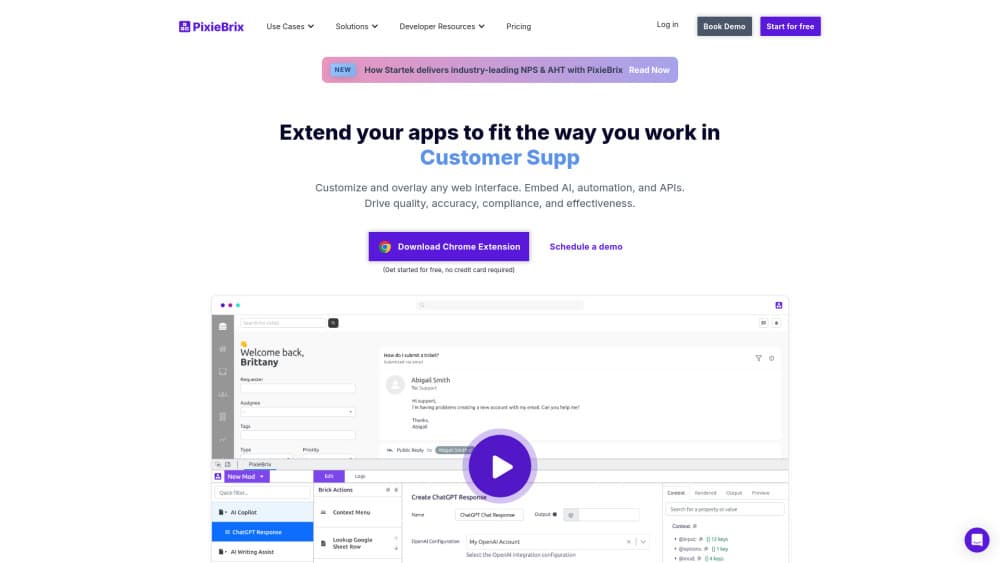
About PixieBrix
What Is PixieBrix
PixieBrix is a browser extension for agent activity monitoring. It gives operations teams a live view of what agents actually do inside the web apps they work in. It reads actions at the page level: a refund keyed in, a card number copied, a customer record opened at 2 a.m. Policies you write in the console decide what happens next. The action goes through, triggers a warning, or gets blocked outright.
The problem it targets is the last mile of browser work. Access logs show that an agent signed in with valid credentials. They don't show that the same agent issued six off-policy refunds, pasted a full card number into a personal note, or opened twelve VIP accounts in ten minutes. PixieBrix sits inside the tab, so it catches the action itself rather than the login that preceded it.
Two limits matter before you buy. Everything runs in a desktop browser, so native desktop software and mobile apps sit outside its reach. And the value depends on someone writing decent policies. PixieBrix ships dropdown rules that cover common cases in minutes, but the sharper logic around refund thresholds and VIP access takes a person who knows your workflows.
Getting Started
- Book a demo or start the 14-day trial, then create your team in the PixieBrix web console.
- Install the extension from the Chrome Web Store or the Edge add-on store, or push it through your device management tooling. Island is supported on Enterprise plans.
- Register the web apps your agents use, then pick a starting policy: block a URL, mask card numbers, or disable file uploads on a specific page.
- Add the rules that matter for your floor. Refund caps, discount limits, clipboard restrictions, and after-hours record views are all configurable from dropdowns, with custom logic where a dropdown isn't enough.
- Watch the activity feed, tune the rules that fire too often, and export policy events through MCP into your CRM, SIEM, or BI stack.
Product Information
A quick look at PixieBrix's pricing, supported platforms, and performance.
Best for
The users, tasks, and scenarios where this tool fits best.
Users
- Contact center operations leads
- Fraud and risk analysts
- Compliance teams in regulated service work
- IT and security engineers at mid-size or large floors
Tasks
- Catching refund fraud and discount abuse
- Stopping card data exposure
- Flagging insider risk patterns
- Correlating activity with other systems
Scenarios
- A BPO floor running several client programs on shared machines
- Onboarding new agents
- After-hours access reviews
- Investigating a suspected data exfiltration case
Key features
Browser-Level Activity Visibility
The extension sees what happens inside the page, not just which URL loaded. Refunds, copy and paste events, record edits, and searches all land in the activity feed with the app, the tab, and the agent attached. That's the difference between knowing someone visited the billing system and knowing they reversed a charge.
Real-Time Blocking and Warnings
Policies can monitor quietly, warn the agent, or stop the action. Blocking happens before the click lands, so a refund over the cap never reaches the payment system. You choose the response per rule, which keeps the loud controls on the actions that actually cost money.
A No-Code Policy Engine
Most rules come together from dropdowns: block a URL, mask PII, monitor screenshots, disable a file upload. No code, no deployment ticket. The console deploys the change to every installed browser within minutes, so most contact center compliance work skips the IT queue. You can loosen a rule the same way when it fires too often.
Custom Logic With AI Help
Dropdowns run out on real workflows. The low-code policy engine adds multi-step guidance, transaction escalation, embedded decision trees, and the ability to disable specific interface elements. You describe the workflow in plain language and PixieBrix drafts the logic, then you adjust it. It's a useful head start, not a substitute for knowing your own process.
Cross-Tab Transaction Matching
Policies can compare what's on one tab with what's on another. A live call in the softphone gets matched against a lookup in the CRM at the same moment, so an agent reading a different customer's record while on a call shows up as a mismatch. This is the kind of pattern that slips past per-app rules.
Privacy-Safe Capture
PixieBrix hashes and redacts on the device before anything leaves the browser. The default posture is metadata and policy events, not full session recording. Data from the sites your agents visit doesn't travel unless you configure it to. For teams that want monitoring without turning every screen into a video file, that distinction does a lot of work.
MCP Data Access
Every captured action is exposed through MCP, the Model Context Protocol. That means your own AI agents and analytics tools can query activity data directly, and your CRM, SIEM, or BI platform can pull policy events without a custom integration. It keeps PixieBrix from becoming one more dashboard nobody opens.
Pros and cons
Pros
- Deploys as an extension, so there's no endpoint agent, no OS install, and no migration away from the web apps your team already runs.
- Policies cover fraud, data loss prevention, and compliance in one console instead of three overlapping tools.
- Intervention happens at the point of action, which is earlier than any weekly report or after-the-fact audit trail.
- Works on BYOD, contractor, and shared BPO machines, a setup where endpoint tools struggle to get installed at all.
- MCP access means the data flows into systems you already trust rather than sitting in a separate silo.
Cons
- Chrome and Edge only for standard deployment, and Island only on Enterprise plans. teams standardized on Firefox or Safari are out of luck.
- No public price list. You have to talk to sales before you know whether the Individual plan covers your headcount.
- The interesting rules need someone who understands both the workflows and the logic builder, so the first month involves real configuration work.
- Coverage stops at the browser, so work done in native desktop clients or on phones isn't visible.
Frequently asked questions
It runs as a browser extension and monitors what agents do inside web apps, then applies your policies to those actions. In practice that means refunds over a limit get blocked, card numbers get masked, and unusual record access gets flagged while it's happening.
Related content
Explore related tools, skills, and articles for PixieBrix.
PixieBrix Alternatives

Base Code
Base44 (Wix) · Coding · ProductivityBase Code is a shared cloud development environment from Base44. Teammates describe changes to an existing GitHub codebase in chat, preview them live and send them back as pull requests.

Google EmbeddingGemma 2
Google DeepMind · Writing · Image · CodingGoogle EmbeddingGemma 2 is a 740M-parameter open model that turns text, code, images, audio, and video frames into vectors in one 768-dimension space, running on phones and laptops.

GitGlow
GitGlow · Coding · ProductivityGitGlow is a local-first desktop Git client that lets independent developers review their own code and their AI agents' changes in one place before shipping.