
Pixley AI
Pixley AI Inc. · Leaning
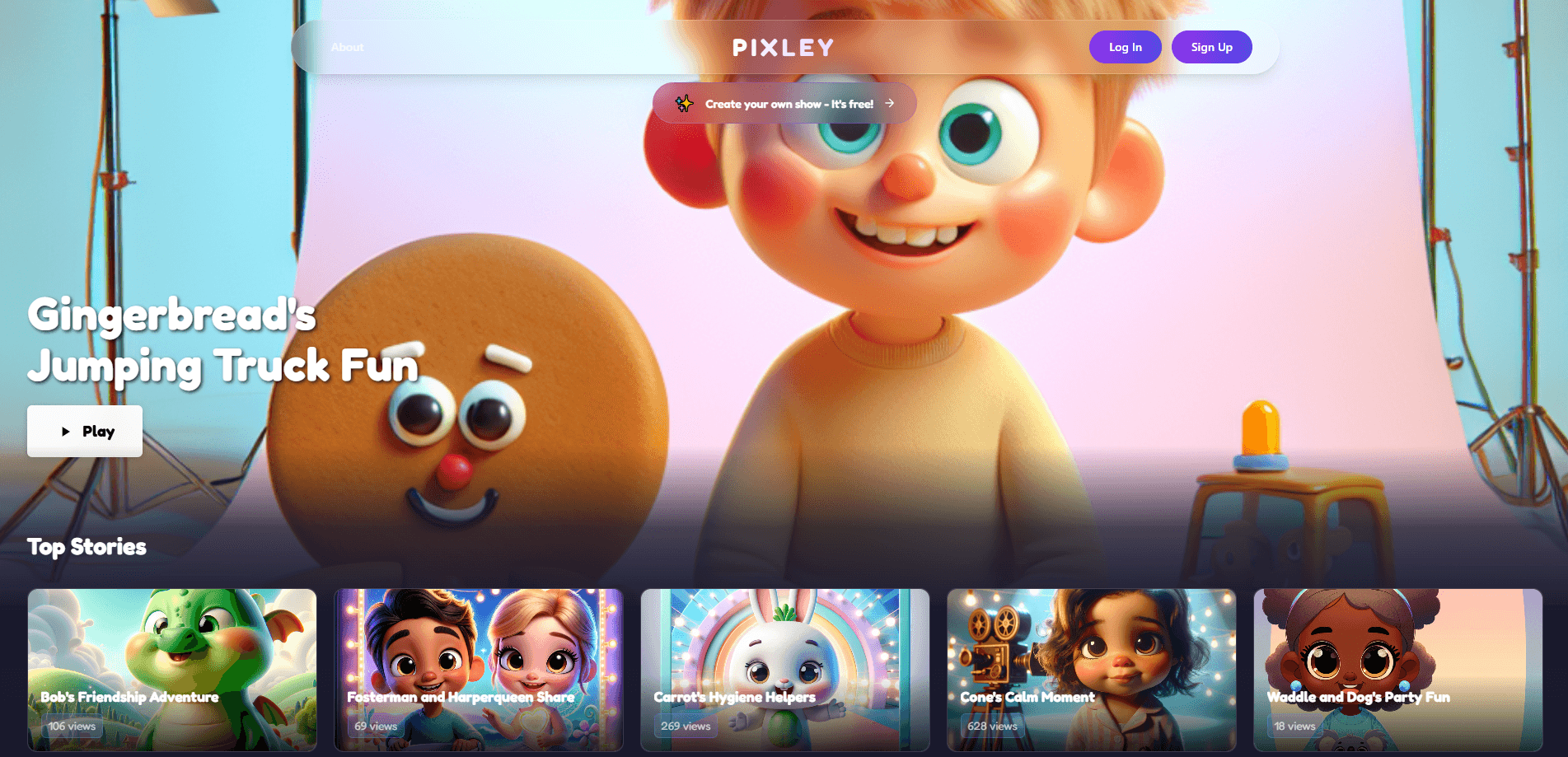
Pixley AI is an AI-powered cartoon maker for kids that turns children's drawings, doodles, and photos into animated cartoon characters and personalized storybooks. Aimed at families with children ages 2 to 8, this kids learning app pairs creative play with guided early learning, so screen time becomes a shared activity instead of passive viewing. Parents pick the themes and lessons. Kids direct the story.
About Pixley AI
What Is Pixley AI
Pixley AI is a kids-focused cartoon app that runs on iPhone and iPad. The pitch is simple: instead of letting children watch cartoons made by someone else, it lets them make their own. A child draws a character on paper, and the app brings it to life as an animated figure that stars in a short educational episode.
The learning angle is what separates it from a plain drawing toy. Before an episode plays, a parent chooses a theme or value, such as empathy, sharing, or sight words. The story then carries that lesson, so the fun and the teaching arrive together. For families who worry about what their kids see on screens, the ad-free environment matters just as much as the animation. Kids can't stumble onto anything you didn't choose. What does your child actually do here? They draw, they direct, and they watch their own art move.
The limits are worth knowing up front. Pixley AI is iOS-only, so Android users can't run it. It's built for young children. Older kids may outgrow the format fast, since the stories stay pitched at toddlers and early learners rather than growing with a child the way a broader education platform would. The free download unlocks the basics, but the full creative experience sits behind a subscription.
Getting Started
- Download Pixley from the App Store on an iPhone or iPad running iOS 17 or later.
- Create a child profile and set the age range, so stories stay pitched at the right level.
- Let your child draw a character on paper, then capture it with the camera or photo library.
- Pick an educational theme or value for the episode, such as empathy or early reading.
- Watch the cartoon the drawing becomes, and save it to replay or share with family.
Product Information
A quick look at Pixley AI's pricing, supported platforms, and performance.
Best for
The users, tasks, and scenarios where this tool fits best.
Users
- Parents of kids ages 2 to 8
- Preschool and early-learning families
- Families limiting screen time
Tasks
- Turning a child's paper drawing into an animated character
- Teaching a specific value through play
- Creating a personalized storybook
- Sharing a finished cartoon with relatives
Scenarios
- A rainy afternoon indoors when you need a quiet, creative activity that beats more TV.
- A short bedtime routine where a custom cartoon replaces a fixed bedtime video.
- A weekend craft session
- Car rides or waiting rooms where a saved episode keeps a young child engaged offline.
Key features
Drawing to Animation
A child draws a character on paper, and Pixley AI converts it into a moving cartoon figure. No stylus needed. No animation skill either. That matters for kids who can barely hold a pencil steadily. The app keeps the rough charm of the original drawing, so the character still looks like theirs.
Personalized Storybooks
Every episode is built around your child's own character, which is what makes a storybook feel like it belongs to them. Kids aren't picking from a set list of heroes. They're watching a show they partly made, and that ownership is a big part of why young children stay interested longer with this kids learning app than they would with a generic video.
Parent-Guided Learning
Adults choose the lesson before the story plays. You can pick a theme like kindness, patience, or sharing, or aim the episode at early reading skills such as sight words. The point is that the teaching isn't bolted on afterward. It's the spine of the episode, and you decide which spine to use. Pick a lesson. Press play. The cartoon carries it for you.
Ready-Made Companion Stories
Alongside the personalized cartoons, Pixley AI ships with pre-built animated stories starring recurring characters, including Benny the Bear, Tigey the Tiger, and Elly the Elephant. These fill the gaps when a child wants to watch rather than create, and they keep the same gentle tone as the custom episodes so the whole app feels like one consistent, safe place rather than a set of unrelated features bolted together.
Safe and Ad-Free Viewing
There are no ads and no open browsing, so a child can't wander off into unrelated content. For parents, that removes most of the usual anxiety around handing over a device. The app is also listed with a 4+ age rating, and it keeps children inside a single guided experience rather than a bottomless feed that pulls them from one random clip to the next.
iOS App with Saved Playback
The app runs on iPhone and iPad and stores finished cartoons for replay. Saved episodes work offline too, which is handy on long drives or flights. It's a small thing, but it means the value you create doesn't vanish the moment you close the app.
Pros and cons
Pros
- Turns a child's real drawings into animated characters, so the creativity starts away from the screen.
- Folds early learning into the cartoon, letting parents set the lesson rather than leaving it to chance.
- Completely ad-free with no open browsing, which is rare for kids apps.
- Ready-made stories mean there's something to watch when a child doesn't feel like making anything.
- Saved episodes play offline, so it holds up on trips and in low-signal spots.
Cons
- iOS only, so families on Android can't use it at all.
- The free download is limited; the full creative experience needs a subscription.
- Aimed at ages 2 to 8, so it stops appealing to kids once they move past early childhood.
- No public API, so it's a consumer app rather than something you can build on.
Frequently asked questions
It turns children's drawings and photos into animated cartoon characters that star in short, customizable episodes. Parents choose an educational theme, and the cartoon carries that lesson while kids watch a story starring their own art instead of a character someone else designed.
Related content
Explore related tools, skills, and articles for Pixley AI.
Pixley AI Alternatives

Kaggle AI
Google · Coding · LeaningKaggle AI is a community platform where people build, test, and compare machine learning models against shared data. It combines data science competitions, tens of thousands of public datasets, and free cloud notebooks with GPU and TPU access, so anyone with a browser can train a model without buying hardware. Google owns the platform, and joining costs nothing.

Bunch
Bunch AI · Leaning · BusinessBunch is an AI leadership coaching app that turns a few spare minutes a day into real management practice. It hands you one short, personalized tip each day, tracks how you respond, and lets you compare notes with peers inside private groups. The pitch is simple: you lead better by practicing a little, often, instead of sitting through a weekend seminar. Think of it as a leadership training app you actually open.

AI Mock Interview
SQLPad · Coding · LeaningAI Mock Interview is a practice tool built into SQLPad that simulates real job interviews and gives you instant feedback on both what you say and how you say it. You pick a role template or upload a job description, answer questions out loud in real time, and then review a transcript with notes on structure, clarity, and grammar. It's aimed at data professionals prepping for SQL, Python, data engineering, machine learning, and system design roles, and it works entirely in the browser. No install needed.