

Plae
Yash · Writing
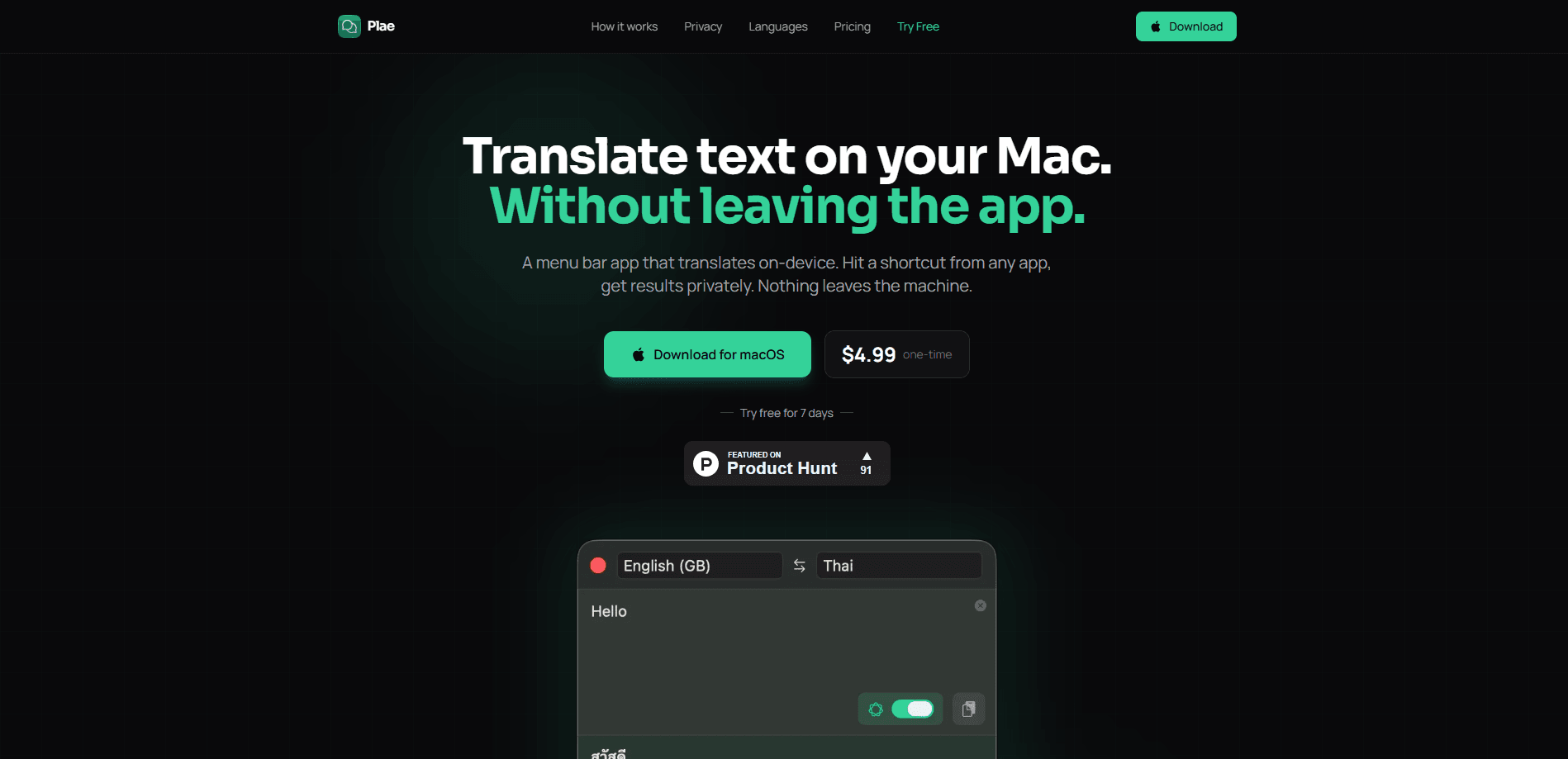
Plae is an on-device translation app for macOS that works as a menu bar translator right inside whatever app you're already using. Hit a shortcut, type your message, and the result appears without anything going to a server. It leans on Apple Translation, Apple Intelligence, or its own built-in AI model depending on what your Mac supports, and it costs $4.99 as a one-time purchase.
About Plae
What Is Plae
Plae is a translation tool that lives in the Mac menu bar. You press Cmd+Shift+T from any app, a small window drops down, you type a message, and it comes back translated. The whole thing runs locally, so your text never leaves the computer. That's the pitch. Simple, and it holds up.
The problem it solves is a privacy one. Most translation apps send your text to a cloud service to process it. Plae doesn't. There are no servers, no accounts, and no telemetry. If you're translating a message from a family member, a contract clause, or something a coworker sent you, that content stays put.
The catch is the platform. Plae is macOS only, and it needs macOS Sequoia or later. Windows and Linux are out. If you're on an older Mac, same story. There's also no phone version, so the presentation mode is tied to showing your laptop or desktop screen to whoever's standing next to you.
Getting Started
- Download the free trial DMG from the official site and drag Plae into your Applications folder. No sign-up, email, or credit card needed.
- Launch Plae and give it the permissions it asks for, then pick which translation engine you want in settings (Apple Translation is the default and needs no extra setup).
- Press Cmd+Shift+T from any app, type your text, and hit Enter to translate.
- Tap the present button if you want the translation blown up full-screen so someone across the room can read it.
- Use it free for 7 days, then buy the full app on the Mac App Store for $4.99 if you want to keep going.
Product Information
A quick look at Plae's pricing, supported platforms, and performance.
Best for
The users, tasks, and scenarios where this tool fits best.
Users
- Multilingual couples and families
- International teams
- Expats and language learners
Tasks
- Checking a message before you send it
- Translating something on screen for someone else
- Quick word or phrase lookups
Scenarios
- Front desk or shared space
- Travel without a signal
- Sensitive text you'd rather not paste into a website
Key features
Three Translation Engines in One App
Plae doesn't lock you into a single engine. Apple Translation is the default and handles 19 languages at native quality, usually in under a second. Apple Intelligence adds better handling of slang and context and covers more languages, but it needs macOS Tahoe and Apple Intelligence switched on. And if your Mac has neither, Plae ships its own downloadable AI model, so the app still works.
Fully On-Device and Offline
Everything runs locally, on Apple's engines or on the built-in model. There are no servers and no databases on the other end, which means nobody can inspect what you translate. After a one-time language pack download, you don't need an internet connection at all. That makes Plae a genuine offline translator for Mac, not just one that claims to be.
The Built-In AI Model
Plae's own engine is powered by Google's TranslateGemma running locally through llama.cpp, and you can pick between 4B, 12B, or 27B versions depending on how much your Mac can handle. The bigger models are slower but more capable. It's the fallback that covers roughly 55 languages and doesn't depend on any Apple feature being available.
Full-Screen Presentation Mode
The feature that makes Plae useful in person is the present button. Instead of reading a translation out loud, you blow it up so it fills the screen and let the other person read it themselves. The results are large enough to be legible from across a room, which matters most in noisy or crowded places where repeating yourself gets old fast.
Translation History With Favorites
Plae keeps your last 20 translations automatically, and you can star any of them to keep them permanently. If you find yourself translating the same handful of phrases over and over, say for a regular customer or a relative you message daily, this is where you'll go back to find them instead of retyping.
Global Shortcuts and Language Swap
Cmd+Shift+T opens Plae from any app, so you don't have to hunt through menus. A single tap flips the source and target languages, which turns a one-way translation into a back-and-forth conversation you can actually keep up with.
Pros and cons
Pros
- Nothing leaves your Mac, which makes it safe for private or sensitive text.
- Works offline after setup, so it holds up on flights and in places with no connection.
- One-time $4.99 price with no subscription, no account, and no upsells.
- Free 7-day trial with full access, and no credit card required to start.
- Three engines give it a fallback: if Apple's tools aren't available, the built-in model still works.
Cons
- macOS Sequoia or later only, so older Macs, Windows, and Linux users are out.
- No iPhone or iPad app, which limits it to desktop use.
- The AI engines take a few seconds per translation, noticeably slower than Apple Translation.
- The 20-item history is short unless you star entries to keep them.
Frequently asked questions
There's a free 7-day trial with full access and no account needed. After that, it's a one-time $4.99 purchase on the Mac App Store. There's no subscription.
Related content
Explore related tools, skills, and articles for Plae.
Plae Alternatives

Google EmbeddingGemma 2
Google DeepMind · Writing · Image · CodingGoogle EmbeddingGemma 2 is a 740M-parameter open model that turns text, code, images, audio, and video frames into vectors in one 768-dimension space, running on phones and laptops.

MePersona
MePersona, Inc. · Writing · Productivity · MarketingMePersona is an AI unified inbox for creators. It learns your voice, drafts replies to fan messages from 12 platforms, and sends only what you approve.

Fluence
Yay Software (Yannick Huchard) · Writing · Voice & Language · ProductivityFluence is an Android app that reads PDFs, EPUBs, Word files and web articles aloud, follows each sentence as it speaks, and answers questions about the text on the phone itself.