

PlagiarismCheck
PlagiarismCheck.org · AI Detection
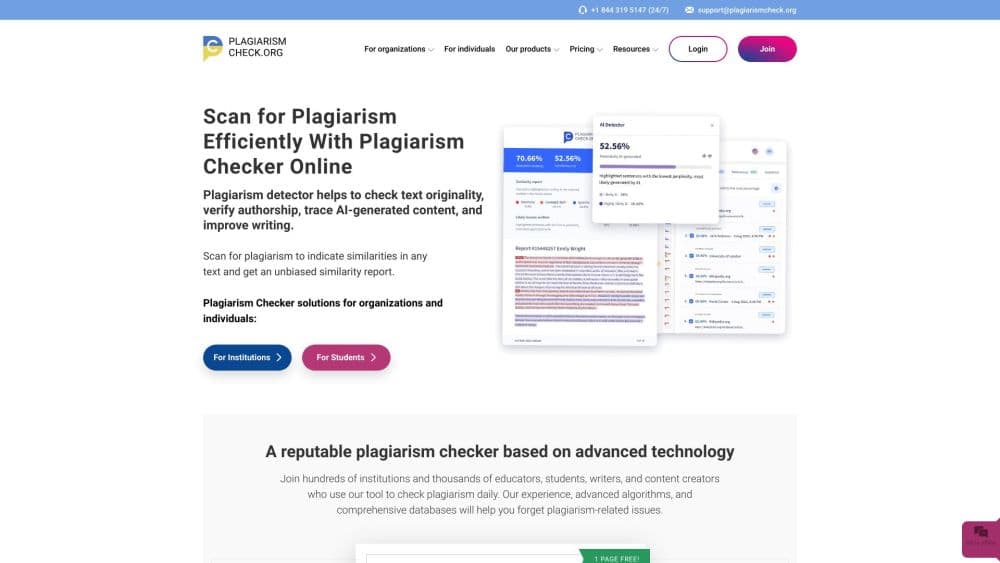
PlagiarismCheck.org is an online checker that scans text for copied content and AI-generated writing, then highlights the matching sources in an interactive report.
About PlagiarismCheck
What Is PlagiarismCheck.org
PlagiarismCheck.org is a web tool that checks whether a piece of writing is original. You upload a document or paste text, and the service compares it against online sources, academic databases, and any files you add yourself. It also runs an AI detector that flags text likely written by a model such as ChatGPT. The result is a report with a similarity percentage and highlighted passages that link back to where the text came from.
Originality checker for teachers, students, writers, and content teams: plagiarism detection for teachers is the core use case, and the company also sells institutional packages to schools, colleges, and businesses. What sets it apart from a plain similarity checker is Fingerprint, an authorship verification feature that compares a paper against the same person's earlier writing to spot signs that someone else wrote it.
Two things to know before you sign up. The free tier only covers two pages, so anything longer needs a paid plan. And the service is a detector, not a citation tool on its own. It tells you what overlaps; fixing the writing is still on you.
Getting Started
- Create an account at plagiarismcheck.org, or use the free check to run two pages without paying.
- Upload your file or paste the text. You can add several documents at once to compare them against each other.
- Run the check. The tool scans online sources, its internal databases, and your uploaded files in one pass.
- Read the interactive report. Similar passages are highlighted with a percentage and links to the original sources.
- Fix what's flagged, then re-run the check before you submit or publish.
Product Information
A quick look at PlagiarismCheck's pricing, supported platforms, and performance.
Best for
The users, tasks, and scenarios where this tool fits best.
Users
- Teachers and professors
- Students
- Writers and content creators
- Schools and businesses buying for a team
Tasks
- Checking a batch of student essays
- Screening a blog post before publishing
- Verifying authorship on a suspicious paper
- Cleaning up citations
Scenarios
- Grading a stack of papers the night before grades are due
- A department moving off a pricier tool
- A freelancer clearing client work
Key features
Plagiarism and AI Detection in One Pass
The checker runs similarity detection and AI detection together, so you don't pay for two tools. It flags exact matches, paraphrasing, reordered sentences, and swapped synonyms, and it catches tricks like hidden characters or Cyrillic letters standing in for Latin ones. On top, an AI detector marks text likely produced by a model. According to the company, the engine checks more than a billion URLs and internal databases in a single scan.
Fingerprint Authorship Verification
Fingerprint is the feature you won't find on most competing checkers. It builds a profile from a writer's previous work and compares a new document against that profile to estimate whether the same person wrote it. For teachers, that's a way to spot contract cheating or a paper written by someone else, which a plain similarity score misses entirely.
Interactive Reports with Source Links
Every flagged passage comes with a similarity percentage and a link to the source it matches. You can open the original material and judge whether the overlap is real plagiarism or just a common phrasing. The report is downloadable, so you can keep a record or share it with a department.
LMS and Classroom Integrations
Checks plug into Google Classroom, Moodle, Canvas, Blackboard, and Schoology, plus a Google Docs add-on. Teachers can run a check without leaving the platform they already grade in, which cuts the copy-paste step of moving files between tools. Higher institutional plans add integration with any other LMS.
Extra Writing Tools
Beyond detection, the platform bundles a citation generator, a grammar checker, an essay grader, and a topic generator. None of these are the reason to buy the tool, but they mean a flagged passage and its fix sit in the same place instead of sending you to a separate app.
Institutional Archive and Confidentiality
Organizations can build a private archive and search it alongside public sources, which helps when a school wants to compare against its own past submissions. The company states that uploaded texts are checked in strict confidentiality and reports can be downloaded for record keeping.
Pros and cons
Pros
- Similarity and AI detection in one report, so you don't run two separate checks.
- Fingerprint authorship verification is uncommon among plagiarism checkers and directly targets ghostwriting.
- Free two-page check lets you test accuracy before paying.
- Integrations with Google Classroom, Moodle, Canvas, Blackboard, and Schoology fit existing teaching workflows.
- Institutional plans are priced lower than some big-name competitors, which suits smaller schools.
Cons
- The free tier stops at two pages, so any real assignment needs a paid plan.
- There's no public self-serve API listing, which makes automated checks for developers hard to set up.
- Individual prices sit on a monthly subscription rather than a one-off per-document charge, which costs more if you only check occasionally.
- The AI detector is one signal among several and can misread heavily edited human writing, so results still need human judgment.
Frequently asked questions
It scans a document for copied content and AI-generated text, then produces a report that shows a similarity percentage and links to the sources it matched. The AI detector flags passages likely written by a model.
Related content
Explore related tools, skills, and articles for PlagiarismCheck.
PlagiarismCheck Alternatives
Isgen AI
Isgen · AI DetectionIsgen AI is a web-based AI detector that scores text for machine authorship and shows you which sentences and phrases push the number up. It's built for teachers, editors, students, and writers. Their question is simple: did this draft come from ChatGPT, GPT-5, Claude, Gemini, DeepSeek, or another model? You paste or upload content, run a scan, and get a Human, AI, and Mixed breakdown in seconds. There's also a companion editor that scores text while you write it.
Humanizeai Tools
Humanizeai Tools · Writing · AI DetectionHumanizeai Tools is a web-based AI humanizer that rewrites machine-generated text so it sounds like a person wrote it, which is the whole point of the category it belongs to. Paste a draft from ChatGPT, Claude, or Gemini, run it through the tool, and it swaps out the phrases and sentence patterns that AI detectors flag. If your goal is to make AI text sound human before you publish it, this is the kind of tool built for exactly that. It suits students, bloggers, and marketers who need copy that reads naturally and clears tools like GPTZero, Copyleaks, and Winston AI after a single pass.

Hidemyai
Hidemyai · Writing · AI DetectionHidemyai is an AI content humanizer. It rewrites text from ChatGPT, Jasper, and similar tools so the result reads like a person wrote it. You paste your draft, pick a document type and tone, and the service returns a version meant to bypass AI detectors such as Originality.ai, Turnitin, and ZeroGPT. It targets writers, marketers, and students who lean on AI drafts but can't ship copy that sounds robotic. The promise is simple: make AI content undetectable.