
playground.chat
playground.chat · Other
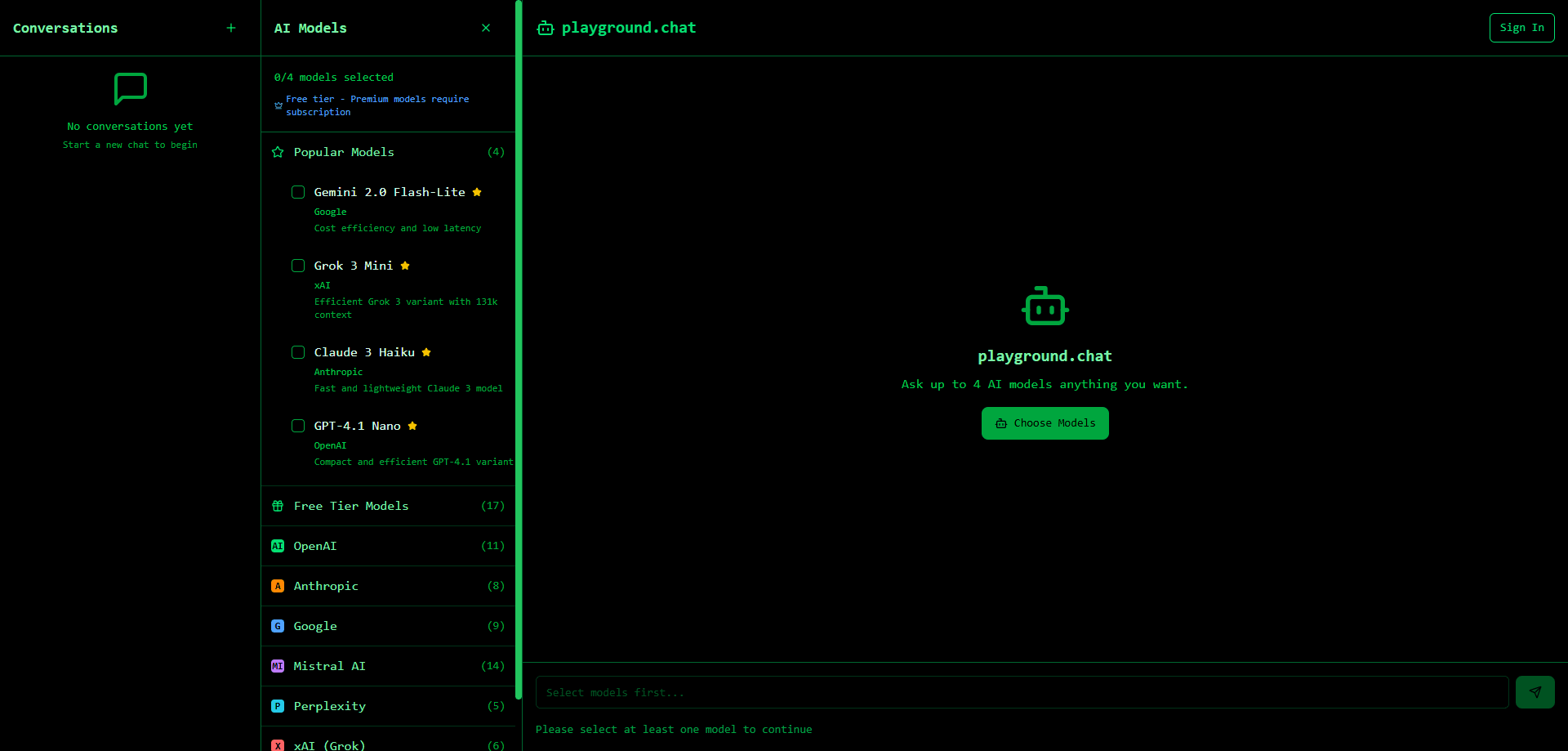
playground.chat is an AI playground for AI model comparison. You send one prompt and watch up to four models answer at once with streaming replies.
About playground.chat
What Is playground.chat
playground.chat is a browser-based chat workspace built around one idea: stop guessing which AI model handles your task best. Instead of opening ChatGPT, Claude, and Gemini in separate tabs, you type a prompt once and read the answers side by side.
The tool fits people who already use AI chat daily and want to see how models differ on real work. Writers compare tone, developers check code output, and researchers watch how different models reason through the same question. Nothing here trains a model or offers a brand-new chatbot. It's a comparison layer that puts several assistants in one window.
The main limit is scope. playground.chat is a web product with no mobile apps, and the free tier covers a fixed set of models rather than every model on the market. Signing in unlocks live comparison, while the demo shows pre-generated answers so you can get a feel for the layout first.
Getting Started
- Open playground.chat in a browser. No install is needed.
- Pick models from the selector. You can compare up to four at once.
- Type your prompt and send it. Answers stream in as each model responds.
- Register a free account to unlock live model comparison instead of the demo.
- Add or swap models, then keep iterating on the same chat thread.
Product Information
A quick look at playground.chat's pricing, supported platforms, and performance.
Best for
The users, tasks, and scenarios where this tool fits best.
Users
- Everyday AI chat users
- Writers and marketers
- Developers
- Researchers and students
Tasks
- Prompt testing
- Model selection
- Draft comparison
- Quick answers
Scenarios
- Deciding between a free and a paid AI plan for daily work.
- Comparing reasoning on a tricky question where models often disagree.
- Showing a team how two models differ on the same client brief.
- Testing a prompt idea quickly before building anything heavier around it.
Key features
Side by Side AI Chat
The core of playground.chat is putting side by side AI chat into one view, so you can compare AI models without juggling tabs. You pick up to four models, send a single prompt, and each column fills with its own reply. Reading them together makes differences in tone, length, and accuracy obvious fast.
Streaming Responses
Answers appear as they generate rather than landing all at once. That streaming behavior lets you judge a model's direction early and stop reading if it's clearly off track, which saves time on long or rambling outputs.
Multi Model Selection
This is where the multi-model chat setup happens. A model selector lets you add and remove models from the comparison set, with a cap of four per view. You can search the list and swap one model for another without losing your chat thread, so testing alternatives stays quick.
Demo Mode Without Signing In
The site opens in a demo with pre-generated responses, so you can explore the layout before creating an account. Signing in switches the same interface to live models, which keeps the learning curve short.
Shared Chat Thread
Once you're in a chat, every selected model answers on the same thread. You keep the context in one place instead of copying prompts between apps, and follow-ups stay tied to the original question.
Browser Based Access
Everything runs in the browser on desktop, so there's nothing to install and no app store step. Opening a tab is the whole setup, which makes it easy to try on a borrowed machine or a work computer.
Pros and cons
Pros
- One prompt reaches several models at once, so you compare answers without tab juggling.
- Streaming output shows quality early instead of after a long wait.
- Free models are available and sign-up doesn't ask for a card, so you can try free AI models before paying.
- A demo mode lets you test the layout before you register.
- The four-model cap keeps each comparison readable on a single screen.
Cons
- No mobile apps, so you're limited to a browser on desktop or a phone browser.
- The free tier covers a fixed model set, not every model you might want to compare.
- There's no public API listed, so you can't wire the comparison into your own tools.
- Live comparison needs an account, and the demo answers are pre-generated rather than real.
Frequently asked questions
It's a web tool for chatting with and comparing AI models side by side. You send one prompt and read answers from several models in the same view.
Related content
Explore related tools, skills, and articles for playground.chat.
playground.chat Alternatives

Odyssey 3
Odyssey · OtherOdyssey-3 is Odyssey's foundation world model. It simulates physics in real time, turns a prompt into an interactive environment, and adapts to robots, cars and games.

JarvisCore
Prescott Data · Coding · Productivity · OtherJarvisCore is an open source Python runtime where AI agents work as equal peers on an agent mesh, claim tasks from a shared ledger, and reach external services through a zero-trust broker.
Clef
Cloudflare · Business · OtherClef is Cloudflare's open-source decision model for Workers AI. It returns calibrated probabilities for typed questions, not generated text, so agents can classify, route, and act fast.