

Pocket Fit: Workout Tracker
Pocket Squats Ltd · AI Assistant
Pocket Fit: Workout Tracker is an AI workout and food app that builds a personalized training program around your goals, schedule, and equipment, then tracks every lift you perform. It's a workout tracker and a food tracking app in one. It logs meals from a photo or barcode, estimating calories and macros so you don't have to search a database. The app pairs live session tracking with an AI personal trainer named Kai and a progress avatar that levels up as you train.
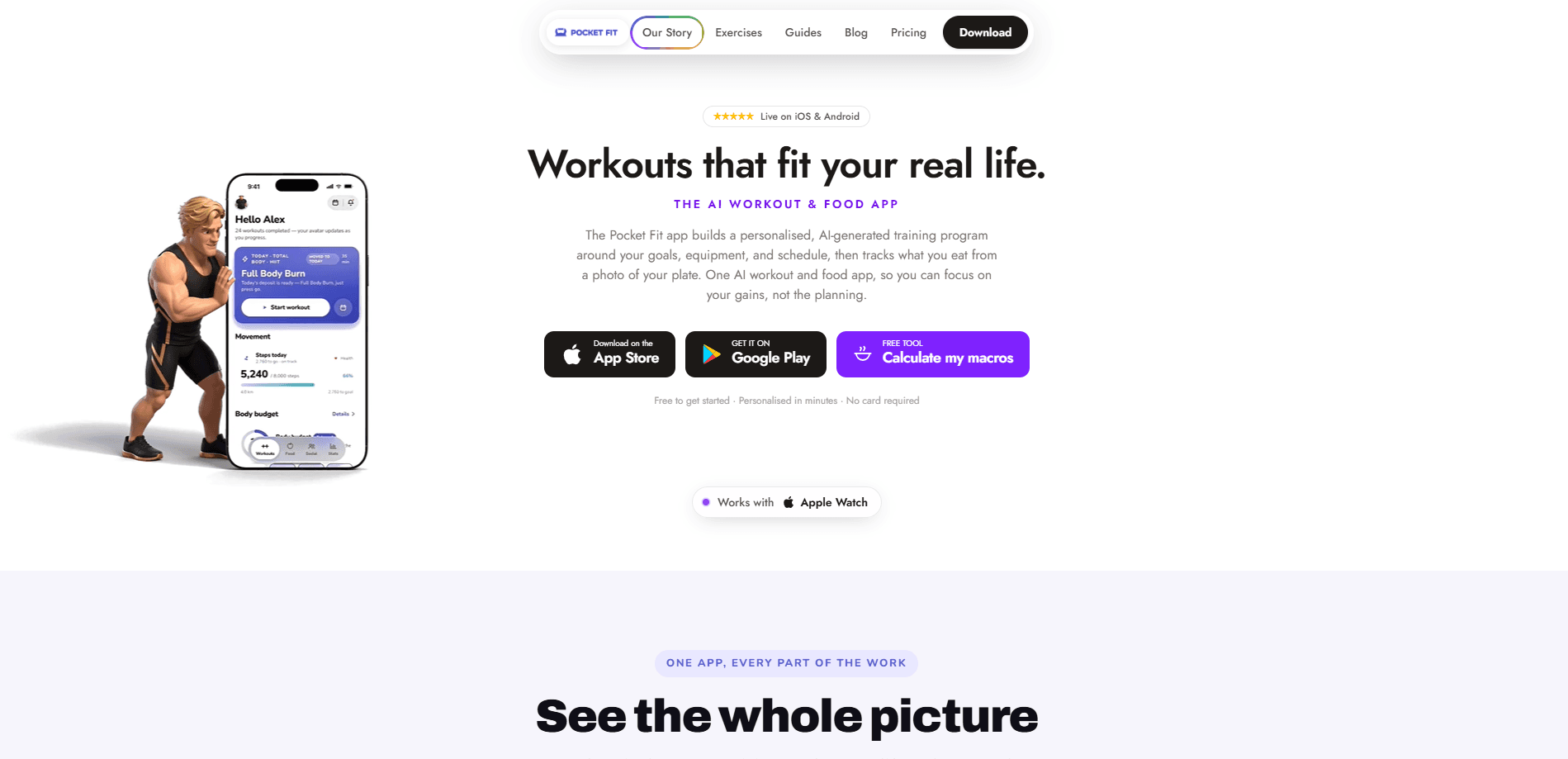
About Pocket Fit: Workout Tracker
What Is Pocket Fit
Pocket Fit is a fitness app for people who struggle with the planning side of training rather than the training itself. It lives on your phone, builds a full workout program for you, and adjusts the plan as you go. That's the whole pitch. According to the developers, reps climb first and the weight only moves once you've genuinely plateaued, which is what progressive overload actually looks like in practice.
The app was built in London by a two-person team and is a trading name of Pocket Squats Ltd. It bundles three jobs that usually live in separate apps. Picking your program. Tracking your lifts. Tracking what you eat.
The main limit is that the food logging feature is still labeled as free "while we launch," so its long-term pricing isn't locked in yet. There's also no desktop version, so everything runs from the mobile app. No web dashboard, no browser. Just the phone in your pocket.
Getting Started
- Download Pocket Fit from the App Store or Google Play and create an account.
- Enter your goal, weekly schedule, available equipment, and any injuries so the AI can shape a program.
- Review the generated program and start your first session when you're ready.
- Log sets as you train, or let the app pre-fill weights based on your history.
- Snap a photo of a meal or scan a barcode to log food and get macro estimates.
Product Information
A quick look at Pocket Fit: Workout Tracker's pricing, supported platforms, and performance.
Best for
The users, tasks, and scenarios where this tool fits best.
Users
- Beginners who don't know how to structure a program
- Intermediate lifters chasing slower gains
- People who hate logging meals
- Anyone who wants a macro tracker without the admin
Tasks
- Following a structured training split
- Tracking strength progress
- Estimating daily macros
Scenarios
- Training three or four times a week around a busy schedule
- Getting back into the gym after a break
- Watching motivation build over months
Key features
AI-Generated Training Programs
Pocket Fit builds a program from your goal, schedule, equipment, and injury notes rather than handing you a fixed template. The plan then progresses automatically, raising reps before weight so you aren't adding load you can't handle. If your week shifts, the calendar adjusts and the program keeps running.
Live Session Tracking
Each session arrives pre-built with the exercises, sets, and target weights you need. You can log every lift as you go, and the app pre-fills values from your history so you're not typing numbers between sets. Volume, set count, and session progress are visible in real time. It's simple.
Photo and Barcode Food Logging
Instead of searching a database, you snap a photo of your plate or scan a barcode, and the AI returns calorie and macro estimates for you to confirm. It's quick. Daily targets are matched to your training load, and the interface deliberately avoids showing alarming "red numbers" when you go over. What a relief compared to the guilt-driven food logs most apps serve up.
AI Coach With Exercise Demos
Two AI trainers, Kai and Maia, give guidance through the app and can show you how an exercise is performed. They act as a 24/7 reference when you're unsure about form or which movement comes next in a session. Think of it as a personal trainer on call, minus the hourly rate.
Progress Avatar and Weekly Streaks
Your training turns into a character that levels up as you put in real work. Streaks are counted by the week against your own target, so training three or four times a week counts as success rather than a broken daily chain. That's a big difference. This makes consistency easier to hold onto over months.
Progressive Overload Analytics
Pocket Fit tracks weekly volume, top sets, and body weight, then shows you exactly what got stronger over time. Progression is data-driven: the app waits for a genuine plateau before moving weight up, which reduces premature load jumps. No guessing.
Pros and cons
Pros
- A macro tracker and food tracking app come bundled in, so you aren't paying for a second subscription or app.
- The AI builds and progresses a full program, which removes the planning hurdle that stops most people from training consistently.
- Photo and barcode food logging is faster than manual calorie counting and keeps macro tracking realistic.
- Week-based streaks and a leveling avatar add motivation without punishing an imperfect schedule.
- Runs on iOS, Android, and Apple Watch, so you can log sessions from your wrist.
Cons
- Free food tracking is only guaranteed "while we launch," so long-term pricing for that feature isn't settled.
- There's no web or desktop app, meaning you can't review or edit your plan on a larger screen.
- New users have to trust the AI's program choices at the start, and there's limited manual override of the generated split.
- A premium tier called Hardcore is listed as "coming soon," so its features aren't available yet.
Frequently asked questions
It's an AI workout and food tracker in one app. It builds a personalized training program, tracks every lift and your progress, and logs meals from a photo or barcode so you can manage training and nutrition together. Simple as that.
Related content
Explore related tools, skills, and articles for Pocket Fit: Workout Tracker.
Pocket Fit: Workout Tracker Alternatives

Iplan AI
Iplan AI · Productivity · AI AssistantIplan AI is an AI travel planner that turns a few trip details into a full day-by-day itinerary in seconds. You answer questions about your destination, interests, budget, and travel companions, and the tool builds a plan you can edit, share, and carry with you on any device. It targets travelers who want a solid draft without spending hours in spreadsheets and browser tabs. Think of it as an itinerary generator that does the tedious part for you.

Screenhelp
Screenhelp · Productivity · AI AssistantScreenhelp is an AI screen assistant that turns a single keyboard shortcut into real-time help. You press Ctrl+Shift+Space, it captures what's on your screen, and it streams an answer into a private panel in about two seconds. Think of it as an AI screenshot helper you trigger on demand. It runs on Mac, Windows, and the web, starts free with 30 answers a month, and stays invisible during screen sharing on Zoom, Teams, and Google Meet.

Rainbow
Rainbow · AI AssistantRainbow is an AI weather forecast app built around short-term precipitation nowcasting. Its engine pushes min-by-min rain and snow predictions up to four hours ahead, blending live satellite and radar feeds into hyperlocal forecasts. The app adds live rain radar, a seven-day outlook, precipitation alerts, home-screen widgets, and a hurricane tracker, and it runs on both Android and iOS with a free tier plus paid upgrades.