

PoemCam
HOBEEC Corp. · Writing · Image
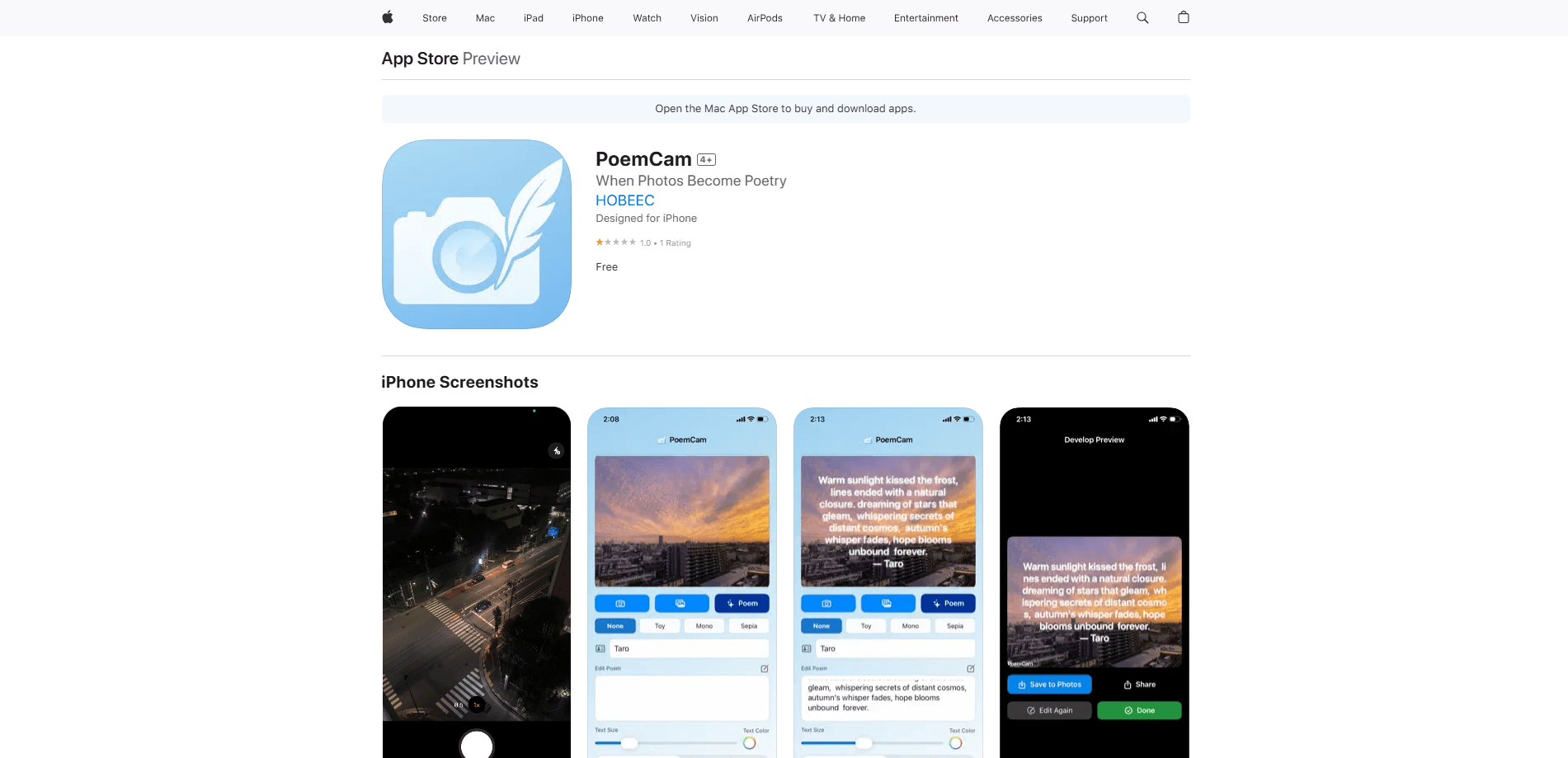
PoemCam is an AI poetry camera that turns a photo into a short poem within seconds. Point your camera at a scene, tap the shutter, and this photo to poem app reads the light, mood, and objects in the frame, then writes a few lines of verse about what it sees. It suits anyone who wants a caption, a gift, or a small keepsake tied to a moment, and it works without sending your picture to a server.
About PoemCam
What Is PoemCam
PoemCam is an AI poem generator built for iPhone by HOBEEC Corp., a small studio behind a handful of photo and entertainment apps. The pitch is simple: instead of catching a scene in pixels alone, you catch it in words. The app pairs computer vision with a large language model, so it looks at your photo and then describes the feeling of that moment in a few poetic lines.
The technology runs on your device rather than in the cloud. PoemCam bundles a compact language model, LFM2.5-1.2B-Instruct from Liquid AI, and uses Apple's on-device vision to interpret the frame. Your photos stay on your phone, and the poem language follows your iPhone's system language automatically, so Japanese, Spanish, or English output appears without a settings menu to dig through. This iPhone poetry app is also camera-first: you shoot a scene and read the verse, not the other way around.
The limits are worth knowing before you install. It's iPhone-only, it needs iOS 17.6 or later, and the app itself is fairly large at roughly 745 MB because the model ships inside it. Frequent generations land on similar phrasing, so treat the verse as a starting point you can edit rather than a polished finished product.
Getting Started
- Download PoemCam from the App Store and open it. No account or sign-up is required to start.
- Grant camera access when prompted, then point your iPhone at a scene, a person, or an object you want to capture.
- Tap the shutter. The app analyzes the image and writes a short poem about it in your system language.
- Adjust the look with the font, color, and size controls if you want the words to match a particular mood.
- Save the result to your photo library or share it, and resnap if you'd like a different take on the same moment.
Product Information
A quick look at PoemCam's pricing, supported platforms, and performance.
Best for
The users, tasks, and scenarios where this tool fits best.
Users
- Casual photographers who want a caption or a few lines that match a mood, without writing anything themselves
- Poetry and journaling fans who like seeing ordinary scenes reframed as verse
- Gift-givers who want to turn a shared photo into a small personalized keepsake
Tasks
- Writing a photo caption for social posts
- Capturing a holiday or everyday memory
- Creative warm-ups for writing
Scenarios
- A sunset, a quiet street, or a coffee cup on a slow afternoon, when you want the moment to say something
- A trip where you'd rather build a small book of scenes and verses than a plain photo dump
- A rainy day indoors, using old photos from your library to revisit moments and see what PoemCam makes of them
Key features
On-Device AI That Reads the Scene
PoemCam combines Apple's vision framework with a built-in language model to interpret a photo and describe its atmosphere. The model, LFM2.5-1.2B-Instruct from Liquid AI, runs locally, so the app can respond to a scene in a single tap. Because the work happens on the phone, the app keeps functioning without a steady internet connection.
Photo to Poem in One Tap
The core loop is deliberately short. You aim, you shoot, and a few lines of verse appear tied to that image. There's no prompt to type and no style menu to configure first, which keeps the experience close to using a normal camera. That low friction is the main reason it feels like an AI camera app rather than a writing tool. Want a different take? Just reshoot the same scene.
Typography Controls for Your Poem
Beyond the words, PoemCam lets you adjust font, color, and size so the text sits well over the photo. The same set of lines can feel playful, calm, or formal depending on how you style it. It's a small set of controls, but it gives the output a personal look instead of a fixed template.
Automatic Language Matching
The output language follows your iPhone's system setting, so the poem appears in the language you already use. There's no separate language picker to find. For bilingual users the app simply reads the scene and replies in whatever the phone is set to, which keeps the poetry in a voice that feels native to you.
Pros and cons
Pros
- Generates verse in seconds with a single tap, with no prompt writing needed
- Runs the AI on-device, so photos aren't uploaded to a server
- Output language follows your iPhone setting with no extra configuration
- Typography controls let you shape how each poem looks over the photo
- Free to download, and no account is required to start
Cons
- iPhone-only and needs iOS 17.6 or later, so Android users can't try it
- The on-device model makes the app large, around 745 MB, which takes space and download time
- Repeated shots of similar scenes can produce similar phrasing, so edits are often needed for variety
- Reviews are still thin, so long-term reliability is hard to judge from ratings alone
Frequently asked questions
It takes a photo and writes a short poem about the scene, using on-device AI to read the light, mood, and objects in the frame. The result appears over your image and can be saved or shared.
Related content
Explore related tools, skills, and articles for PoemCam.
PoemCam Alternatives

Claude for Google Workspace
Anthropic · Writing · Productivity · BusinessClaude for Google Workspace puts Claude in a sidebar inside Google Docs, Sheets, and Slides, where it reads the file you have open and edits it in place.

Claude Haiku 5.5
Anthropic · Writing · Coding · ChatbotClaude Haiku 5.5 is Anthropic's fastest and cheapest small model, built for high volume tasks at $0.10 per million input tokens with a 1M token context window.

NoteWorthy
Suman Hansada · Writing · Productivity · AI AssistantNoteWorthy is a notes app for iPhone, iPad and Mac that writes titles, tidies formatting, summarizes long notes and files each one with on-device AI. No account, no upload, no network requests.