
PolyPal
Timekettle · Writing
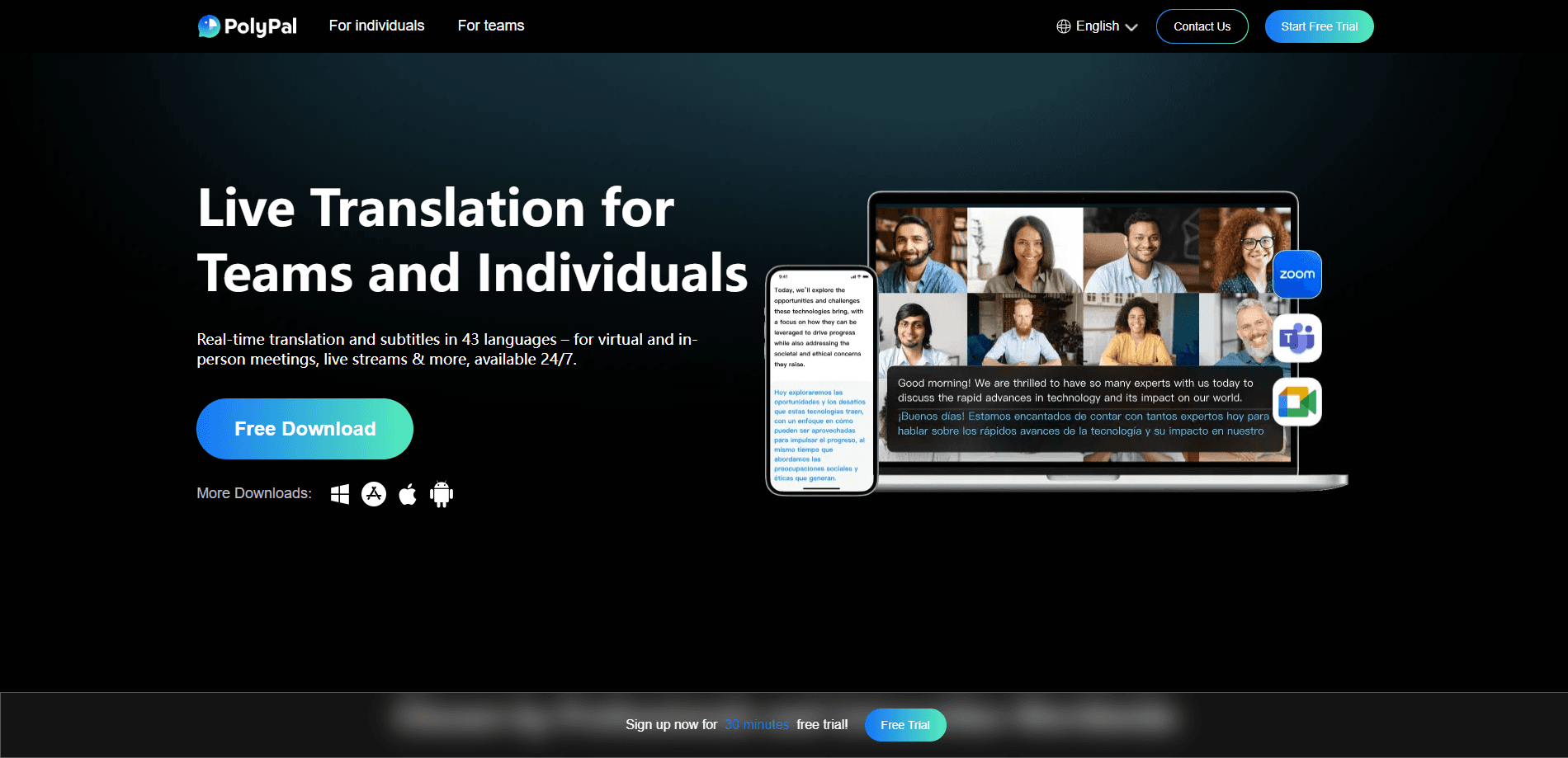
PolyPal is an AI live translation and subtitling app built by Timekettle that turns meetings, lectures, and live streams into something you can follow in your own language. It listens as people speak, then shows translated subtitles with recording-level latency. The app covers 43 languages and roughly 95 accents, handles both face-to-face conversations and online calls on Zoom, Teams, or Skype, and wraps everything up with AI meeting notes. On top of that, it translates audio, images, videos, and phone calls in the same place. It fits anyone who works, studies, or watches across a language barrier.
About PolyPal
What Is PolyPal
PolyPal is a translation app from Timekettle, the Shenzhen company best known for its AI interpreter earbuds. The app takes the same translation engine and moves it onto a phone or laptop, where it works without any special hardware. You open it, point it at whatever is making sound, and the words come back in the language you choose. No earbuds needed. According to Timekettle, the engine swaps in large language models to keep machine-translated sentences readable rather than word-for-word robotic. The claim of near-native fluency on a phone is a big one, and in practice accuracy depends on how clear the audio is and how niche your vocabulary gets.
The core offering is built around live events. A lecture, a remote standup, a client call, or a livestream all produce fast speech in multiple languages, and PolyPal is designed to sit on top of that stream with bilingual subtitles that update as the speaker talks. It also records what you heard, so a finished meeting leaves you with a translated transcript and an AI-generated summary, not just a fog of half-understood sentences. That's the real payoff. The clearest limit is that quality still tracks the audio. Background noise, heavy accents, and dense jargon all eat into accuracy, and the free tier only opens part of the toolkit. If you need flawless legal-grade interpretation, this isn't a substitute for a human. If you need to stop missing half of a multilingual meeting, it earns its place.
Getting Started
- Create a PolyPal account on the app or the web, or download the mobile build for Android and iOS.
- Pick your languages, then choose a mode for the situation: simultaneous interpretation for talks, conversation mode for back-and-forth, or subtitle mode for video and livestreams.
- Grant microphone and screen-capture permissions, and connect the audio source if you're translating a call or a video.
- Start the session. Translated subtitles appear in real time, and you can adjust the display, terminology, or font size as you go.
- When the session ends, open the recording to review the bilingual transcript, export it, or share the AI summary and mind map with whoever missed the meeting.
Product Information
A quick look at PolyPal's pricing, supported platforms, and performance.
Best for
The users, tasks, and scenarios where this tool fits best.
Users
- Remote and hybrid teams
- International students
- Content watchers and creators
Tasks
- Translating a live meeting
- Subtitling video and livestreams
- Turning a class into notes
Scenarios
- A quarterly review call where the speaker is in one language and half the team is in another.
- Watching a live gaming or esports stream from a region whose language you don't speak.
- Sitting in on an in-person lecture or conference talk and reading floating captions on screen.
Key features
Real-Time Simultaneous Interpretation
PolyPal's headline mode translates speech as it happens, showing bilingual subtitles with latency measured in milliseconds rather than seconds. The point is to keep a live speaker's meaning close enough to the moment that you can react in the room. Fast enough to interrupt. It fits lectures, remote meetings, and business calls where meeting translation has to land in the moment, not an hour later. According to Timekettle, its accuracy tops 98% on clear audio. Noisy rooms and thick accents will drag that number down.
Works Inside the Tools You Already Use
Rather than forcing everyone into its own call room, PolyPal layers onto platforms people already run. It connects with Zoom, Teams, Skype, and WhatsApp, and it handles in-person settings like a classroom or a negotiation table the same way. No new link required. You install it once and bring it to whatever call is already scheduled. Set your languages and go. That flexibility matters if you don't control the meeting link and can't ask a client to switch tools.
Floating Subtitles and a Full-Event Display
The translated text floats over the live content, so you read captions without leaving the video, slide, or conference feed. For big-room events, a dedicated mode pushes subtitles to a shared screen for an audience, and Timekettle says it scales to large gatherings with a handful of languages on tap. Watching alone? The same overlay keeps the original and the translation side by side.
AI Summaries and Mind Maps
Every session can be recorded and turned into structured notes. PolyPal generates a summary and a mind map from the transcript, so a two-hour meeting compresses into the decisions and action items you actually needed. That's a big cut. The bilingual record lets you cross-check what was said against what was translated. For students and note-takers, this is the part that saves real hours after the call ends.
Custom Terminology for Your Field
Translation accuracy on domain terms is a long-running weakness of general-purpose engines. PolyPal lets you import a custom glossary, so product names, legal phrases, or medical terms come out the way your team uses them. Not a small thing. If you work in a specialized field, this is often the difference between usable and confusing output. It's a practical workaround for the fact that no general translator knows your internal jargon.
Audio, Image, Video, and Phone Translation
Live interpretation is only one slice. The app also works as a video subtitle translator for recorded clips, an audio translator for voice files, a camera reader for photos like menus and signs, and a phone-call interpreter. When was the last time one app covered all of that? That range means one app covers the odds and ends of a multilingual day instead of five. I'm not sure every mode is equally polished, but the breadth is genuinely convenient when you're bouncing between a menu, a client call, and a video in the span of an hour.
Pros and cons
Pros
- Covers 43 languages and around 95 accents, which is broad for a single app.
- Low-latency live subtitles make real-time meetings and lectures actually followable.
- Plugs into Zoom, Teams, Skype, and WhatsApp instead of demanding its own platform.
- Generated summaries and mind maps turn long sessions into usable notes automatically.
- Custom glossaries let you fix terminology for specialized fields.
Cons
- Accuracy drops noticeably on noisy audio, heavy accents, or dense technical language, so results aren't uniform.
- The free tier is limited, and the most useful live features sit behind a subscription.
- No public API means you can't wire PolyPal into your own product or workflow, which rules it out for developers.
Frequently asked questions
It's an AI live translation app for turning speech in one language into readable subtitles in another, in real time. People use it for meetings, lectures, livestreams, and one-on-one conversations, plus recorded audio, images, and phone calls.
Related content
Explore related tools, skills, and articles for PolyPal.
PolyPal Alternatives

Google EmbeddingGemma 2
Google DeepMind · Writing · Image · CodingGoogle EmbeddingGemma 2 is a 740M-parameter open model that turns text, code, images, audio, and video frames into vectors in one 768-dimension space, running on phones and laptops.

MePersona
MePersona, Inc. · Writing · Productivity · MarketingMePersona is an AI unified inbox for creators. It learns your voice, drafts replies to fan messages from 12 platforms, and sends only what you approve.

Fluence
Yay Software (Yannick Huchard) · Writing · Voice & Language · ProductivityFluence is an Android app that reads PDFs, EPUBs, Word files and web articles aloud, follows each sentence as it speaks, and answers questions about the text on the phone itself.