

Google Pomelli 2.0
Google Labs (with Google DeepMind) · Other
Google Pomelli 2.0 is an experimental marketing tool from Google Labs. It works as a brand campaign generator. You paste in a website address, and it builds a picture of your brand, then drafts social media campaigns that match it. The pitch is simple. Small teams get agency-style campaign ideas without hiring an agency. It reads your site for colors, fonts, logo, product details, and positioning. From that, it writes a "brand DNA" profile you can edit. Then you describe a promotion, and Pomelli returns campaign concepts and finished visuals. If a site has little content, the output gets thin, so a real homepage still matters.
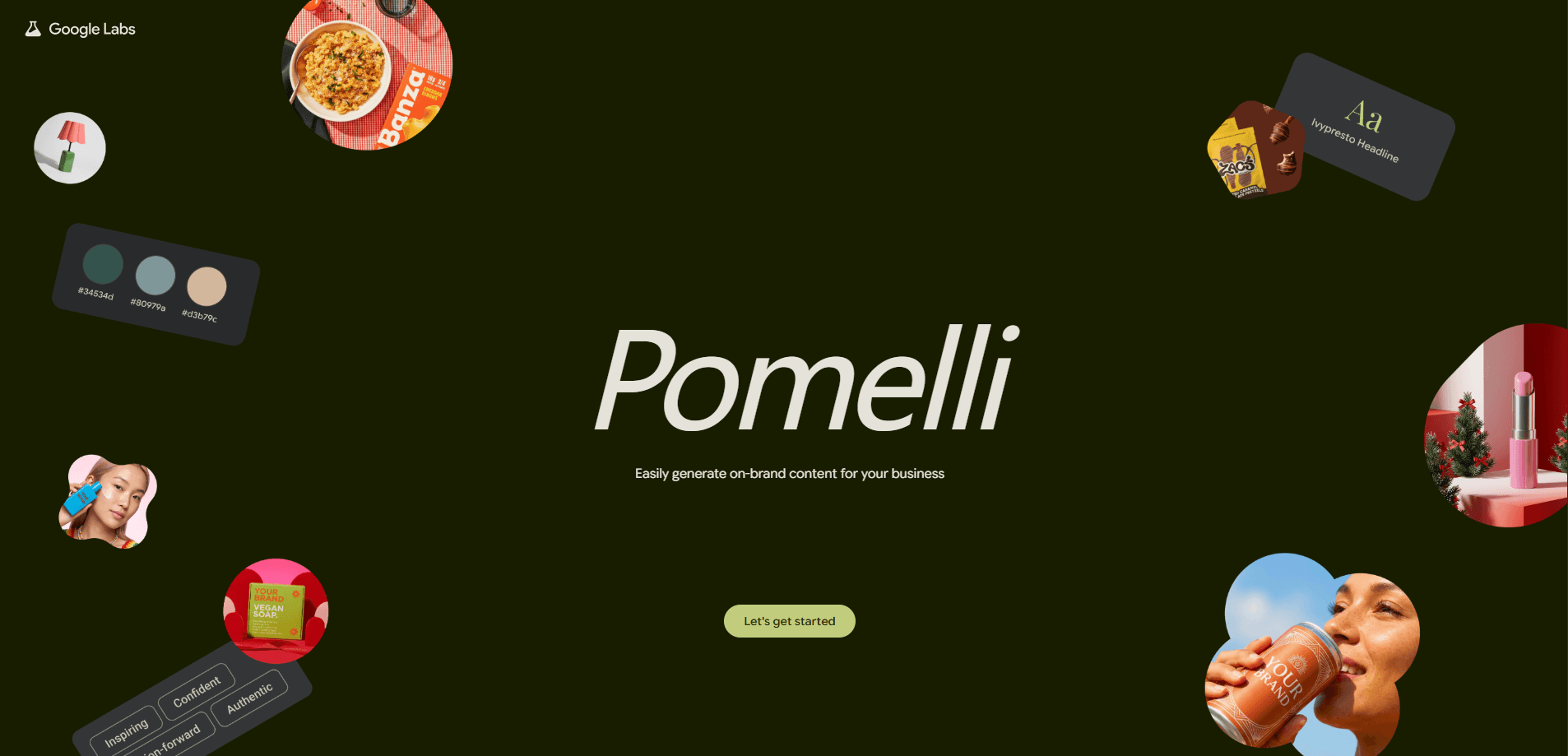
About Google Pomelli 2.0
What Is Google Pomelli 2.0
Google Pomelli 2.0 is a web-based AI tool that generates on-brand marketing content. Google Labs built it, and the underlying research comes from Google DeepMind. It sits next to other Labs experiments like ImageFX and Flow, which test new AI ideas in public before they become standalone products.
The idea behind Pomelli is that brand consistency is expensive. A designer has to learn your colors, your voice, your audience, and then apply all of that to every poster, ad, and post. Pomelli tries to automate the first half. It studies your website once. It stores what it learns as a brand profile. Then it reuses that profile every time you ask for new campaign material.
Two things set it apart from generic image generators. First, it works from your real website rather than a blank text prompt, so the output carries your actual colors and products. Second, the layout is code-driven. That means text, logo, and brand colors stay sharp and aligned. Pure image models often drift into gibberish instead.
The tool launched first in the US, Canada, Australia, and New Zealand. Google positions it for small and mid-sized businesses that market on their own. If you run a shop, a local service, or a lean startup, that's the intended audience.
Getting Started
- Open the Pomelli page in Google Labs and sign in with your Google account.
- Paste your website URL into the single input box and click Continue.
- Wait while Pomelli scans the site and builds a brand DNA card with your logo, fonts, main colors, images, and business keywords.
- Review the card, fix anything it got wrong (upload a logo if it missed one), then click through to continue.
- Type the campaign you want, pick one of the generated content ideas, choose a layout you like, fine-tune the text and call-to-action button, then download the finished asset.
Product Information
A quick look at Google Pomelli 2.0's pricing, supported platforms, and performance.
Best for
The users, tasks, and scenarios where this tool fits best.
Users
- Small and mid-sized business owners who handle their own marketing
- Solo founders and lean startup teams without an in-house designer
- Social media managers who need fast campaign variations
- Local shops and service businesses that promote on a budget
Tasks
- Turning a website into a reusable brand profile
- Drafting campaign concepts and copy ideas for a promotion
- Producing on-brand posters and social visuals
- Keeping colors, fonts, and logos consistent across posts
Scenarios
- Launching a short-term sale or seasonal promotion
- Filling a content calendar when you're short on time
- Testing several ad angles before spending on paid media
- Handing a non-designer a tool to produce acceptable brand assets
Key features
Website-Scanning Brand DNA
Pomelli starts by reading your site. It pulls your logo, fonts, dominant colors, image assets, product capabilities, and the positioning keywords it finds in your copy. All of that lands in a brand DNA card you can review and edit. This profile is the foundation for everything else the tool makes. Because it works from live content, the quality of your homepage directly shapes the quality of your campaigns. A site with clear product pages and a defined visual style gives Pomelli far more to work with than a one-page site with a single input box.
Campaign Idea Generation
Once your brand profile looks right, you describe the campaign you have in mind. Pomelli returns several content directions, and you pick the one that fits your goal. It also rewrites the copy for you, adapting tone and structure to the campaign theme. This is the part that saves the most time. Instead of staring at a blank canvas, you start from concrete options and refine from there.
On-Brand Visual Layouts
After you choose a direction, Pomelli produces several layout options, each with a different visual feel. One might lean professional with a clean background, another more tech-forward, another warmer and human. Every option carries your brand colors and typography. The layout is driven by front-end code rather than image diffusion, so your theme colors and fonts render precisely. That keeps brand-critical elements accurate across every asset you export.
Editable Text, Backgrounds, and CTA Buttons
Each design is adjustable. You can change the background image, the headline, the body text, and the call-to-action button. Background images come mostly from the assets Pomelli already collected from your site; when there's nothing suitable, it generates one instead. If you change the copy and the layout slips out of alignment, a Fix Layout button cleans up spacing. Call-to-action buttons are off by default and generated on request, and they inherit your website's button color for consistency.
Copy Rewriting
Next to the text fields sits a magic-wand control that writes new copy for you. You can lean on it for headlines, body text, or button labels, and it draws on both the campaign theme you picked and the stored brand profile so the suggestions land in the right register instead of reading like generic filler. Editing by hand works too, if you prefer your own wording.
Download and Reuse
When a design is ready, you download the poster and any other generated assets. Because each campaign builds on the same stored brand profile, later campaigns start faster. You don't re-teach the tool your brand every time, which means the look of every asset you publish over a full quarter stays recognizably yours without a single manual color check.
Pros and cons
Pros
- Free to use during its Labs phase, with no subscription needed
- Turns a website into a reusable brand profile in one step
- Keeps brand colors, fonts, and logos accurate thanks to code-driven layouts
- Produces several layout directions per campaign, so you get real choices
- Fast enough for batch work when you need many variations
Cons
- Depends heavily on your website having solid, rich content
- Visual style and layouts can feel repetitive across campaigns
- Limited control over background image sourcing and customization
- No control over image aspect ratio, which matters for paid placements
- Availability is restricted to a handful of countries so far
Frequently asked questions
Yes. During its Google Labs phase, Pomelli is free. There's no subscription tier at this stage, so you can generate campaigns without paying anything. Google hasn't published paid plans, and Labs experiments sometimes change or shut down without much warning, so treat free access as the current state rather than a permanent commitment.
Related content
Explore related tools, skills, and articles for Google Pomelli 2.0.
Google Pomelli 2.0 Alternatives
BinkBink
BinkBink · OtherBinkBink is a free online game platform and AI game maker that lets anyone turn a short text description into a playable browser game. You can jump into hundreds of community-made games. Or describe your own idea and play it in seconds, then share it with friends. Want to create your own game? You don't need to code. No engine setup, no download, no hassle.

Audiogen
Audiogen Inc. · OtherAudiogen is an AI music generator built by Audiogen Inc., a small research team that spent about 2.5 years training its own generative music model and designing a web interface around it. Instead of a plain text box, this AI music tool turns the timeline into a beginner-friendly Generative Audio Workstation, or GAW, where inpainting, extending, remixing and stem editing work more like painting on a canvas. The product is still in beta, so access runs through a waitlist or an invite. Paid plans aren't published yet.

Aiml API
AIMLAPI OÜ · OtherAiml API is a unified AI model API that puts more than 1000 models from OpenAI, Google, Anthropic, and others behind one endpoint and one bill. You write code against a single OpenAI-compatible schema, then switch between chat, image, video, and audio models by changing a model string. It suits developers and small teams who want multi-model access without juggling a dozen separate provider accounts, and it removes the usual billing headache that comes with testing several vendors. One key covers it all.