

Ponytail
Dietrich Gebert · Coding
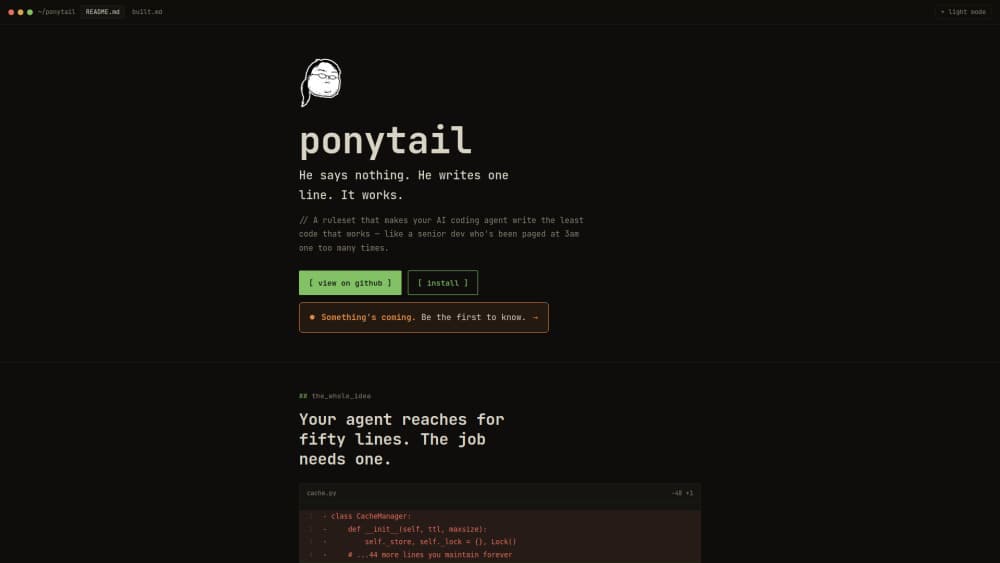
Ponytail is a ruleset plugin that makes AI coding agents write the smallest amount of code that actually works. It's built to reduce code bloat, and it does that by changing how your agent decides, not what it can do. Instead of letting your agent reach for a fifty-line helper, it pushes the agent down a "ladder" of cheaper options first: reuse what's in the repo, use the standard library, pick a native platform feature, or solve it in one line. The plugin works as a lightweight AI code assistant layer for Claude Code, Codex, Copilot CLI, Gemini CLI, Cursor, Windsurf and more than a dozen other coding agents. Its benchmarks claim roughly 54% less code and 20% lower cost on real sessions.
About Ponytail
What Is Ponytail
Ponytail is a plugin that changes how an AI coding agent behaves, not what it can do. It installs a ruleset that steers the agent toward the minimum code that solves your problem, so you spend less time reviewing and maintaining code you never needed.
The idea is simple. AI agents tend to over-build. Ask for a date field and you might get a third-party library, a wrapper component, a stylesheet and a debate about timezones, when the browser already ships a native input. Ponytail makes the agent stop at the first rung of the ladder that holds: does this need to exist at all, is it already in the codebase, does the standard library cover it, does the platform handle it, is it already in your dependencies, can it be one line. Only after all that does it write new code. Less code, less to maintain.
The most important limit is that Ponytail is a prompt-level ruleset, not a model. It can't fix a weak agent on its own, and it works by adding instructions to the agent you already use. Its benchmarks also come from the vendor, measured on one codebase, and the savings shrink when your code is already lean.
Getting Started
- Add the Ponytail marketplace to your agent, for example
/plugin marketplace add DietrichGebert/ponytailin Claude Code. - Install the plugin with
/plugin install ponytail@ponytail. - Pick an intensity with
/ponytail lite|full|ultraor leave it off when you don't want the ruleset active. - Code as usual and let the agent follow the ladder, then run
/ponytail-reviewon a diff to catch over-engineering. - Use
/ponytail-auditto scan a whole repo for bloat and/ponytail-gainto see the benchmark scoreboard.
Product Information
A quick look at Ponytail's pricing, supported platforms, and performance.
Best for
The users, tasks, and scenarios where this tool fits best.
Users
- Developers using an AI coding agent
- Solo builders and indie hackers
- Small teams reviewing AI-generated pull requests
Tasks
- Code generation for new features
- Reviewing a diff for bloat
- Auditing an existing project
- Keeping an agent's token use down
- Boosting developer productivity on metered agents
Scenarios
- Late-night refactors where an agent keeps adding helpers
- Prototyping apps
- Teaching a junior dev or intern to think about necessity first
- Working on a tight token budget
Key features
The Lazy Senior Dev Ladder
The heart of Ponytail is a decision ladder the agent walks before writing anything. It asks whether the code needs to exist, whether the repo already has a helper, whether the standard library or a native platform feature covers it, whether an installed dependency solves it, and whether it fits in one line. New code is the last resort. This is what turns a fifty-line cache manager into a single lru_cache decorator.
Works Across 14+ Agents
Ponytail isn't tied to one assistant. It ships install paths for Claude Code, Codex, Copilot CLI, Gemini CLI, Pi, OpenCode, Cursor, Windsurf, Cline, Kiro and Zed, among others. That matters if your team uses different agents, because the same guidance applies wherever you code.
Intensity Levels You Control
You set how aggressive the ruleset is. lite builds what you asked but names a lazier alternative in one line. full enforces the ladder and favors the shortest diff. ultra is the YAGNI extremist that ships the one-liner and challenges the rest of the requirement. Three levels, one switch. You can also turn it off entirely.
Chat Commands for Auditing and Review
Ponytail adds slash-style commands so you can drive it from the chat. /ponytail-review finds over-engineering in the current diff, /ponytail-audit scans the repo for bloat, and /ponytail-debt collects deferred shortcuts into a ledger so laziness doesn't turn into forgotten work. No dashboards to open. Everything runs where you already work.
Measured Savings on Real Sessions
The vendor reports roughly 54% less code, about 20% cheaper runs and 27% faster tasks, measured on real Claude Code sessions editing an open-source FastAPI and React repo. The savings vary, hitting 94% where an agent over-builds and near zero where the code is already minimal.
Safety Checks Stay Intact
The ruleset simplifies toward less code, but the vendor says validation, error handling, security and accessibility are never simplified away. A bare "write one-liners" prompt tends to drop a safety guard, which is the problem Ponytail is trying to avoid.
Pros and cons
Pros
- Free and open source under the MIT license, so there's no per-seat cost to try.
- Installs in two lines for most agents and needs no separate app or account.
- Targets a real pain point: AI agents adding abstractions and dependencies you didn't ask for.
- Intensity levels let you dial the behavior from mild to aggressive instead of taking an all-or-nothing risk.
Cons
- It's a ruleset, not a model, so results depend on the agent underneath and can vary by task.
- The headline savings come from vendor benchmarks on one codebase, so your own results may differ.
- Aggressive `ultra` mode can push back on requirements you actually wanted, which is annoying when you know what you need.
Frequently asked questions
It installs a ruleset into your AI coding agent that pushes it to write the least code that works. Rather than generating a new abstraction, the agent first tries reuse, the standard library, a native platform feature, an existing dependency, or a single line. Think of it as a taste filter.
Related content
Explore related tools, skills, and articles for Ponytail.
Ponytail Alternatives
Forefront
Forefront · CodingForefront is a web platform for building with open-source AI. It lets you fine-tune leading open-source language models on your own data, evaluate how they perform, and run them through an API or export them to host yourself. Developers who want the convenience of a closed-source platform but insist on owning their models and data are the target audience here.

Startkit
StartKit.AI · CodingStartkit is a boilerplate for building AI SaaS and AI wrapper products. Think of it as an AI startup boilerplate with the boring parts already wired up: authentication, Stripe and Lemon Squeezy payments, usage limits, transactional email, and an AI API starter that talks to OpenAI, Anthropic, Groq, or Llama. You clone the repo, set your price, and start on the part of your product that people actually pay for. It's Next.js under React and Tailwind, so most of the boilerplate code already feels familiar.
Testim
Tricentis · CodingTestim is an AI-powered test automation platform for building and running end-to-end tests across web, mobile, and Salesforce applications. It leans on machine learning to keep tests stable when an interface changes, so teams spend less time fixing broken selectors. Not bad for an automated testing tool you can start using today. You create tests by recording actions in a browser, then optionally add JavaScript when you need more control. It's a solid pick for busy QA teams.