

PopPop AI Vocal Remover
PopPop AI · Voice & Language
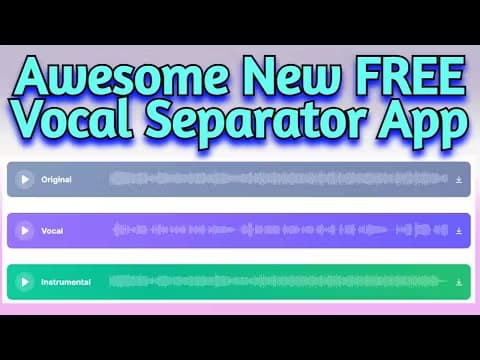
PopPop AI Vocal Remover is a free browser tool that pulls the vocals out of any song and hands back two MP3 tracks: the isolated voice and the instrumental.
About PopPop AI Vocal Remover
What Is PopPop AI Vocal Remover
PopPop AI Vocal Remover takes a track you own and splits it into two clean pieces, so you can keep the voice or keep the backing music. You drop in a file or paste a link, the AI separates the parts, and you download what you need. No account, no app.
It sits inside PopPop AI, a web hub of free audio tools that also covers text to speech, AI song covers and sound effects. The vocal remover is one tab in that collection, aimed at people who want a specific job done without a subscription.
The catch is scope. Processing caps at 20 minutes and 400 MB per file, and separation is never flawless. Busy mixes with heavy reverb or layered harmonies can leave traces of the voice in the instrumental.
Getting Started
- Open the vocal remover page and drop in an audio or video file, or paste a direct media URL.
- Let the AI split the track into a vocal layer and an instrumental layer.
- Preview both results and pick the one you came for.
- Download the vocals, the instrumental, or both as MP3 files.
Product Information
A quick look at PopPop AI Vocal Remover's pricing, supported platforms, and performance.
Best for
The users, tasks, and scenarios where this tool fits best.
Users
- Karaoke fans
- Music producers and DJs
- Podcast and video editors
Tasks
- Making a karaoke backing track
- Sampling vocals for a new track
- Separating audio pulled from a video
Scenarios
- A party or home setup that needs instant karaoke
- Quick remix drafts
- Practice and cover work
Key features
One-click vocal and instrumental split
Upload a song and the tool returns two files: the isolated vocals and the instrumental. You keep whichever side you need, or both. That covers the two most common jobs, karaoke and remixing, without a second tool.
Upload a file or paste a link
You can drag in audio or video files or paste a direct media URL, including online videos. The link route skips the download-and-reupload step, which saves time when the source is already hosted somewhere.
Wide input format support
Audio inputs cover MP3, WAV and FLAC, and video inputs cover MP4, MKV and MOV. Pulling audio straight from a video clip means you do not have to extract the soundtrack yourself first.
No sign-up, no install
The tool runs in the browser on Windows, macOS, Android and iOS through Chrome, Firefox, Safari or Edge. There is no account to create and nothing to install, so the first result is a couple of clicks away.
Free output as MP3
Downloads come out as MP3 files, and the tool is free to use across the whole process. You can process as many tracks as you want without hitting a paywall, subject to the per-file limits.
Built-in shared track library
A public gallery collects vocals and instrumentals other users have isolated, and you can browse it and download tracks you need. It is a shortcut when someone has already used this vocal separator on the song you want.
Pros and cons
Pros
- Free from start to finish, with no account, no export fee and no software to install.
- Handles both audio and video inputs, and accepts direct URLs, so you skip time-consuming file prep.
- Returns two separate MP3s in one pass, covering both the karaoke and the sampling use case.
- Works in the browser on desktop and mobile, so you can use it from almost any device with a connection.
Cons
- The 20-minute and 400 MB caps mean long mixes and full DJ sets get cut, so you would have to split those files yourself.
- Separation is not perfect. Dense or reverb-heavy mixes can leave artifacts of the voice in the instrumental, which matters if you need a broadcast-clean stem.
- Output is MP3 only, so anyone needing lossless WAV or FLAC for studio work would have to look elsewhere.
- There is no stated API, so it does not fit workflows that need to script or automate the separation.
Frequently asked questions
It lets you remove vocals from a song and get two tracks back: the isolated vocals and the instrumental. You upload audio or video, and the tool returns both as separate MP3 files you can download.
Related content
Explore related tools, skills, and articles for PopPop AI Vocal Remover.
PopPop AI Vocal Remover Alternatives

Off the Record
Weird Machines · Voice & Language · ProductivityOff the Record is a macOS app from Weird Machines that reshapes your voice in real time to block AI transcription, so people hear you normally and notetakers get nothing usable.
Cekura Bench
Cekura · Voice & Language · BusinessCekura Bench is a public benchmark that runs speech-to-speech models and deployed voice agents through 82 simulated phone calls, three times each, then publishes pass rates, latency and cost.
Griffin by Tavus
Tavus · Voice & Language · Video · ChatbotGriffin by Tavus is the first Human Interaction Model: a full-duplex, video-to-video system that watches, listens, and answers during a live video call in real time.