

CXGenie
CX Genie LLC · Marketing · Chatbot
CX Genie is an AI customer service platform built on OpenAI's GPT models. It pairs a trainable chat agent with live chat, tickets, and timed handover to a human.
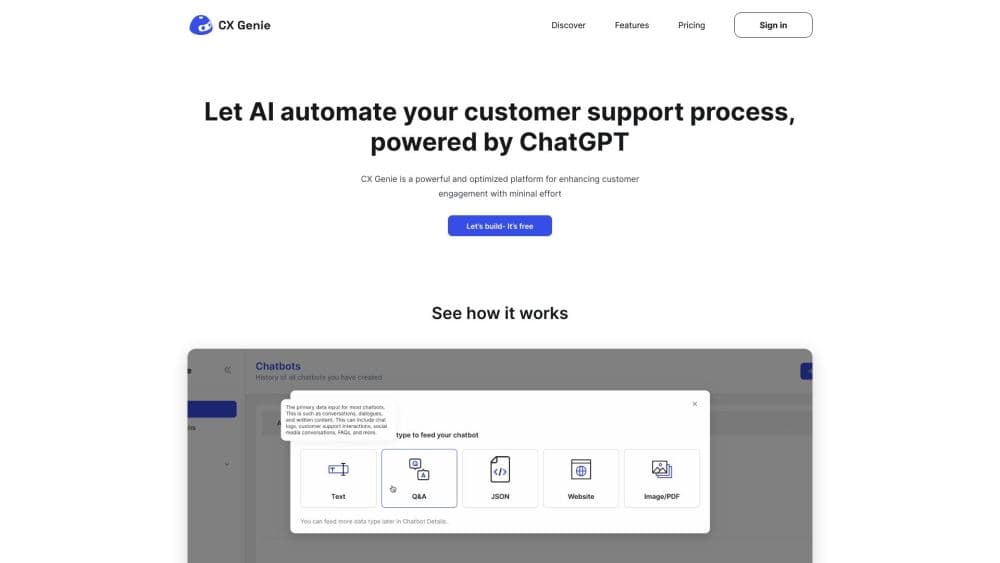
About CXGenie
What Is CXGenie
CXGenie, branded on its site as CX Genie, is an all-in-one customer support stack. The core is an AI agent that answers from a knowledge base you build, and around it sit live chat, a helpdesk with ticket management, and a workflow builder. A support team can run the whole operation in one tab instead of paying for a chatbot tool, a chat widget, and a ticket system separately.
The obvious question is what "powered by ChatGPT" actually buys you. It means answers are written by a large language model, so the bot can rephrase, summarize a long complaint, and reply in a customer's own language instead of matching canned phrases. It also means the quality ceiling is your knowledge base. Feed it twenty documents and it answers within twenty documents. Garbage in, garbage out, every time.
Where CXGenie fits: small teams that want a bot answering instantly, plus a helpdesk for the questions it can't handle. Where it doesn't: anyone expecting zero setup. Somebody has to write the training content and test it against real tickets. Plan on a week of work before you trust it with paying customers.
A second limit is scale. The free plan stops at 200 conversations a month, and the workhorse plans are metered per conversation rather than per seat, so a spiky traffic month shows up on the bill. That billing shape rewards predictable volumes and penalizes seasonal bursts.
Getting Started
- Create a free account at cxgenie.ai. No card is needed, and the free tier stays free rather than expiring after a trial week.
- Build the knowledge base. Upload documents, paste FAQ entries, or connect a source, then name the bot and give it the voice you want it to use with customers.
- Design the flow. Use a template for a quick start, or open the visual workflow builder to add lead forms, intent branches, and a handover trigger.
- Install the widget on your site and connect the channels you already answer on, such as Facebook Messenger and the mobile app for staff notifications.
- Run it in shadow mode for a week. Read the transcripts, correct the answers that miss, and only then move it fully live.
Product Information
A quick look at CXGenie's pricing, supported platforms, and performance.
Best for
The users, tasks, and scenarios where this tool fits best.
Users
- Small support teams
- E-commerce sellers
- Agencies and resellers
- Solo founders
Tasks
- Answering repetitive first-line questions
- Qualifying leads from a website chat
- Handing tricky tickets to people
- Tracking team performance
- Keeping support in many languages
Scenarios
- A launch weekend with no one watching the inbox
- Turning a busy support inbox into a knowledge base
- Replacing a stack of separate tools
- Testing an AI agent before a rollout
Key features
AI Agent Trained on Your Content
The agent answers from the documents and pages you feed it, not from general web knowledge alone. Upload product docs, policies, and past FAQ threads, then watch how it handles questions you didn't write for. Answers cite the source material loosely, so the bot's accuracy tracks your knowledge base quality.
Workflow Builder for Chat Logic
A visual canvas lets you map what happens at each turn. Drop in a lead capture form, branch on a detected intent, trigger a refund policy answer, or hand the chat to a specific agent. Customers who don't want to touch logic get templates that cover the common support paths out of the box.
Human Handover with Context
When the model can't answer, the chat passes to a person and the agent sees the whole transcript, not a truncated summary. That single detail decides whether handover feels smooth or like a restart. The bot can also be told to escalate on sentiment, so an angry customer reaches a human faster.
Shared Helpdesk and Ticket Management
The helpdesk software, live chat, tickets, and AI suggestions live in the same workspace. Agents get a queue sorted by urgency, internal notes on each conversation, and CSAT reports that roll up across the team. It's the piece that makes the platform usable as a primary support tool rather than an add-on.
Multi-Channel Deployment
The bot installs on a website, runs inside Facebook Messenger, and reaches staff through the mobile app. Over ten integrations connect the platform to the tools a support team already uses, so answers can be pulled from a store or CRM instead of typed in twice.
Auto-Training from Real Conversations
The platform can learn from chats your human agents have already resolved, turning good answers into reusable knowledge. This is where the marketing promise gets real: the more tickets you close, the less the bot has to be hand-fed, provided someone curates what it absorbs.
Pros and cons
Pros
- The free plan covers a small business outright, with 200 conversations a month and no card required.
- Chat, tickets, and the AI agent share one workspace, which is fewer logins and fewer overlapping subscriptions.
- AI to human handover carries the full conversation, so customers don't repeat themselves.
- The visual workflow builder covers lead capture and intent routing without code.
- ISO 27001 certification and an explicit promise not to train models on customer data suit risk-averse buyers.
Cons
- Plans are priced per conversation, so a viral month or a Black Friday spike costs more than a flat seat price would.
- The free tier allows one seat and twenty knowledge base documents, which runs out fast for a real catalog.
- Answer quality depends heavily on how well you write the knowledge base, and the first weeks need close supervision.
- Some chatbot and helpdesk features are split across plans, so the entry paid plan lacks the mailbox and ticket module.
Frequently asked questions
Yes. The platform runs on OpenAI's GPT models and describes its agent as ChatGPT-powered. Practically, that means answers are generated rather than pulled from a fixed script, so the bot can phrase replies naturally and work in your customer's language.
Related content
Explore related tools, skills, and articles for CXGenie.
CXGenie Alternatives

ngram 2.0
ngram · Video · Marketingngram 2.0 is an AI video generator for teams. It turns a prompt, a screen recording, or a product URL into a narrated explainer, product demo, or AI avatar video, and every scene stays editable.

shippedit.me
Krawlup · Marketing · Businessshippedit.me now redirects to Krawlup, a web platform that audits SEO, AEO and page speed every week, then hands the fixes to AI coding agents over MCP.

MePersona
MePersona, Inc. · Writing · Productivity · MarketingMePersona is an AI unified inbox for creators. It learns your voice, drafts replies to fan messages from 12 platforms, and sends only what you approve.