

PrepPro
PrepPro · Business
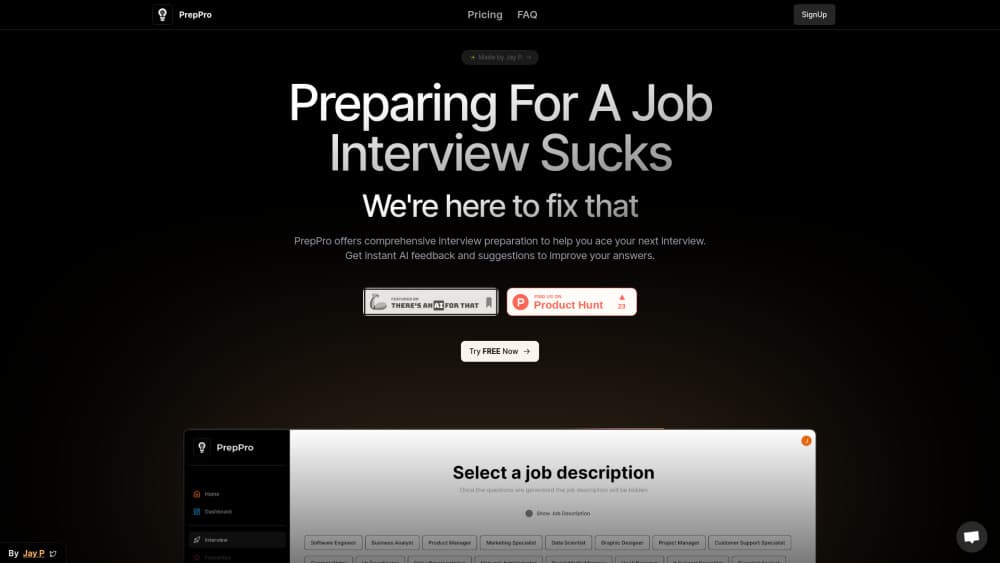
PrepPro builds a mock interview from a job description, then scores your typed answers with AI feedback and a stronger sample answer you can compare against.
About PrepPro
What Is PrepPro
PrepPro is a browser based AI interview prep tool. You paste a job description, and it writes interview questions for that specific role. You answer by typing, then the tool returns AI feedback on what you wrote along with a polished sample answer you can study and copy in your own words.
The problem it targets is the gap between reading advice and actually answering. Most candidates can find lists of common interview questions. Few can tell whether their own answer to "tell me about a conflict you resolved" is clear, specific, or rambling. PrepPro acts as a reader that scores the answer and shows a better version of it.
It's a narrow tool by design. Answers are typed, not spoken, so it won't train your delivery, pacing, or eye contact. It also has no company research, no interviewer profiles, and no live mock session with another person. The value sits in repetition: many questions, many attempts, written feedback each time.
Getting Started
- Open preppro.tech and create an account with email. The site advertises a free start before any plan is charged.
- Paste the job description you're targeting into the question generator.
- Generate a set of interview questions. Behavioral and technical questions come out of the same posting.
- Answer each question in the text box and submit it for review.
- Read the AI feedback and the sample answer, then rewrite your response and run it again.
Product Information
A quick look at PrepPro's pricing, supported platforms, and performance.
Best for
The users, tasks, and scenarios where this tool fits best.
Users
- Students and recent graduates
- Career switchers
- Non-native English speakers
Tasks
- Turning one job posting into a practice set
- Tightening behavioral stories
- Rehearsing technical explanations in writing
Scenarios
- Two days before a first round
- Applying to several similar roles
- Practicing quietly during a lunch break
Key features
Questions Written From a Job Description
The generator reads the posting and produces questions aimed at that role. A support role and a product role produce different sets from the same tool. That's the main reason to use it over a static question bank: the practice matches the job you applied for.
Behavioral and Technical Coverage
Both question types come from the same description. Behavioral prompts push toward past situations and outcomes, while technical prompts test how you explain a method or a decision. For roles that mix both in one interview, practicing them together is closer to the real thing.
Typed Answer Practice
You write answers instead of recording them. That format forces structure: you can see whether an answer has a beginning, a specific example, and a result. The site states that answer data is stored on your device, which matters if you'd rather not upload recordings of yourself.
Instant AI Feedback
Each submitted answer gets a read on what works and what doesn't. The feedback is the useful part of the loop, because it converts a vague feeling of "that answer was fine" into a specific note about a missing detail or a buried point.
Enhanced Sample Answers
Alongside the critique, PrepPro returns an improved version of the answer. Seeing a well built response next to your own shows the size of the gap faster than any list of tips. Treat it as a model of structure, not a script to memorize, since interviewers notice recited answers.
Simple Two Tier Pricing
The site sells a weekly plan at $4.99 and a monthly plan at $9.99. Both list unlimited generations, access to the AI tools, self interview practice, and customer support. The weekly option suits a candidate with one interview booked; the monthly option costs less than two weeks if the search runs longer.
Pros and cons
Pros
- Setup takes minutes: one paste of a posting and the first question set is ready.
- Sample answers give a concrete target, which is more useful than abstract advice about being specific.
- The weekly plan is cheap enough to buy for a single interview and cancel after.
- No scheduling and no calls, so practice fits into short gaps in the day.
Cons
- Text only: no voice input means delivery, filler words, and pace go untrained, and those sink plenty of otherwise solid answers.
- No company or interviewer context: questions are shaped by the posting alone, so you still need your own research before the real conversation.
- Feedback is only as specific as the posting: a vague description produces generic questions and shallow notes.
- No public API: there's no documented way to pull practice sessions into another system, so everything stays inside the web app.
Frequently asked questions
PrepPro is a web tool for interview practice. It generates questions from a job description, takes typed answers, and returns AI feedback with an improved sample answer.
Related content
Explore related tools, skills, and articles for PrepPro.
PrepPro Alternatives

Knocket
Knocket (Tencent RTC team) · Productivity · Business · ChatbotKnocket is a free live chat and contact page tool that lets visitors message you from your website, app, or a shareable link, with every reply handled from Telegram or one inbox.

shippedit.me
Krawlup · Marketing · Businessshippedit.me now redirects to Krawlup, a web platform that audits SEO, AEO and page speed every week, then hands the fixes to AI coding agents over MCP.

Ayven
Alknoma · Productivity · BusinessAyven is an AI control centre by Alknoma that turns a plain-language goal into a dated plan, hands the work to your people and AI agents, and asks for your approval only when the call is yours.