

Prism
Prism · Other · Chatbot
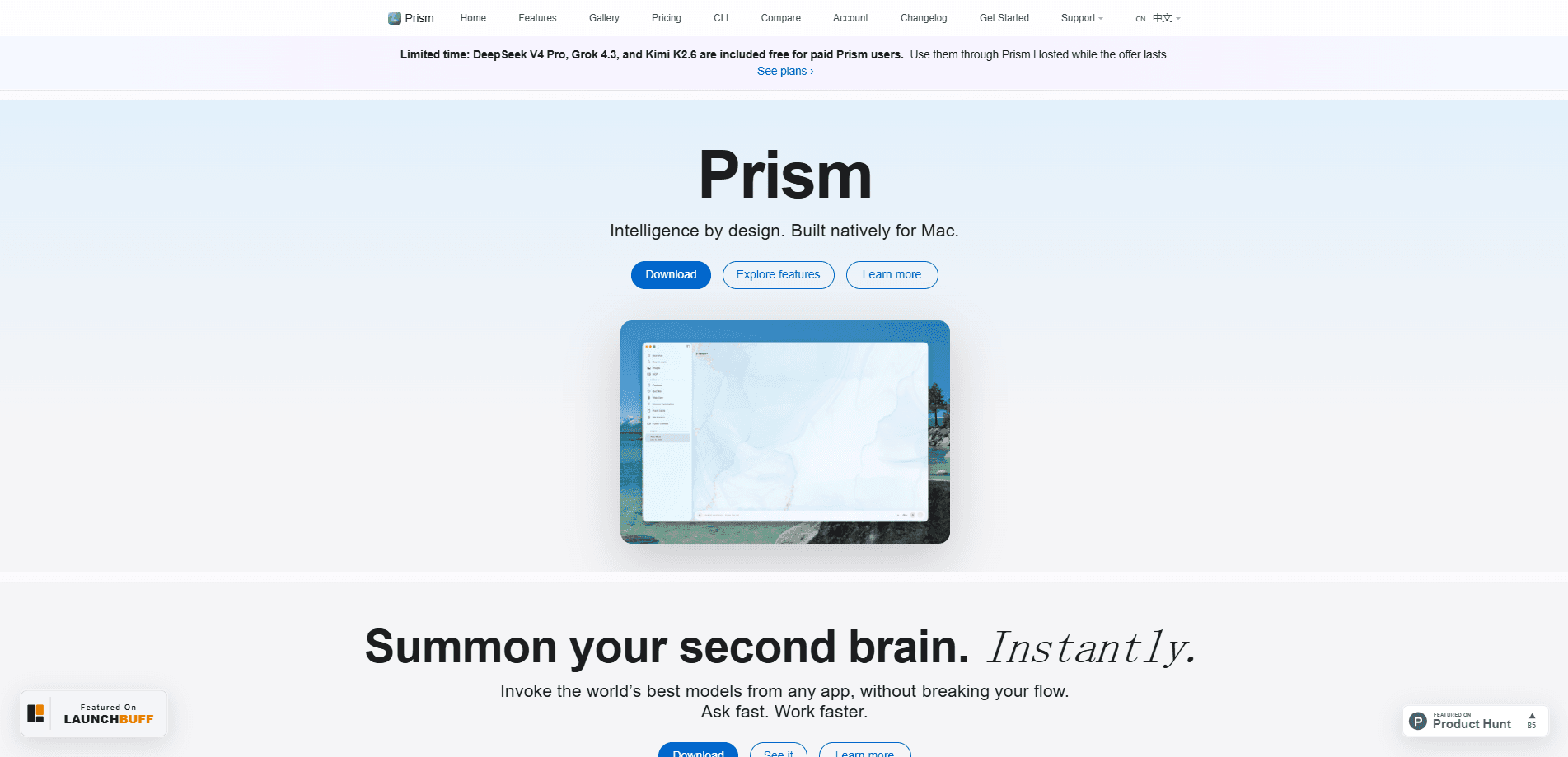
Prism is a native macOS AI workspace that pulls multi-provider chat, system-wide Quick AI prompts, and MCP-powered tools into one app. It handles multi-model AI chat in a single window. No more juggling five browser tabs for ChatGPT, Claude, and Gemini. You open Prism, pick a model, and keep going. It's built in SwiftUI for Mac and runs local models too, so you can keep sensitive work on your own machine.
About Prism
What Is Prism
Prism is an AI workspace built only for macOS. It gathers the major cloud chat providers into one thread so you can compare answers side by side instead of paying for three subscriptions and switching windows. One hotkey. Every model. No lock-in.
The app also reaches outside the chat box. Quick AI summons a prompt panel from any screen, and MCP servers plus @ tools let you pull files, databases, and APIs straight into a conversation. That covers the gap between "ask a chatbot a question" and "get real work done without leaving the app you're in."
The biggest limit is the platform. There's no native Windows or iPhone build yet. Both sit in early beta with waitlists. So if you're on anything other than a Mac, Prism isn't ready for you. It also needs macOS 26 or later, which rules out older machines.
Getting Started
- Download the .dmg file from the Prism site, or run
brew install --cask gl-aarav/tap/prism. - Drag Prism.app into your Applications folder and open it.
- Grant Accessibility permissions so Quick AI can work across your apps.
- Add API keys in Settings for the providers you already pay for, like Gemini or NVIDIA NIM.
- Press Ctrl + Space to launch the Quick AI panel and start asking.
Product Information
A quick look at Prism's pricing, supported platforms, and performance.
Best for
The users, tasks, and scenarios where this tool fits best.
Users
- Mac developers
- Students
- Privacy-conscious users
Tasks
- Comparing model answers
- Summarizing documents
- Drafting on the fly
Scenarios
- Daily writing and support work
- Offline or air-gapped sessions
- Automating repeat tasks
Key features
Multi-Provider Chat in One Thread
Prism puts the leading cloud providers into a single conversation view, and you configure your own API keys, then switch or compare models without opening another app or paying a second subscription. There's no vendor lock-in, and hosted models are available on paid plans if you'd rather not bring keys.
Quick AI System-Wide Panel
One hotkey opens a prompt panel over whatever you're doing. Draft a reply, summarize a thread, explain a shell command, or outline a deck without copying text into a chat window first. It's the feature that turns Prism from an app you visit into a layer over your whole Mac.
MCP and @ Tools
Curated MCP servers and @ tools bring files, databases, and APIs into the chat itself. Built-in helpers like @FileCreator, @QuizCreator, and @FlashCardCreator handle common jobs, while configured servers extend what the assistant can reach. This is what makes study and file-creation flows work inside the same window as chat.
Custom Local Models
Prism runs local GGUF, Safetensors, and MLX models with zero setup, using Ollama where needed. MLX models run without it, and Apple Intelligence is built into macOS. With these, your prompts never leave the device, which matters for confidential work.
Prism Code and Local Proxy
Prism Code is a native coding companion with an integrated terminal. Paid plans add an OpenAI-compatible local proxy so external tools like Claude Code and other CLIs can route their requests through Prism. Developers keep one place for keys and usage.
Command Center Agents
Command Center is a beta feature that runs AI agents which watch, summarize, and act on your behalf. It's aimed at people who repeat the same multi-step tasks. It's still early. Don't trust it with anything irreversible.
Prism Anticipates
The app surfaces proactive, on-device suggestions before you ask: draft a note, fix a warning, rename a batch of files. It's a nudge, not a command. You accept or dismiss each one. Handy for spotting chores you'd otherwise forget. And yes, it feels a little uncanny at first.
Pros and cons
Pros
- One workspace covers multi-model chat, system-wide prompts, and MCP tools, so you stop switching apps.
- Native SwiftUI build keeps the app fast and light compared to Electron-based alternatives.
- Local model support via Ollama, MLX, and Apple Intelligence gives real offline and privacy options.
- No provider lock-in: bring your own keys or fall back to hosted models on paid tiers.
- The $10/year student rate and $60 lifetime license are cheap next to stacked subscriptions.
Cons
- macOS only for now. Windows and iOS are early beta, so non-Mac users can't run it.
- Requires macOS 26 or later, which locks out older Macs even if they're still capable.
- Hosted AI usage is metered. The Plus plan's ~350 messages a month can run out fast on heavy days.
- Local models add disk space (the app is ~470 MB before models) and need decent hardware to run well.
Frequently asked questions
Prism is a Mac app that combines multi-provider AI chat, a system-wide Quick AI prompt panel, and MCP tools in one place. People use it to compare models, summarize files, draft text, and run agent-style automations without leaving their current app.
Related content
Explore related tools, skills, and articles for Prism.
Prism Alternatives

Odyssey 3
Odyssey · OtherOdyssey-3 is Odyssey's foundation world model. It simulates physics in real time, turns a prompt into an interactive environment, and adapts to robots, cars and games.

JarvisCore
Prescott Data · Coding · Productivity · OtherJarvisCore is an open source Python runtime where AI agents work as equal peers on an agent mesh, claim tasks from a shared ledger, and reach external services through a zero-trust broker.
Clef
Cloudflare · Business · OtherClef is Cloudflare's open-source decision model for Workers AI. It returns calibrated probabilities for typed questions, not generated text, so agents can classify, route, and act fast.