

Prismy
Prismy · Writing · Coding
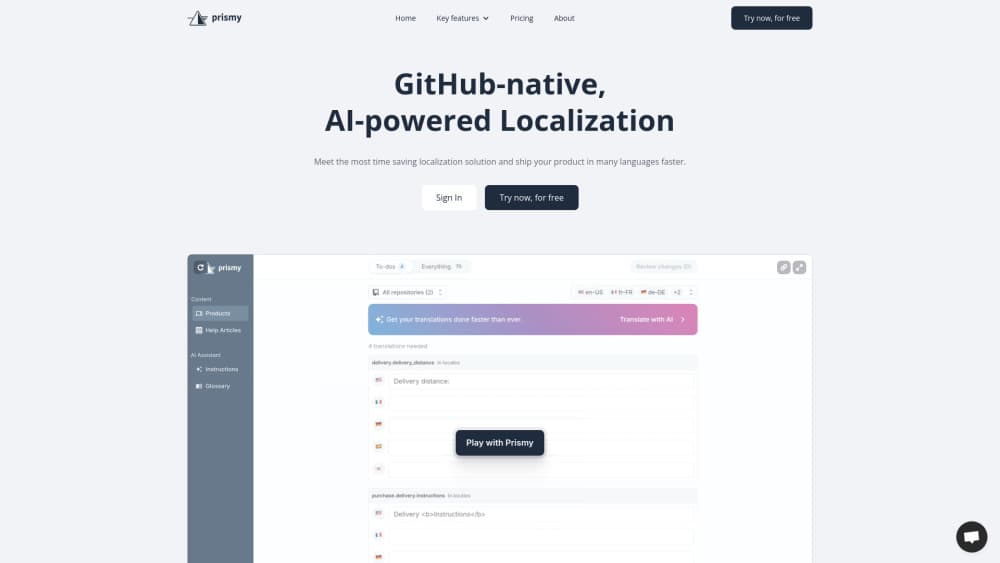
Prismy is an AI localization platform for GitHub teams. It finds missing translations in every pull request and generates them in one click, with no separate editor to babysit.
About Prismy
What Is Prismy
Prismy is a translation and localization platform for teams that ship software on GitHub. As app localization software, it installs as a GitHub App and works inside the pull requests your team already opens, instead of moving your language files into a separate service, translating there, and syncing them back.
The problem it solves is familiar to anyone running a product in several languages. New features ship with English strings only, translators wait for a handoff, and every wording change needs a developer to touch the JSON. Prismy detects missing strings the moment a PR lands, posts a comment listing what's untranslated, and lets a developer generate all the missing language versions with one click. The commit goes straight onto the same branch.
The main limitation is scope. Prismy is built for software interfaces and product copy tied to a codebase. If most of what you translate lives in documents, marketing pages, or customer support content, the GitHub-first design offers less value, and a general translation management system may fit better.
Getting Started
- Install the Prismy GitHub App on your repository and connect your account. Choose the language files it should watch.
- Set your target languages and add a glossary plus style instructions so the AI matches your brand voice.
- Open a pull request with new strings. Prismy reviews the diff and comments when translations are missing.
- Generate the missing translations in one click, straight from the comment, and Prismy pushes a commit on the same branch.
- Let anyone on the team refine wording later through the web app or Chrome extension, with every change returned as a clean pull request.
Product Information
A quick look at Prismy's pricing, supported platforms, and performance.
Best for
The users, tasks, and scenarios where this tool fits best.
Users
- Software developers shipping a product in multiple languages
- Product managers who own feature copy
- Translators and localization reviewers
Tasks
- Translating new features on release day
- Keeping translation files conflict-free
- Fixing wording in production without a deploy
Scenarios
- A small product team running five or more languages with no dedicated localization manager
- Rapid release cycles with several features going out each week
- Teams already using scattered AI output from tools like Cursor or ChatGPT
Key features
One-click AI translations inside pull requests
Prismy comments on each pull request when it finds untranslated strings and lists the languages that are missing. A developer clicks once and Prismy generates the translations and commits them to the same branch. There's no separate platform to log into and no sync step to trigger.
Automatic string detection on every PR
The GitHub App reviews the diff of each pull request and compares it against your existing language files. New or changed strings surface as a comment, so nothing slips through when a feature ships. Detection runs as continuous localization rather than on a manual export schedule, which is the workflow most i18n tool setups force on you.
AI tuned to your glossary and instructions
Translations draw on a glossary, custom style instructions, and your past edits, so output follows your product's terminology and tone. Prismy can also build an initial glossary by picking out the terms that matter to your business. This is the part generic AI translation tools usually get wrong.
Conflict-free pull requests
Every change Prismy makes returns as a clean pull request that gets auto-rebased on main, one at a time. That design removes the merge conflicts that pile up when several branches touch the same locale files. Your branches stay mergeable even with parallel work.
Editing for non-developers
Product managers, writers, and translators edit copy through the Prismy web app or a Chrome extension that works on your live product. They click a text element, change the wording, preview it in context, and submit. Prismy turns the edit into a pull request without asking anyone to touch a terminal.
Syntax validation before merge
Prismy checks each save for broken variables, HTML tags, and pluralization rules, and it flags glossary mismatches and spelling errors. Non-developers can edit safely because the editor enforces structure, and variables stay intact regardless of who made the change.
Works with GitHub Enterprise
Prismy supports GitHub.com, GitHub Enterprise Cloud, and GitHub Enterprise Server, and it offers a hosted option for teams with stricter security needs. Teams running GitHub on their own infrastructure can still use it.
Chrome extension for in-context edits
The extension lets anyone edit text directly on the live site or app instead of hunting through translation files. You see exactly where the string appears, preview the change, and send it as a pull request in one click.
Pros and cons
Pros
- Translation happens inside pull requests, so releases stop waiting on a separate localization pass.
- Automatic rebasing keeps locale files free of the merge conflicts that parallel branches usually cause.
- Non-developers can change copy through the web app or Chrome extension without needing GitHub access or JSON skills.
- The AI uses your glossary, instructions, and history, which produces more consistent output than generic ChatGPT or Cursor translation.
- Works with GitHub.com and self-hosted GitHub Enterprise Server.
Cons
- It assumes an i18n-ready codebase with language files already in place, so projects without that setup need work before Prismy helps.
- The GitHub-first design fits software interfaces best, which means document-heavy or marketing-focused localization gets less benefit.
- Pricing scales with hosted words, and every paid tier caps out at 5 languages, so products in many languages may need to talk to sales about custom terms.
Frequently asked questions
Prismy handles software localization for teams that ship on GitHub. It detects missing translations in pull requests, generates them with AI, and keeps your language files in sync, so you can launch features in multiple languages without a separate localization platform.
Related content
Explore related tools, skills, and articles for Prismy.
Prismy Alternatives

Claude for Google Workspace
Anthropic · Writing · Productivity · BusinessClaude for Google Workspace puts Claude in a sidebar inside Google Docs, Sheets, and Slides, where it reads the file you have open and edits it in place.

Claude Haiku 5.5
Anthropic · Writing · Coding · ChatbotClaude Haiku 5.5 is Anthropic's fastest and cheapest small model, built for high volume tasks at $0.10 per million input tokens with a 1M token context window.

NoteWorthy
Suman Hansada · Writing · Productivity · AI AssistantNoteWorthy is a notes app for iPhone, iPad and Mac that writes titles, tidies formatting, summarizes long notes and files each one with on-device AI. No account, no upload, no network requests.