

Producta
Producta AI · Coding · Productivity
Producta was an AI tool that turned Linear tickets and rough ideas into working pull requests. It validated, planned, and wrote code, then opened a GitHub PR for review.
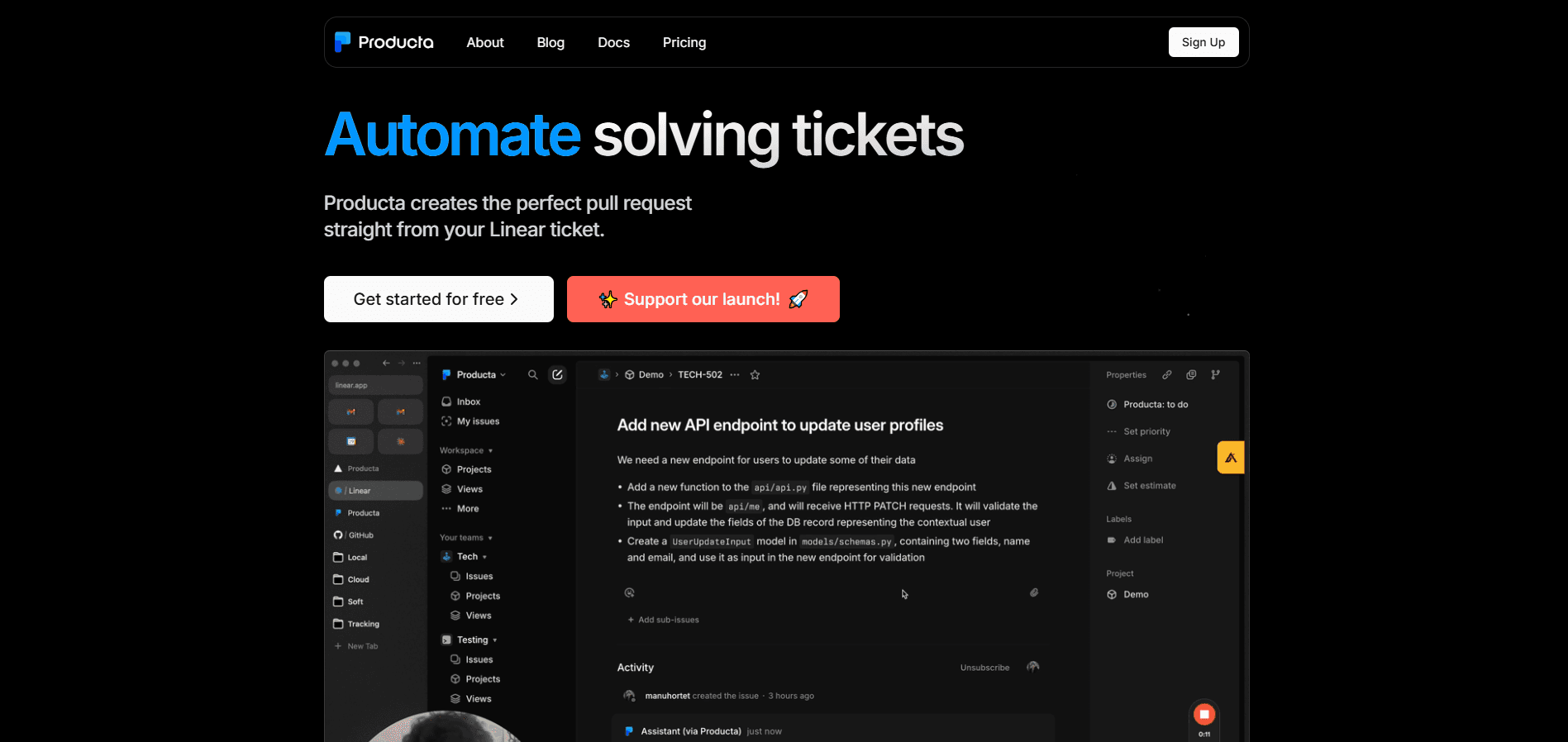
About Producta
What Is Producta
Producta was an AI pull request tool built to automate parts of software development. It connected to your Linear issue tracker and your GitHub repositories, then turned tickets into pull requests with tested, automated code solutions. The pitch was simple: instead of asking an LLM to write a snippet in a chat window, you move a ticket into a dedicated column and let the tool handle validation, planning, generation, and testing.
The company targeted engineering teams already using Linear and GitHub. Two ex-Google builders, Abdallah Abedraba and Manu Hortet, founded it around a common frustration: AI coding assistants produce misleading or wrong answers often enough that cleaning up the output costs more time than writing the code by hand. Producta aimed to cut that rework by feeding the model better context pulled straight from the issue tracker.
The catch is history now. Producta is no longer operating, and its site is an archive. Anyone reading this in 2026 cannot sign up or run the workflow. What remains useful is the design idea, which several later tools have copied: keep the human in the tracker, let AI do the first pass on code, and route everything through pull requests so a reviewer still decides what ships.
Getting Started
The setup followed a short path while the service was live.
- Create a Producta account and connect your GitHub repositories.
- Link your Linear workspace so Producta can read projects and tickets.
- Add a Producta column to your Linear board and move the ticket you want solved into it.
- Answer any clarifying questions Producta asks about the ticket.
- Review the pull request it opens with the proposed solution, and comment if you want changes.
Product Information
A quick look at Producta's pricing, supported platforms, and performance.
Best for
The users, tasks, and scenarios where this tool fits best.
Users
- Engineering teams on Linear and GitHub
- Founders and solo developers
- Reviewers who want AI output behind a pull request
Tasks
- Solving routine technical tickets
- Turning ideas into technical tasks
- Evaluating whether AI can handle a codebase's style
Scenarios
- A backlog full of small, well-scoped tickets
- Early-stage projects with loose requirements
- A team testing AI workflows without changing its toolchain
Key features
Ticket-to-Pull-Request Automation
Producta read a Linear ticket, planned the work, wrote a solution, and tested it before opening a GitHub pull request. You did not paste code into a chat window. The result arrived as a reviewable PR, so your normal code review process still applied. It worked like a GitHub AI code generator that stayed behind review. This end-to-end handling was the core of the product.
Automatic Ticket Clarification
When a ticket was vague, Producta asked follow-up questions before writing code. It acted like a teammate who wanted requirements nailed down first. The point was to reduce wrong answers caused by thin context, which the founders argued was the main reason AI coding output disappointed teams.
Idea-to-Ticket Conversion
As a second mode, Producta took a rough idea written in a new ticket and refined it into one or more clearly defined technical tasks. Product leads or founders could hand over a plain-language wish and get back something a developer could pick up. This made the tool useful before any code was written.
Linear and GitHub Integration
The product plugged directly into a Linear workspace and GitHub repositories, a setup that worked as a Linear AI integration for teams already tracking work there. You worked from your normal board and repos, and moved tickets to a Producta column to trigger the workflow. Keeping the tool inside the existing stack lowered the cost of trying it.
Comment-Driven Iteration
After opening a pull request, Producta responded to comments on the ticket and adjusted its solution. Reviews were not a dead end; feedback fed straight back into another pass. The loop mirrored how a human teammate would revise work after a review.
Multi-Model Access
The Enterprise plan gave access to all supported models, including R1 and o1. That let teams pick a reasoning-heavy model for harder tickets rather than a single fixed default. Model access was tied to the paid tier, so the free trial did not include the full lineup.
Pros and cons
Pros
- Turned Linear tickets directly into GitHub pull requests, so AI output stayed behind code review instead of shipping unseen.
- Asked clarifying questions before coding, which matched the product's stated goal of reducing wrong answers from weak context.
- Also converted ideas into structured technical tickets, covering the planning step before any code existed.
- Plugged into Linear and GitHub, so teams could test it without rearranging their toolchain.
- Reported test runs before opening a pull request, which gave reviewers some signal the code actually ran.
Cons
- The service is shut down, so no one can sign up or use the workflow anymore. The design is all that remains.
- Pricing was never published as a number. Free trial details were public, but Enterprise ran on custom quotes, so budgeting ahead was hard.
- Model access depended on the paid tier, which meant the free trial did not show the full product.
- It depended on Linear for the ticket experience, so teams on other trackers got nothing from it.
- Public output quality was hard to verify independently, and the founders' accuracy claims came from the vendor, not outside testing.
Frequently asked questions
It turned Linear tickets and raw ideas into GitHub pull requests with proposed code solutions. You moved a ticket to a Producta column, and the tool clarified, planned, generated, and tested code before opening a PR.
Related content
Explore related tools, skills, and articles for Producta.
Producta Alternatives

Base Code
Base44 (Wix) · Coding · ProductivityBase Code is a shared cloud development environment from Base44. Teammates describe changes to an existing GitHub codebase in chat, preview them live and send them back as pull requests.

Google EmbeddingGemma 2
Google DeepMind · Writing · Image · CodingGoogle EmbeddingGemma 2 is a 740M-parameter open model that turns text, code, images, audio, and video frames into vectors in one 768-dimension space, running on phones and laptops.

GitGlow
GitGlow · Coding · ProductivityGitGlow is a local-first desktop Git client that lets independent developers review their own code and their AI agents' changes in one place before shipping.