

Progress AI Observability
Progress Software · Other
Progress AI Observability is a cloud platform for teams running AI agents, LLM apps, RAG systems, and copilots in production. It traces what an agent actually did across prompts, models, tools, and retrieval steps, then turns that record into debugging evidence, token and cost numbers, and quality scores. You get the picture of a broken workflow in minutes instead of guessing through logs. The platform ships with SDKs for .NET, Python, and JavaScript, so it slots into the stacks most teams already build on.
About Progress AI Observability
What Is Progress AI Observability
Progress AI Observability answers three questions that generic monitoring tools can't: what did my agent do, what did it cost, and was the answer good enough to ship. An AI agent doesn't follow a simple request-response path. One reply can pass through several prompts, a retrieval call, two or three tools, a retry, and a final model response. When the output is wrong, nothing in a normal log tells you which step went sideways.
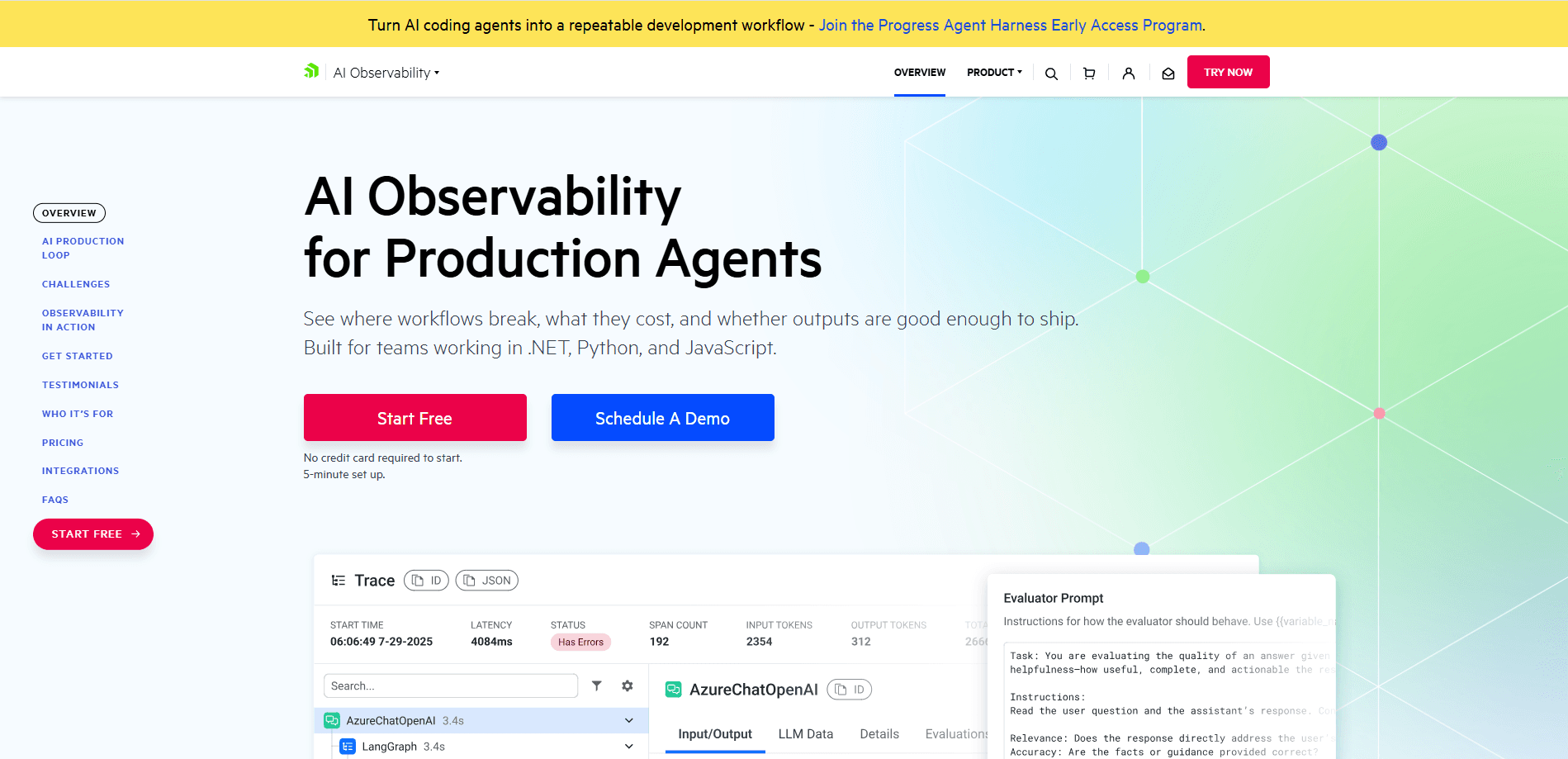
The platform records that whole path as a trace. You see each step, how long it took, how many tokens it burned, and what came back. From there you can debug a skipped tool or a retrieval miss, watch spend per model and per workflow, and run LLM-as-a-Judge evaluations to score output quality over time. It's a production tool, not a playground. The value shows up when something breaks at 2 a.m., or when the bill climbs and nobody knows why.
The main limit is that it's built for developers. If you don't write code in .NET, Python, or JavaScript, or your team has no one instrumenting the agent, you won't get much from it. There's also a learning curve around the SDK setup, and the deepest analytics sit behind paid tiers.
Getting Started
- Sign up at the Progress observability site with the free tier, which needs no credit card and takes about five minutes to set up.
- Add the SDK to your project and point it at your agent, LLM calls, and tool invocations for .NET, Python, or JavaScript.
- Run a workflow so the platform captures at least one full trace across prompts, retrieval, and tools.
- Open the trace view to inspect execution paths, latency, and token usage, then drill into any failed or looping step.
- Set up evaluations and cost dashboards, and invite your team. Everyone works from the same production picture.
Product Information
A quick look at Progress AI Observability's pricing, supported platforms, and performance.
Best for
The users, tasks, and scenarios where this tool fits best.
Users
- Backend and AI engineers working in .NET, Python, or JavaScript
- Platform and SRE teams responsible for uptime
- AI product managers who sign off on releases
Tasks
- Debugging a failing agent
- Tracking token spend
- Scoring output quality
- Comparing workflow variants
Scenarios
- An agent starts giving wrong answers after a model swap
- Monthly cloud bill jumps and nobody can explain it
- A RAG system returns confident nonsense
- Pre-release regression checks
Key features
End-to-End LLM Tracing
Every request becomes a trace that spans prompts, model calls, retrieval steps, tool use, retries, and custom workflow logic. You see latency, token counts, and raw outputs at each hop. For a multi-step agent, that's the difference between a guess and a diagnosis.
Fast Debugging for Broken Agents
The debugger surfaces the usual suspects: skipped tools, retrieval issues and bad context, and loops or errors. It's aimed at the moment something fails in production, when you need the failing step named, not a wall of logs to read. The trace narrows the search to one branch of one run. Debugging gets faster. So does your sleep.
Cost and Token Analytics
The platform tracks token usage and estimated cost across models, providers, and agents, then shows the workflow patterns behind the spend. You can see which agent calls the expensive model on every turn. That finding tends to pay for the tool. Not every workflow needs GPT-class reasoning, and the data makes that obvious.
Quality Evaluations with LLM-as-a-Judge
You score outputs with LLM-as-a-Judge evaluations, watch quality scores move, and tie changes back to prompt, model, or workflow edits. Comparing a release against the one before it becomes a repeatable check rather than an argument. No more gut calls.
Datasets and Experiments
Datasets and experiments let you run the same inputs through different prompt or model configurations. You get a side-by-side read on which version performs better before it reaches users. This is where evaluation stops being a vibe and starts being evidence. LLM tracing feeds straight into it.
Prompt Management
Prompt management keeps prompt versions in one place so a change is traceable. When quality drops after an edit, you can see exactly which prompt moved and roll it back. It's the mundane feature that prevents the most confusing bugs. Boring, and worth it.
Performance Metrics and Model Optimization
Beyond per-request traces, the platform rolls up performance metrics across the AI program. You spot slow models, costly workflows, and drift over time. Model optimization guidance points at where a cheaper or faster option would do the job. Not every call needs the biggest model in the catalog.
SDK Support for .NET, Python, and JavaScript
The instrumentation ships for the three languages most production AI teams work in. .NET support matters in particular, since many observability tools treat it as an afterthought. You add the SDK, point it at your calls, and traces start flowing. That's it.
Pros and cons
Pros
- Covers the full production loop in one place: tracing, debugging, cost control, and quality evaluation.
- Strong .NET support alongside Python and JavaScript, which is rare in AI observability tooling.
- LLM-as-a-Judge evaluations tie output quality to specific prompt and model changes.
- Cost analytics work at the model, provider, and workflow level, so spend is explainable.
- Free tier to start, with no credit card. Setup is quick.
Cons
- It's a developer tool, so teams without engineering time on the agent won't get value from it.
- Deepest analytics and evaluation features sit behind paid tiers, and pricing isn't published.
- No Android or iOS app, so monitoring happens in a browser only.
- Documentation leans on Progress product names, which adds a little friction for newcomers.
Frequently asked questions
It traces production AI agents and LLM apps across prompts, models, tools, and retrieval, then turns those traces into debugging, cost, and quality data. Think of it as observability built for the way agents behave. It isn't built for simple web requests.
Related content
Explore related tools, skills, and articles for Progress AI Observability.
Progress AI Observability Alternatives
BinkBink
BinkBink · OtherBinkBink is a free online game platform and AI game maker that lets anyone turn a short text description into a playable browser game. You can jump into hundreds of community-made games. Or describe your own idea and play it in seconds, then share it with friends. Want to create your own game? You don't need to code. No engine setup, no download, no hassle.

Audiogen
Audiogen Inc. · OtherAudiogen is an AI music generator built by Audiogen Inc., a small research team that spent about 2.5 years training its own generative music model and designing a web interface around it. Instead of a plain text box, this AI music tool turns the timeline into a beginner-friendly Generative Audio Workstation, or GAW, where inpainting, extending, remixing and stem editing work more like painting on a canvas. The product is still in beta, so access runs through a waitlist or an invite. Paid plans aren't published yet.

Aiml API
AIMLAPI OÜ · OtherAiml API is a unified AI model API that puts more than 1000 models from OpenAI, Google, Anthropic, and others behind one endpoint and one bill. You write code against a single OpenAI-compatible schema, then switch between chat, image, video, and audio models by changing a model string. It suits developers and small teams who want multi-model access without juggling a dozen separate provider accounts, and it removes the usual billing headache that comes with testing several vendors. One key covers it all.