

Prompt Inspector
Prompt Inspector · Coding · Prompts
Prompt Inspector is an open-source security layer that checks every prompt against injection attacks, sensitive content, and adversarial inputs before it reaches your LLM.
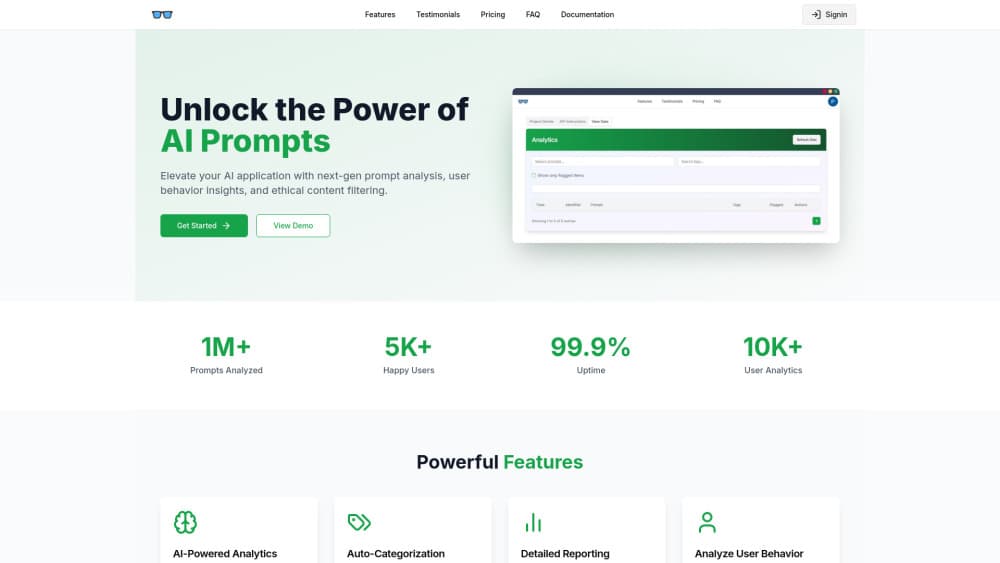
About Prompt Inspector
What Is Prompt Inspector
Prompt Inspector is a security firewall for LLM applications and AI agents. It sits between untrusted user input and your language model, and it analyzes every prompt in real time before the prompt reaches your AI system. The project is open source under the AGPL-3.0 license, with a hosted cloud option and an enterprise edition for private deployment.
The tool grew out of a practical problem. As generative AI moves into production, prompt injection, jailbreaks, and adversarial manipulation have turned into real attack vectors. A customer-facing chatbot, an autonomous agent, or an AI coding assistant all read text they did not write. Prompt Inspector adds the guardrail most of those stacks skip. It detects prompt injection and malicious content, filters sensitive words per tenant, and returns a safety verdict that your own rules act on.
The project dates to March 2026. On GitHub it lives at aunicall/prompt-inspector, and it ships under a clear split: the repo is open for non-commercial use, while the enterprise edition adds a maintained payload library, customization, private deployment, and dedicated support. The detection engine runs a five-layer funnel rather than a single model, which is the design choice that shapes both its speed claims and its accuracy.
Getting Started
- Create an account at promptinspector.io and sign in with Google or GitHub.
- Open the dashboard, create an App, and copy the generated App API Key. It is shown once, so store it right away.
- Pick an integration: install the Python SDK with
pip install prompt-inspector, the Node.js SDK withnpm install prompt-inspector, or call the REST endpoint directly. - Run a first check with a few lines of code: create a client with your key, call
detecton a test string, and read backis_safe,score, andcategory. - For REST use, POST to
https://promptinspector.io/api/v1/detect/sdkwith anX-App-Keyheader and aninput_textfield. - Wire it into an editor or agent with the MCP server, which works with Cursor, VS Code Copilot, Claude Desktop, and Dify.
Product Information
A quick look at Prompt Inspector's pricing, supported platforms, and performance.
Best for
The users, tasks, and scenarios where this tool fits best.
Users
- Backend and platform engineers building LLM features
- Application security teams adding AI controls
- Teams with data residency rules
- AI coding tool users
- Teams that want a self-hosted AI firewall
Tasks
- Detecting prompt injection
- Filtering sensitive content
- Returning a safety verdict to your app
- Running guardrails on your own servers
- Adding AI safety checks to an agent workflow
Scenarios
- Putting a filter in front of a public chatbot
- Screening user text before an agent acts
- Meeting a data-handling requirement
- Enforcing a content rule
Key features
Multi-layer detection engine
Detection runs as a five-layer funnel, and each layer filters a little finer than the last. A global hash cache returns a prior result for a repeated input with near-zero latency. A sensitive word layer matches keywords and regex patterns using an Aho-Corasick automaton and short-circuits on a hit. A semantic layer uses vector embeddings to catch paraphrased attacks and obfuscated injections that keyword rules miss. An optional AI review handles gray-zone inputs, and an arbitration step aggregates the layers into a final verdict with a confidence score.
Real-time detection at low latency
Most requests resolve in the first two layers in under 3ms, according to the project. Full semantic analysis completes in about 30ms. The funnel design is what keeps those numbers down: an obvious threat is stopped at the keyword layer, and only ambiguous inputs travel further down the pipeline. That split lets the engine stay fast on the common case while still spending real compute on the hard ones.
Per-tenant sensitive word filtering
Each tenant defines its own word lists, and the engine supports two matching strategies. Literal matching runs on an Aho-Corasick automaton, which scans the whole input in a single pass with linear time no matter how many keywords you configure. Regex patterns cover structured data such as phone numbers and card formats. When a word matches, the pipeline short-circuits, so the layer works as both a safety net and a speed shortcut.
AI-assisted gray-zone review
Inputs that land in an ambiguous middle ground are escalated to a language model for a second opinion. Supported reviewers include DeepSeek, Qwen, and Gemini. This layer exists to cut false positives, and it stays optional so a deployment can keep the pipeline fully deterministic when it needs to. A clear score from the semantic layer skips the review entirely.
Self-iterating threat library
When the AI reviewer confirms a new attack, the engine generates variant payloads and adds them to the vector database on its own. Over time the payload library grows from the threats the system actually sees, not from a fixed list someone maintains by hand. The enterprise edition adds a maintained payload library at million scale with real-time updates drawn from production threats.
MCP and SDK integrations
Prompt Inspector ships a REST API, an official Python SDK, an official Node.js SDK, and an MCP server. The MCP server works with Cursor, VS Code Copilot, Claude Desktop, and Dify, and a Skill integration covers OpenClaw and Claude Code. Every client authenticates with the same App API Key, sent through an X-App-Key header or a bearer token, so one key covers the whole stack.
Open-source core with an enterprise edition
The core is open source under the AGPL-3.0 license and can be cloned and run on your own infrastructure. The enterprise edition layers on payload library maintenance, customization, private deployment, and dedicated support. That split gives a solo developer a working guardrail for free and gives a company a supported path when it needs one.
Pros and cons
Pros
- The funnel design catches obvious threats in the first two layers and saves the heavy semantic work for ambiguous inputs.
- Self-hosting under AGPL-3.0 keeps prompt data inside your own infrastructure, which suits strict data-handling rules.
- One App API Key and one MCP endpoint reach the API, both SDKs, and the editor integrations.
- Per-tenant word lists with regex cover structured data beyond a fixed keyword list.
- A free account with monthly request limits lets a small project test the engine with no commitment.
Cons
- The public homepage showed a server error during checks, so the live cloud service needs its own availability check before you depend on it.
- Full semantic detection, the million-scale payload library, and private deployment sit behind the enterprise edition, so the free path shows a narrower slice.
- Pricing is not published and runs through a sales contact, so cost comparison needs a conversation first.
- The AGPL-3.0 license shapes commercial use, which means a hosted product may need the enterprise edition rather than the open repo.
Frequently asked questions
Prompt Inspector is an open-source security layer that protects LLM applications and AI agents from prompt injection, sensitive content leaks, and other adversarial inputs. It analyzes every prompt in real time before the prompt reaches the model and returns a safety verdict your own rules act on.
Related content
Explore related tools, skills, and articles for Prompt Inspector.
Prompt Inspector Alternatives

Base Code
Base44 (Wix) · Coding · ProductivityBase Code is a shared cloud development environment from Base44. Teammates describe changes to an existing GitHub codebase in chat, preview them live and send them back as pull requests.

Google EmbeddingGemma 2
Google DeepMind · Writing · Image · CodingGoogle EmbeddingGemma 2 is a 740M-parameter open model that turns text, code, images, audio, and video frames into vectors in one 768-dimension space, running on phones and laptops.

GitGlow
GitGlow · Coding · ProductivityGitGlow is a local-first desktop Git client that lets independent developers review their own code and their AI agents' changes in one place before shipping.