

Promptacore
Promptacore · Other · Prompts
Promptacore is a browser-based prompt engineering toolkit for people who use AI tools but don't want to fight with blank text boxes every time. It helps you write, store, and refine prompts through fill-in templates and a searchable prompt library, and it runs in your browser without any coding setup. If you regularly bounce between ChatGPT, Claude, and image models, it's built to keep your best prompts in one place. Not scattered across notes apps.
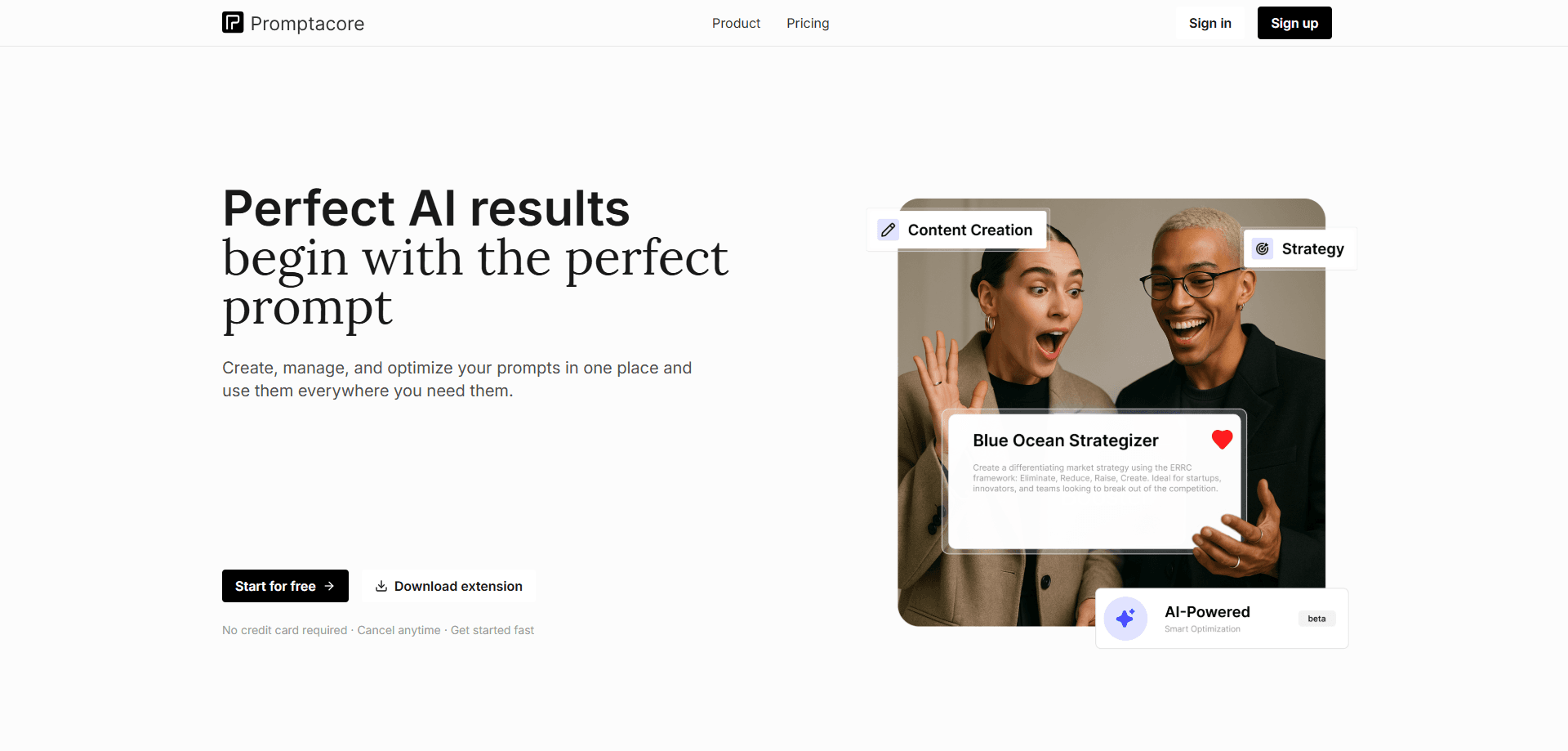
About Promptacore
What Is Promptacore
Promptacore is a web app for creating and organizing the prompts you feed to AI models. Instead of rewriting the same instructions from scratch, you build reusable templates with blanks you fill in, then save them to a library you can search later. The main promise is order: one place for every prompt that works, so you're not digging through old chats to find that one phrasing that produced a good result.
The toolkit targets a practical problem. Most people writing prompts for work or side projects end up with a messy pile of half-finished ideas across browser tabs, notes, and chat history. Promptacore treats prompts as assets worth storing, editing, and reusing, similar to how a developer keeps code snippets. That's the whole idea.
There is an important limit to understand up front. Promptacore doesn't run the AI models itself. It's a workspace for authoring and managing prompts, and you still take the finished text to whichever AI service you use. It's also a browser product. No desktop client, no mobile app.
Getting Started
- Sign up for a free account at promptacore.com and open the workspace in your browser.
- Create your first prompt by picking a template or starting from a blank one, then fill in the fields that matter for your task.
- Save it to your library and tag it so you can find it later by topic, model, or project.
- Refine the prompt as you test it, keeping the versions that produce the best output.
- Copy the finished prompt into your AI tool of choice and run it there.
Product Information
A quick look at Promptacore's pricing, supported platforms, and performance.
Best for
The users, tasks, and scenarios where this tool fits best.
Users
- Freelance writers juggling several AI chats
- Marketing and content teams
- Developers and tinkerers who script model calls
Tasks
- Building reusable prompt templates with fill-in variables for recurring jobs like product descriptions or support replies.
- Organizing a growing collection of prompts so a specific one is a search away instead of buried in chat history.
- Refining a prompt over several rounds and keeping the version that works best.
Scenarios
- Starting a new project and needing a base set of prompts rather than a blank page.
- Handing a prompt workflow to a teammate who needs the same structure.
- Researching how different phrasings change AI output before committing to one.
Key features
Reusable Prompt Templates
Templates let you build a prompt once with placeholders, then swap in new details each time you reuse it. For a writer producing weekly newsletters, that means setting the structure and tone once and only changing the topic. No more retyping the whole thing. It turns a repetitive copy-paste job into filling in a couple of blanks.
Prompt Library
Every prompt you create can be saved and sorted into a searchable library. The value shows up when your collection grows past a couple dozen entries. Finding the right one by keyword beats scrolling through old conversations. Tagging helps you group prompts by client, model, or task type.
Browser-Based Access
Promptacore runs in the browser, so there's nothing to install and you can reach your library from any machine you're logged into. That convenience comes with a tradeoff. You need an internet connection, and there's no offline mode or native app. For most casual and semi-pro use, the browser is enough.
No-Code Prompt Building
The toolkit is aimed at people who aren't programmers. You assemble prompts through a visual interface rather than writing code or chaining API calls. The benefit is speed for non-technical users. The cost? Complex, programmatic prompt logic still needs a real scripting setup.
Prompt Refinement Workflow
You can edit a prompt, test it against your chosen AI tool, and iterate without losing earlier versions. Keeping the history matters. A tweak can make output worse, and you'll want to roll back. It's a lightweight version of the edit-and-compare loop experienced prompt writers already do by hand.
Pros and cons
Pros
- Keeps prompts in one searchable place instead of scattered across chats and notes.
- Fill-in templates cut down on rewriting the same instructions for repeat tasks.
- Runs in the browser with no installation or coding required.
- Suitable for non-technical users who still want prompt organization.
Cons
- Doesn't run AI models, so you copy prompts into a separate tool to use them.
- No native desktop or mobile app means it's browser-only and needs a connection.
- Pricing and plan details aren't published on the site right now, so you can't compare tiers before signing up.
Frequently asked questions
It's a browser workspace for writing, storing, and refining AI prompts. You build templates, save them to a library, and reuse them across projects. It manages prompts rather than generating AI responses itself.
Related content
Explore related tools, skills, and articles for Promptacore.
Promptacore Alternatives
BinkBink
BinkBink · OtherBinkBink is a free online game platform and AI game maker that lets anyone turn a short text description into a playable browser game. You can jump into hundreds of community-made games. Or describe your own idea and play it in seconds, then share it with friends. Want to create your own game? You don't need to code. No engine setup, no download, no hassle.

Audiogen
Audiogen Inc. · OtherAudiogen is an AI music generator built by Audiogen Inc., a small research team that spent about 2.5 years training its own generative music model and designing a web interface around it. Instead of a plain text box, this AI music tool turns the timeline into a beginner-friendly Generative Audio Workstation, or GAW, where inpainting, extending, remixing and stem editing work more like painting on a canvas. The product is still in beta, so access runs through a waitlist or an invite. Paid plans aren't published yet.

Aiml API
AIMLAPI OÜ · OtherAiml API is a unified AI model API that puts more than 1000 models from OpenAI, Google, Anthropic, and others behind one endpoint and one bill. You write code against a single OpenAI-compatible schema, then switch between chat, image, video, and audio models by changing a model string. It suits developers and small teams who want multi-model access without juggling a dozen separate provider accounts, and it removes the usual billing headache that comes with testing several vendors. One key covers it all.