
PromptCraft
Swishjam · Other · Prompts
PromptCraft is a free, open-source AI prompt builder that turns rough ideas into structured prompts. Fill in a short form, and it assembles the parts into one prompt you can paste into any AI chat.
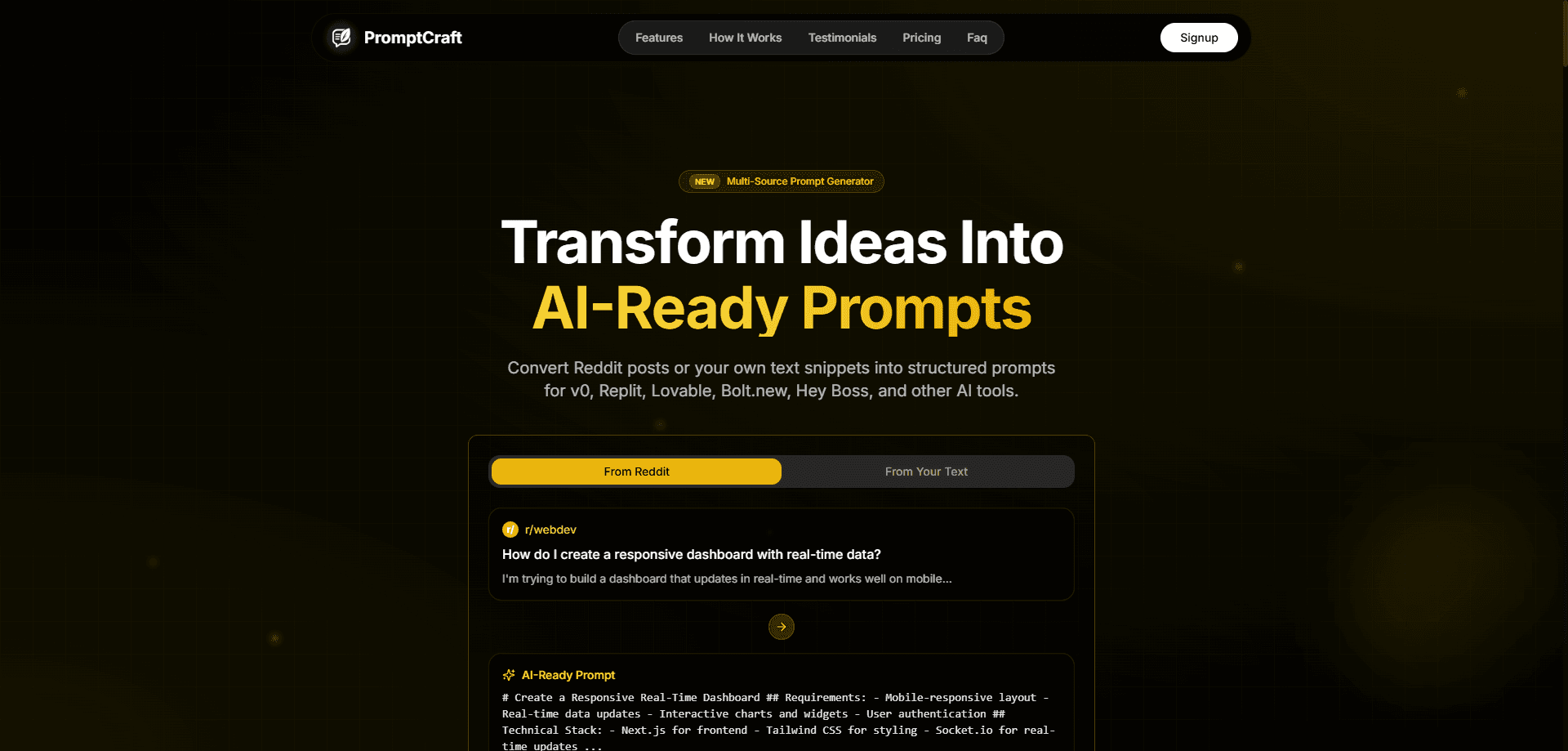
About PromptCraft
What Is PromptCraft
PromptCraft is a web app from Swishjam, a Y Combinator W23 company, that builds prompts for you. Think of it as an open source prompt generator: instead of guessing at wording, you answer a handful of plain-language fields and the tool stitches them into a single, structured instruction. As a prompt engineering tool it stays deliberately small, and the project runs on the MIT license, with code at github.com/swishjam/promptcraft. It first appeared in early 2024.
The idea is simple. Most people write prompts in one rushed sentence, then wonder why the model drifts off topic. PromptCraft breaks the prompt into the pieces a strong one needs: a role, a goal, the tasks, the process, the things to avoid, the output format and an example. That structure is what separates it from a plain chat box, and the goal is structured prompts you can reuse. You give each piece its own line, so nothing gets lost inside a run-on paragraph. When you finish, the app joins everything into one block of text that you copy with a click.
The builder leans on presets to speed things up. It ships with a long list of roles, from software developer to psychologist to ethical hacker, plus a set of task verbs like analyze, summarize and refine, and a list of output formats such as plain text, JSON, CSV, Markdown and HTML. Pick from the dropdowns or type your own. The finished prompt is plain text, so it works in any chat model, and you can also share a prompt by link because each field is stored in the URL.
Two things are worth flagging. First, PromptCraft formats prompts, it does not run them. It has no model of its own, so you still paste the result into ChatGPT, Claude, Gemini or whatever tool you use, which makes it a handy prompt builder for ChatGPT and similar chats. Second, the hosted site at promptcraft.swishjam.com is no longer online, so today the reliable way to use it is to clone the GitHub repo and run it locally. Because it is open source, you can host your own copy and change anything you like.
Getting Started
- Visit the GitHub repo at github.com/swishjam/promptcraft and clone or download it.
- Run npm install, then npm run dev, and open the local address in your browser.
- Fill in the form: role, need, tasks, process, exclusions, output format and an optional example.
- Click copy to grab the assembled prompt, or copy the page link to share it.
- Paste the prompt into ChatGPT, Claude or another AI tool and send it.
Product Information
A quick look at PromptCraft's pricing, supported platforms, and performance.
Best for
The users, tasks, and scenarios where this tool fits best.
Users
- Beginners
- Prompt tinkerers
- Developers and self-hosters
Tasks
- Drafting role-based prompts
- Structuring messy ideas
- Controlling output shape
- Adding guardrails
Scenarios
- Writing marketing copy
- Coding help
- Teaching and study
Key features
Field-Based Prompt Builder
The core of PromptCraft is a short form with seven fields: role, need, tasks, process, exclusions, output format and example. Each one maps to a part of a strong prompt, so you build the instruction in pieces instead of one long sentence. The app then joins the fields into a single block of text.
Ready-Made Presets
Dropdown presets remove the blank-page problem. The role list covers dozens of jobs, from graphic designer to financial analyst, the task list offers action verbs like analyze, automate and summarize, and the output list includes plain text, JSON, CSV, HTML and Markdown. You can also type anything the presets don't cover.
One-Click Copy and Sharing
When the prompt is ready, a copy button drops it on your clipboard in one click. Because every field is kept in the page URL, you can also share the exact prompt with a teammate by sending the link, and they will see the same form filled in.
Open Source and Self-Hostable
PromptCraft is MIT licensed and built with Next.js, so you can read every line, fork it and run your own copy. That means no account, no lock-in and full control over where your prompts live, which matters for teams with strict data rules.
Works With Any AI Tool
The output is plain text, not tied to one vendor. Paste it into ChatGPT, Claude, Gemini, Llama or any other chat model. The builder shapes the prompt, and you choose the model that runs it.
Pros and cons
Pros
- Free and open source, so there is no paywall and no account to create.
- The guided form teaches prompt structure just by using it.
- Presets for roles, tasks and formats cut the time to a first draft.
- Plain-text output works across every major chat model.
- Link sharing and self-hosting fit team workflows.
Cons
- It formats prompts but does not run or test them for you.
- The hosted site is offline, so you need to run the code yourself.
- No built-in scoring or feedback on whether a prompt performs well.
- The project has seen little activity since its 2024 launch, so updates are rare.
Frequently asked questions
Yes. PromptCraft is free and open source under the MIT license. There is no paid tier and no account requirement.
Related content
Explore related tools, skills, and articles for PromptCraft.
PromptCraft Alternatives

Odyssey 3
Odyssey · OtherOdyssey-3 is Odyssey's foundation world model. It simulates physics in real time, turns a prompt into an interactive environment, and adapts to robots, cars and games.

JarvisCore
Prescott Data · Coding · Productivity · OtherJarvisCore is an open source Python runtime where AI agents work as equal peers on an agent mesh, claim tasks from a shared ledger, and reach external services through a zero-trust broker.
Clef
Cloudflare · Business · OtherClef is Cloudflare's open-source decision model for Workers AI. It returns calibrated probabilities for typed questions, not generated text, so agents can classify, route, and act fast.