

PrompTeasy AI
PrompTeasy AI · Coding
PrompTeasy AI is a prompt engineering workspace with 3,000+ templates across 40 domains, guided learning paths, and side-by-side testing of GPT-4o, Claude and Gemini answers.
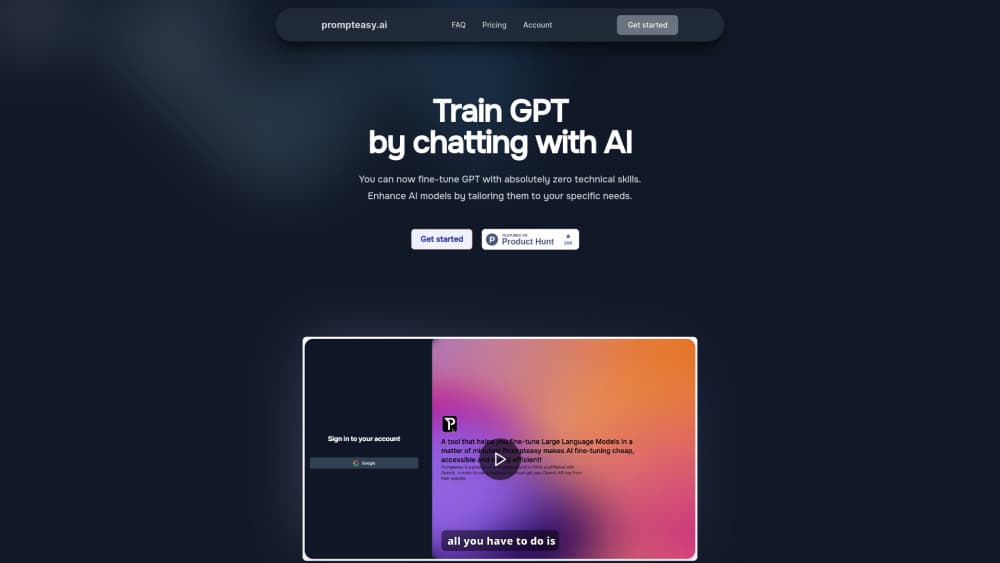
About PrompTeasy AI
What Is PrompTeasy AI
Most people learn prompting inside a blank chat box. You type something, get a mediocre answer, type again, and never find out what changed. PrompTeasy AI takes that loop and puts structure around it. It's a web workspace where you pick a domain, start from a proven template, adjust tone, format, reasoning depth and output shape, then run the result against several models at once.
The library is the entry point. It carries 3,000+ ready prompts grouped into more than 40 domains, from social media and sales to coding, creative writing and data analysis. Two paths sit on top of it. The Learner Path walks you through techniques such as few-shot prompting, chain of thought and dynamic delimiters, using real sample outputs so you can see why one phrasing beats another. The Mastery Path skips the lessons and drops you straight into building, testing, saving.
Progress tracking is where the product differs from a plain prompt library. A heatmap records your activity across domains, badges mark the techniques you've worked through, and your best prompts stay in a cloud library you can export to the AI tools you already use.
The limits are real. PrompTeasy AI sells a single plan at ₹999 per month and doesn't advertise a free tier, so you can't poke at the workspace before paying. There's no public API, and the model comparison only covers the LLMs the platform connects to, which the site lists as GPT-4o, Claude 3.5 and Gemini.
Getting Started
- Create an account at prompteasy.ai and pick the plan on the pricing page.
- Choose a path: Learner for guided technique lessons, Mastery to go straight to the prompt library.
- Select a domain, then open a template or write your own prompt from scratch.
- Adjust tone, format, reasoning depth and output shape with the improvement controls, then run the prompt on two or more models and compare the answers.
- Save the winning version to your cloud library and export it when you're ready to use it elsewhere.
Product Information
A quick look at PrompTeasy AI's pricing, supported platforms, and performance.
Best for
The users, tasks, and scenarios where this tool fits best.
Users
- Beginners who want to understand why a prompt works
- Marketers and content teams writing prompts daily
- Prompt engineers comparing model behavior
Tasks
- Building a reusable prompt library for a team
- Testing which model follows instructions best
- Learning prompt techniques in order
- Tightening a vague prompt
Scenarios
- A content strategist rewrites a client brief into a prompt that survives three different models, then saves the winner for the next campaign.
- A team lead onboarding new hires uses the domain paths to get everyone writing prompts the same way inside a week.
- A solo marketer with a small budget uses one paid seat as a training ground, then exports prompts into free chat interfaces for daily work.
Key features
Prompt Library With 3,000+ Templates
The core of the product is a searchable AI prompt library split into more than 40 domains. Each template comes with a sample output, so you can judge the result before you spend time editing. Marketing, coding, creative writing and data analysis each get their own path rather than a single mixed feed.
Two Learning Paths
The Learner Path moves through basic, advanced and hack-level techniques, and the Mastery Path assumes you already know the basics. Both end in the same place: a prompt you can run and save. The split matters because most prompt engineering tools treat every user as a beginner or as an expert, and neither group gets what it needs.
Side-by-Side LLM Comparison
You can send one prompt to GPT-4o, Claude 3.5 and Gemini and read the answers next to each other. A/B testing on the same prompt shows which model respects your constraints, which is the question behind most prompt testing. The catch is scope: you only compare models the platform has wired up.
Improvement Controls for Prompt Structure
Four dials handle tone, format, reasoning depth and output shape. Turning them changes the instructions the model receives, not just the wording of your request, which is why the output shifts in a predictable direction. It's a fast way to learn what each dimension actually does to an answer.
Progress Analytics and Badges
A heatmap tracks how much you've worked in each of the 40 domains, and badges mark completed techniques. For solo users this is mild motivation. For teams it's a rough map of where skills are thin, The data stays personal, not aggregated into a manager dashboard.
Cloud Bookmarks and Export
Saved prompts live in a cloud library instead of a notes app. You can tag the ones that worked, reopen them from any browser, and export them to the AI tools you already use. That export step is what turns the library into something you use at work rather than a collection you admire.
Pros and cons
Pros
- 3,000+ templates across 40+ domains cover most routine writing and analysis work without starting from a blank page.
- Running one prompt on several LLMs makes model choice an evidence-based decision instead of a habit.
- The Learner Path explains techniques with real outputs, which is more useful than a glossary of prompt terms.
- Cloud bookmarks and export keep your best prompts portable across tools and teammates.
- The interface stays plain. No setup, no integrations to configure, no command line.
Cons
- No free plan and no trial means you pay ₹999/month before you know whether the library fits your work.
- Everything runs in the browser, so there's no mobile app and no offline access for prompts you've already saved.
- There's no API, which rules it out for teams that want to call prompts from their own product or scripts.
- Model coverage is fixed to what the platform connects to, so you can't add a self-hosted or newer model on your own.
Frequently asked questions
It's a web workspace for writing, testing, storing AI prompts. You start from a template or a blank prompt, adjust its structure, run it on several models, and keep the version that works best.
Related content
Explore related tools, skills, and articles for PrompTeasy AI.
PrompTeasy AI Alternatives

Base Code
Base44 (Wix) · Coding · ProductivityBase Code is a shared cloud development environment from Base44. Teammates describe changes to an existing GitHub codebase in chat, preview them live and send them back as pull requests.

Google EmbeddingGemma 2
Google DeepMind · Writing · Image · CodingGoogle EmbeddingGemma 2 is a 740M-parameter open model that turns text, code, images, audio, and video frames into vectors in one 768-dimension space, running on phones and laptops.

GitGlow
GitGlow · Coding · ProductivityGitGlow is a local-first desktop Git client that lets independent developers review their own code and their AI agents' changes in one place before shipping.