

PrompTessor
PrompTessor · Other · Prompts
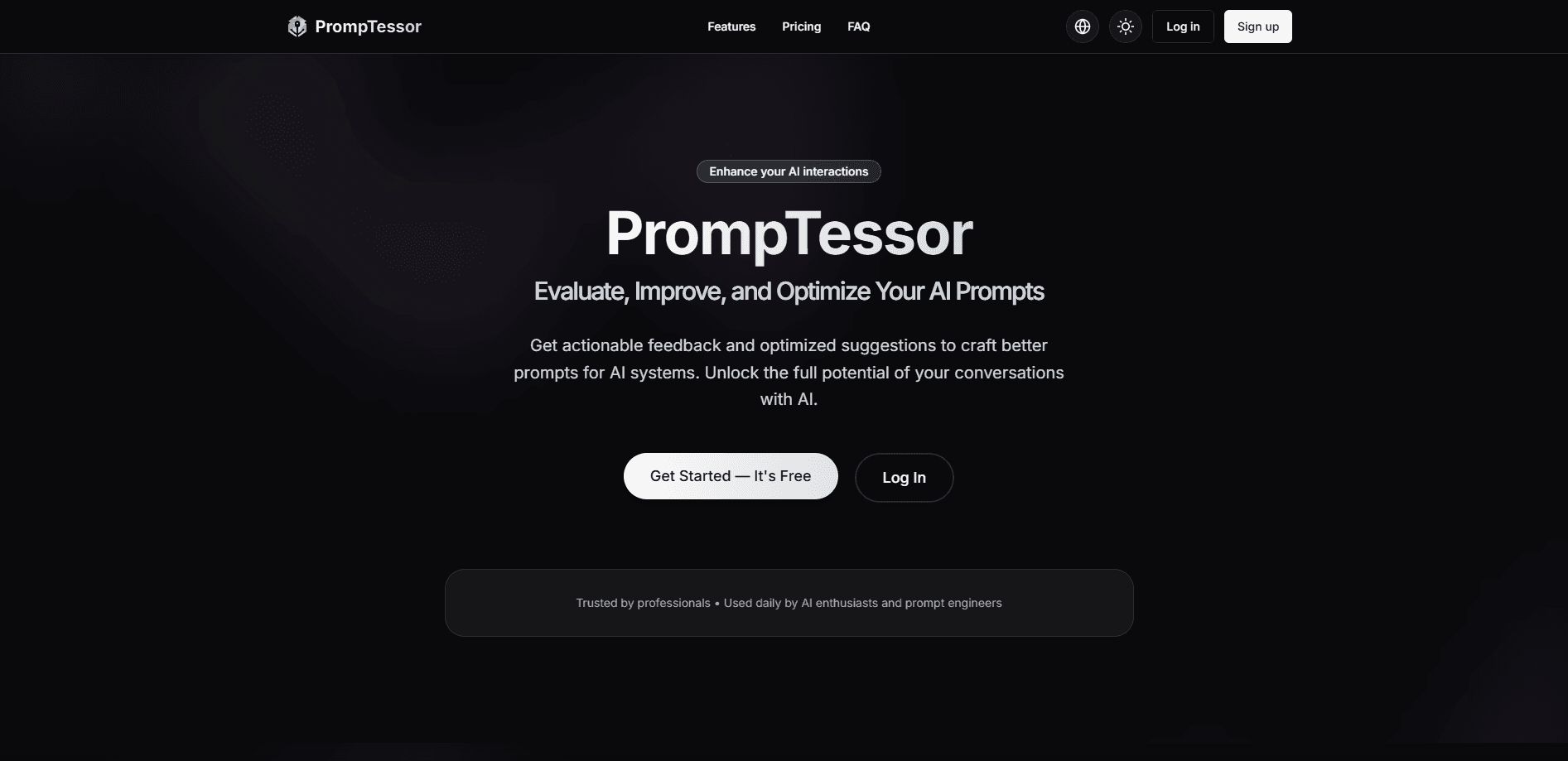
PrompTessor is an AI prompt workspace that helps you generate, analyze, improve, refine, and reverse-engineer prompts so you get stronger results without upgrading to a more expensive model.
About PrompTessor
What Is PrompTessor
PrompTessor is a web-based workspace built around one idea: the prompt decides a lot of your AI output, and most prompts are too vague to get a good answer. Instead of pushing you toward a pricier model, it fixes the instructions you already write.
The tool bundles six workflows in one place. You can generate a prompt from a rough goal, audit an existing one, upgrade it, refine it with feedback, reverse-engineer an image or page into a reusable prompt, and store the good ones in a library. It also doubles as an AI prompt optimizer for anyone who would rather fix wording than pay for a bigger subscription. It supports language, image, video, code, and automation tasks, and works with prompts in several languages.
The catch is that PrompTessor guides prompts, it does not run them. It gives you the text to paste into ChatGPT, Claude, Gemini, or an image tool. A high score on its analyzer says nothing about how a specific model will answer, and the app itself is still young.
Getting Started
- Create a free account at promptessor.com, or install the Chrome extension to reach the tools inside your browser.
- Pick a workflow: generate a prompt from an idea, paste one in for analysis, or hand over an image or URL for reverse prompting.
- Choose a prompt type such as General, Research, Writing, Image, Video, Code, or Automation, and set a target model if you have one.
- Review the result, then copy it into the AI tool you already use, save it to your Prompt Library, or refine it with feedback.
Product Information
A quick look at PrompTessor's pricing, supported platforms, and performance.
Best for
The users, tasks, and scenarios where this tool fits best.
Users
- Creators and marketers
- Developers and prompt engineers
- Everyday AI users
Tasks
- Turning a rough idea into a reusable prompt
- Auditing a prompt that underperforms
- Rebuilding a prompt from a reference
Scenarios
- Fixing a weak prompt before you pay for a fancier model
- Keeping a team's best prompts in one place
- Working across languages
Key features
Prompt Generator
The generator turns a short brief into a ready-to-use prompt with a title, final prompt text, context summary, variables, recommended models, and estimated token usage. You can start from Auto mode, which picks a structure for you, or name a type like Research, Writing, Image, Video, Code, or Automation to add task-specific detail. A reference image can be attached as visual context when a style is easier to show than to describe.
Prompt Analysis
Analysis reviews a prompt you already have and scores it on six dimensions: clarity, specificity, context, goal orientation, structure, and constraints. Every strength and gap it lists traces back to something visible in your text, so you can see what to change. The score is diagnostic guidance, not a prediction of how a model will respond.
Prompt Optimizer
The optimizer rewrites an existing prompt while holding on to its original goal. It clears up ambiguous wording, fills structural gaps, and tightens constraints and deliverables, then adapts the result for a model you select. The public tool returns one variation, while the workspace keeps versioned results for wider iteration.
Prompt Refinement
Refinement applies your explicit feedback to a prompt you generated, optimized, or pasted in. A good refinement resolves the change you asked for without discarding the parts that already worked, including variables and earlier context. It suits prompts that are close but not quite right.
Reverse Prompt
Reverse Prompt works backward from content instead of starting from an idea. It reads an image, a video, a public web page or URL, or a block of text and breaks down the visible cues such as composition, lighting, layout, and tone. The output is a prompt that could create something similar, not a claim that the original hidden prompt was recovered.
Prompt Library and History
The Library stores and organizes the prompts you want to reuse, and Prompt History tracks every version across generations, optimizations, refinements, and reverse prompts. You can rename, delete, and compare versions before deciding what to copy or keep, which makes the workspace closer to a prompt archive than a one-off writer.
Pros and cons
Pros
- Six connected workflows in one workspace, so generated prompts can move straight into analysis, optimization, or the library.
- Free starting tier and a Chrome extension make it easy to try before committing.
- Prompt Analysis ties its scores to specific lines in your prompt, so the feedback is concrete.
- Reverse Prompt handles images, video, public URLs, and text, covering cases where you have a result but not the prompt.
- Multi-language support keeps working prompts usable across teams.
Cons
- It only writes prompts; you still paste them into a separate AI tool to get an answer.
- Analyzer scores measure the prompt, not the model's output, so a high score guarantees nothing about the final result.
- Pricing details are hidden behind a sign-in, and the app is new enough that long-term track record is thin.
- No public API, which rules it out for teams that want to call prompt tooling from their own pipelines.
Frequently asked questions
It generates, analyzes, optimizes, refines, and reverse-engineers prompts, then lets you save and reuse them. It produces the prompt, not the AI answer, so you still run the result in your own tool.
Related content
Explore related tools, skills, and articles for PrompTessor.
PrompTessor Alternatives

Odyssey 3
Odyssey · OtherOdyssey-3 is Odyssey's foundation world model. It simulates physics in real time, turns a prompt into an interactive environment, and adapts to robots, cars and games.

JarvisCore
Prescott Data · Coding · Productivity · OtherJarvisCore is an open source Python runtime where AI agents work as equal peers on an agent mesh, claim tasks from a shared ledger, and reach external services through a zero-trust broker.
Clef
Cloudflare · Business · OtherClef is Cloudflare's open-source decision model for Workers AI. It returns calibrated probabilities for typed questions, not generated text, so agents can classify, route, and act fast.