
PromptLoop
PromptLoop · Coding
PromptLoop is an AI research platform for sales teams. You feed it a spreadsheet of companies or websites, and AI agents crawl live pages to return structured data.
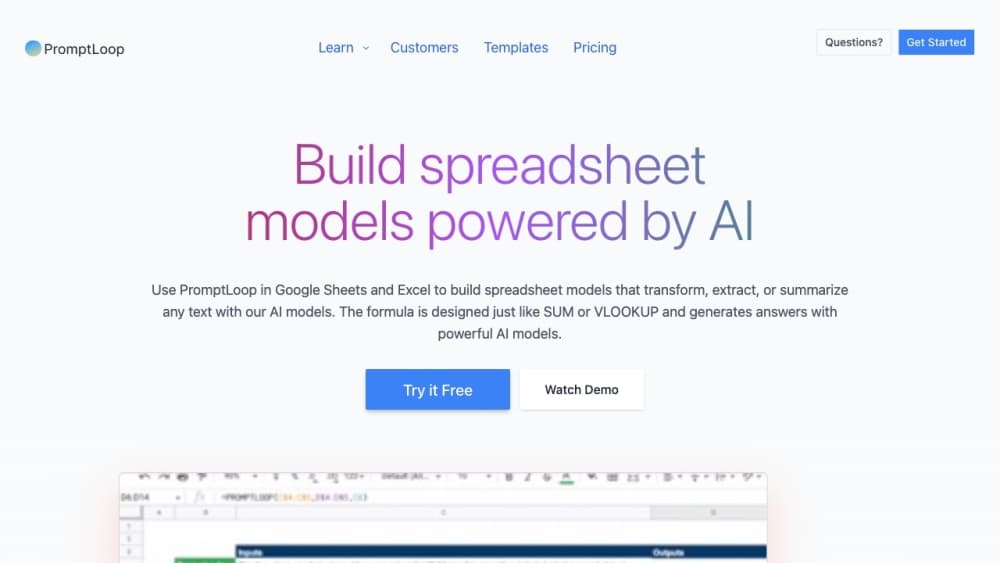
About PromptLoop
What Is PromptLoop
PromptLoop is a web-based AI research tool built for sales and go-to-market teams. It works as a lightweight GTM data platform rather than a full sales intelligence suite. You upload a list of companies, domains, or search terms, describe the columns you want back, and a set of AI agents reads the live web to fill them in. The result lands in your spreadsheet as new rows and columns, ready to review.
The gap it fills is the one between a database lookup and a blank page. Contact providers tell you a company's size and industry. They can't tell you which products a company launched last quarter, whether its site mentions a competitor you're replacing, or if it just opened an office in a new region. PromptLoop answers those in bulk, at a scale that manual browsing can't reach, and each answer comes with the page it was found on.
Two limits matter before you sign up. The tool reads public web pages, so anything that never goes online stays out of reach. Think of it as a B2B research desk staffed by agents. And the output needs checking. Prompts are only as good as the questions you write, and a badly framed column returns mud. Budget review time on the first run of any new task.
The company is based in San Francisco and went through Y Combinator. Its team publishes research about GTM data and releases features on a fast cadence.
Getting Started
- Sign up at promptloop.com and open Datasets. Drag in a CSV or Excel file, or generate a list from scratch with the crawler if you're on an Enterprise plan. Tick the column the agents should read, usually one website or company name per cell.
- Create a task. Describe the columns you want in plain language and PromptLoop drafts the queries, formats, and instructions for you. You can also clone a template from the library. Creating and editing tasks is free on every plan.
- Run a test row before you commit. Paste a single input and check what comes back, including the source URL and the reasoning behind each answer. Rewrite the prompt until the output format holds.
- Launch the job on the full dataset. A 20,000 to 50,000 row file usually finishes within 90 minutes, and PromptLoop writes the results as a new version so the original stays intact.
- Review, filter, and push the data onward. Clean the rows in the app, download a fresh CSV, or sync selected columns into HubSpot, Salesforce, or Google Sheets through the native integrations.
Product Information
A quick look at PromptLoop's pricing, supported platforms, and performance.
Best for
The users, tasks, and scenarios where this tool fits best.
Users
- Sales development reps
- RevOps and GTM engineers
- Founders and agencies running their own prospecting
- Marketing teams
Tasks
- Scoring accounts against a defined customer profile
- Finding buying signals
- Building a prospect list from scratch
- Cleaning and reformatting messy columns
- Keeping a CRM current
Scenarios
- Researching 5,000 accounts before a territory launch
- Enriching a stale HubSpot database
- Validating data from a provider
- Pre-call prep on short notice
Key features
AI agents that read the live web
The core of the product is a set of agents that open a page, follow relevant links, and pull out the answer to your question. You choose how deep they go. Single page reads only the URL you supplied, Smart Crawl follows a few relevant links, and Deep explores far more pages at a higher credit cost. For most prospecting work, Smart Crawl is the right default: it's the fastest option and the cheapest per row.
Custom tasks built from a sentence
Creating a custom task doesn't require prompt engineering. You describe the columns you want, and PromptLoop fills in each column's search query, output format, and instructions. Seven formats cover most needs, including text, true or false, number, link, and JSON for multi-field objects. Because a task is saved and reusable, the same research definition applies to every list your team runs.
Datasets with versioning
Every upload and every job creates a new version, so a bad run never overwrites the file you started with. You can filter and search results in the app, download a clean CSV or XLSX, or chain another task onto the output. Jobs run in a queue with parallel execution, and 20,000 to 50,000 rows typically finish inside 90 minutes.
Dataset generation from search
Instead of buying a list, you can have PromptLoop build one. A geographic crawl takes a region and one keyword and returns local businesses with addresses and websites. A global crawl takes business filters such as industry, business model, or headquarters country and returns matching companies worldwide. Generation itself is free; you pay only when you run tasks on the list.
Column transforms without credits
The New Column tool handles the small jobs that don't need a research agent: splitting a domain out of a URL, shortening a description, or combining two fields into one label. You preview the output on random rows before applying it, and the operation runs at about 10 minutes per 20,000 rows without touching your credit balance.
HubSpot sync and CRM integration with a review step
The HubSpot app keeps import, company matching, and field mapping as separate steps. You pick a list, map your outputs to existing or new company properties, and preview how records match before anything is written. A backfill handles the records already in your database, and automatic enrichment keeps new companies current. Salesforce, Excel, and Google Sheets connect the same way, so lead enrichment can happen inside the tools your reps already use, and web scraping is handled by the agents rather than by scripts.
Pros and cons
Pros
- The credit model is transparent. Individual costs $18 a month for 1,000 credits, extra credits run at $0.035, and a typical website enrichment burns 2 or 3 credits, so you can estimate a job before running it.
- Source links come back with the answers, which makes spot-checking a sample far quicker than verifying rows by hand.
- Hosting the work in spreadsheets means your team already knows the interface. Excel and Google Sheets add-ons let slow adopters keep working where they're comfortable.
- The free tier includes 500 credits and the full task editor, so you can build and test a real workflow before paying.
- New Column transforms and dataset generation don't consume credits, which lowers the cost of list-building and cleanup.
Cons
- There's no free tier beyond the initial credits. Once 500 credits are spent, the minimum is $18 a month, which rules out casual monthly use.
- Deep crawl and multi-item tasks eat credits fast. A task with more than six output columns also gets slower and less reliable, so complex research has to be split up.
- Accuracy depends on how you phrase the query. Nothing in the product guarantees a correct answer, and the vendor's own accuracy claims come with no published benchmark.
- Coverage stops at public web pages. Data behind a login, a PDF-only archive, or a paywalled database won't surface.
Frequently asked questions
It runs AI research tasks across a list of companies or websites and returns structured data as spreadsheet columns. A typical job takes a list of company domains and fills in fields like product category, employee signals, or whether a page mentions a competitor.
Related content
Explore related tools, skills, and articles for PromptLoop.
PromptLoop Alternatives

Base Code
Base44 (Wix) · Coding · ProductivityBase Code is a shared cloud development environment from Base44. Teammates describe changes to an existing GitHub codebase in chat, preview them live and send them back as pull requests.

Google EmbeddingGemma 2
Google DeepMind · Writing · Image · CodingGoogle EmbeddingGemma 2 is a 740M-parameter open model that turns text, code, images, audio, and video frames into vectors in one 768-dimension space, running on phones and laptops.

GitGlow
GitGlow · Coding · ProductivityGitGlow is a local-first desktop Git client that lets independent developers review their own code and their AI agents' changes in one place before shipping.