

PromptPanda
PromptPanda · Other · Prompts
PromptPanda is a prompt management tool for marketing teams. It keeps approved AI prompts in one searchable library, scores weak ones, and fills in variables so one prompt covers many campaigns.
About PromptPanda
What Is PromptPanda
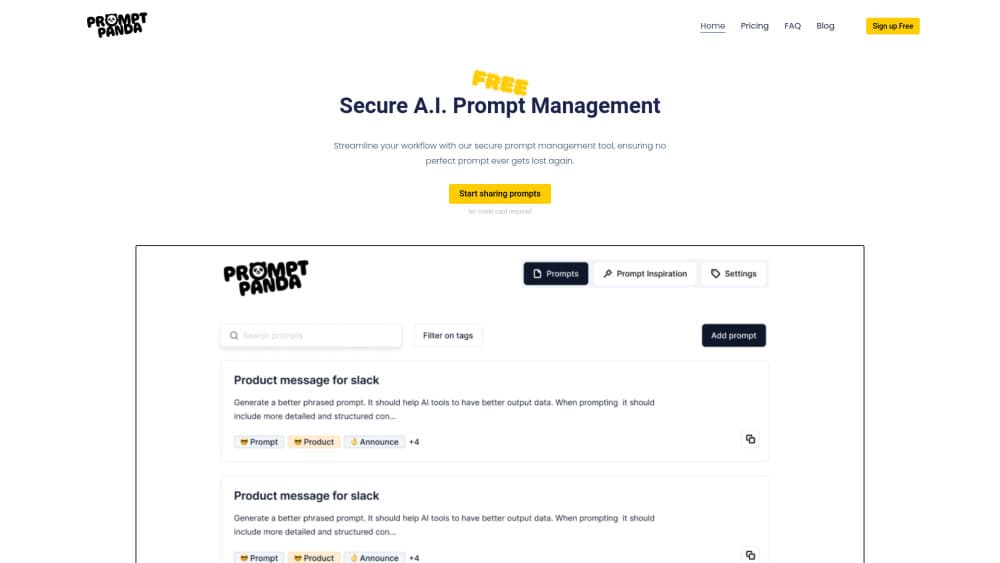
PromptPanda is a web app for people who write marketing copy with AI models. It handles one job: putting the prompts that already work where the whole team can find them, instead of leaving them in chat history, old documents, and one person's notes.
The product assumes the people writing prompts are marketers, not engineers. Tags, filters, and folders carry the structure, and the editor pushes you toward specifics instead of letting a one-line instruction through. That framing is the main thing separating it from developer-facing tools built around code repositories.
Scope is the limit. PromptPanda won't write your campaigns, and it won't replace the model subscription you already pay for. You connect your own OpenAI, Anthropic, Gemini, Perplexity, or DeepSeek account to run anything. Version history was still listed as coming soon at the time of writing, which matters once two people edit the same prompt.
Getting Started
- Sign up at app.promptpanda.io with email or a Google account. The free plan opens with 10 prompts and asks for no card.
- Build a brand kit and paste in the tone rules your team already uses, so prompts written later inherit them.
- Add a prompt, then wrap the parts that change in curly braces, such as {product} or {audience}, to turn it into a reusable template.
- Install the Chrome extension and connect a model provider, then run the prompt from whatever tab you're already working in.
- Tag the prompt by campaign or channel and share it with the team once the output looks right.
Product Information
A quick look at PromptPanda's pricing, supported platforms, and performance.
Best for
The users, tasks, and scenarios where this tool fits best.
Users
- Marketing teams of 3 to 30 people
- Solo consultants juggling several clients
- Content leads inheriting a messy prompt folder
Tasks
- Standardizing product descriptions across a catalog
- Reviewing prompts before they reach a campaign
- Moving work between model vendors
Scenarios
- A campaign launch with four people writing at once
- Handing off work before a holiday
- Auditing what the team sends to models
Key features
Shared prompt library with tags and search
The AI prompt library is the center of the product. Every approved prompt lives in one place, sorted by project, channel, or team, and search looks inside the prompt text rather than only at titles. Tags do the heavy lifting once the library passes a few dozen entries, which is roughly where folder structures stop being enough.
Prompt variables and templates
Anything in curly braces becomes a field you fill at run time. A prompt written for one product description turns into a template that handles a whole line, and writers pick values from a form instead of editing the instruction itself. This is what keeps the prompt template library small: one maintained prompt beats forty copies with small edits.
Prompt Quality Improver
The tool scores a prompt and explains the score. It checks for specificity, context, and format instructions, then suggests concrete fixes such as asking for a defined answer format or adding two or three examples. The free plan includes five of these checks, which is enough to see whether the feedback is useful to your team.
Brand kits for a consistent voice
A brand kit holds the tone rules, vocabulary, and audience notes that a prompt should follow. Attach one to a prompt and the output keeps a consistent voice across writers, which is the problem most teams actually came for. Editing the kit updates everything that points at it.
Chrome extension that works inside other tools
The extension puts your saved prompts next to whatever chat window or writing tool you have open. Copy a prompt in, paste the result out, and the version you used stays the one in the library. It's the difference between a prompt management tool people check occasionally and one they use every day.
Connections to five model providers
OpenAI, Anthropic, Gemini, Perplexity, and DeepSeek all connect from inside the app, so comparing outputs takes a model switch rather than a browser tab shuffle. Model choice stays yours, and any account limits or API costs come from the provider, not from PromptPanda. The difference between this and a shared document shows up the first time someone new joins and needs to find the prompt behind a live campaign.
Pros and cons
Pros
- The free plan works for real: 10 prompts, variables, the Chrome extension, and all five model connections, with no card required.
- Pro at $9 per month covers 10 seats, which undercuts per-seat prompt tools that charge that much for a single user.
- Quality feedback names the problem in plain language, so a marketer can fix a vague prompt without learning prompt engineering jargon.
- Variables keep one prompt serving a whole product line, which stops the library from filling with near-duplicates.
- The extension removes the copy-paste step, and that step is where most teams lose the version they meant to keep.
Cons
- No public API, so prompts can't feed your own tooling or a deploy pipeline. Teams that ship prompts through code will keep a second copy elsewhere.
- Version history is still marked coming soon, which means an accidental overwrite is possible when several people edit the same prompt.
- The free plan stops at 10 prompts and 5 quality checks, so a team evaluating the tool properly runs into the ceiling in an afternoon.
Frequently asked questions
It stores, organizes, and scores AI prompts for a team. You save a prompt once, add variables for the parts that change, and everyone runs the same version. It doesn't generate content on its own; the connected model does that.
Related content
Explore related tools, skills, and articles for PromptPanda.
PromptPanda Alternatives

JarvisCore
Prescott Data · Coding · Productivity · OtherJarvisCore is an open source Python runtime where AI agents work as equal peers on an agent mesh, claim tasks from a shared ledger, and reach external services through a zero-trust broker.
Clef
Cloudflare · Business · OtherClef is Cloudflare's open-source decision model for Workers AI. It returns calibrated probabilities for typed questions, not generated text, so agents can classify, route, and act fast.

iFixAi
iFixAi · Business · OtheriFixAi is an open-source auditor for AI agents. It runs your agent through a simulation of your business, grades every reply, and returns an A to F scorecard backed by evidence.