

Promptzone
PromptZone · Marketing
PromptZone is a free AI prompt library and builder community that pairs sandbox-tested prompts with live LLM pricing, GPU cost tools and an MCP server for developers.
About Promptzone
What Is PromptZone
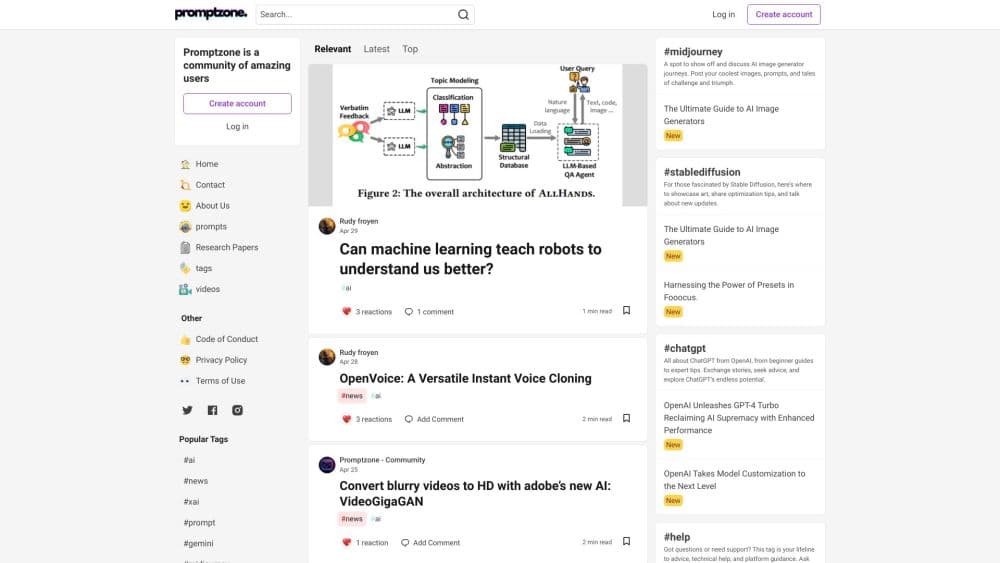
PromptZone began in 2024 as a community site where people traded prompts and talked about models. That side still runs: members publish posts under tags such as prompt engineering, ComfyUI and local LLMs, and the home feed mixes their writing with the site's own guides and reviews.
The part most visitors come for is the free tooling wrapped around that community. A prompt directory lists copy-ready prompts that the team runs in a sandbox before publishing, and the curated ones also pass a review by three editorial agents. Next to it sit calculators fed by live data: per-token API prices for 300+ models, hourly cloud GPU rates, and a VRAM checker that answers whether a local model fits your card.
Know the limits before you invest time. There's no mobile app and no desktop client, so everything happens in a browser tab. The prompt directory stops at four work areas: careers, coding, marketing and SEO, and sales. Image and video prompting live in the blog and the standalone generators. Live price tables also read from OpenRouter's public catalog, so a provider missing from that catalog won't appear.
Getting Started
- Open promptzone.com in a browser. The free tools and the prompt directory work without an account.
- Pick a starting point: browse the prompt directory, open a generator such as the system prompt generator, or check the LLM API pricing calculator.
- For repeat use, create an account with email or a social login so you can post, comment and follow tags.
- If you work with an AI client, add the hosted MCP server at promptzone.com/mcp and call its tools from Claude, ChatGPT or Cursor.
Product Information
A quick look at Promptzone's pricing, supported platforms, and performance.
Best for
The users, tasks, and scenarios where this tool fits best.
Users
- Prompt engineers who want a starting draft
- Developers comparing model costs
- Marketers and SEO writers
- Creators working with image and video models
Tasks
- Writing a system prompt
- Budgeting API spend
- Checking whether a local model fits your GPU
- Giving an AI agent live data
Scenarios
- Setting up a coding assistant
- Picking a model for a new project
- Cleaning a draft before it goes live
Key features
Sandbox-Tested Prompt Directory
Every published prompt in the directory is run against its target model first, and the output is shown on the page. Curated picks get a second pass from three editorial agents. Prompts are grouped into collections such as code review and debugging, cold outreach, content briefs and on-page SEO copy, so you can browse by the work you're doing rather than by model name.
Prompt Generators for Text, Image and Video
Separate generators cover the common prompt shapes: an AI prompt generator that turns a rough request into a structured instruction, a system prompt generator for standing rules, a JSON prompt generator, plus image, negative, Midjourney and video prompt tools. The image ones add quality prefixes and parameter order for the model family you pick, which saves the trial and error of recalling syntax.
Live LLM API Pricing Calculator
The pricing page lists input and output cost per million tokens for more than 300 models, refreshed every six hours from OpenRouter's public catalog. A monthly calculator multiplies your token volume by those prices for up to three models, and a token counter gives a rough character-to-token estimate for text you paste in.
Cloud GPU Pricing and VRAM Calculator
Two hardware tools sit next to the model data. The GPU cost calculator collects hourly rental prices across providers, filterable by VRAM, and marks which rows were fetched live. The VRAM calculator works the other way: name a model and a GPU, and it returns memory math, the best quantization level and the command to run it in Ollama.
MCP Server Directory
A curated list of Model Context Protocol servers, each checked as maintained and working, with the install command or remote URL printed on the card. Entries carry categories such as dev and code, and you copy the config straight into your client. The directory is reviewed in batches, and the review date appears at the top of the page.
A Hosted MCP Server for Agents
PromptZone runs its own MCP endpoint at promptzone.com/mcp over Streamable HTTP with no authentication. Agents can search prompts, pull LLM prices, pull cloud GPU prices, list model releases, convert prompt weights, calculate image resolution and clean text. The same functions answer over plain HTTP at /api/tools, and each result includes the page it came from so a reply can cite it.
Community Posts and Editorial Guides
The community side runs on Forem, the open-source platform behind DEV. Members of the prompt engineering community write posts, follow tags and comment, while the editorial team publishes longer guides, model comparisons and benchmarks. Posts and guides share the same feed, which keeps discussion and reference material in one place.
Pros and cons
Pros
- Free at the point of use: the prompt directory, generators, calculators and MCP endpoint all work without payment or, for most tools, an account.
- Prompts come with evidence: each published prompt has been run against its target model, and the output is visible before you copy anything.
- Live numbers instead of memory: API prices refresh every six hours and GPU rows are marked live or hand-checked, so you can see how fresh a figure is.
- Useful from an agent: the MCP server and the HTTP endpoints let Claude, ChatGPT or Cursor pull the same data mid conversation.
- One place for several jobs: prompts, model prices, hardware math and MCP configs sit under one domain, which cuts down on tab hopping.
Cons
- The prompt directory is narrow: four categories cover careers, coding, marketing and sales. Anyone hunting image or video prompts has to use the blog or the standalone generators.
- No app: there's no iOS, Android or desktop build, which means no offline access and no saved workspace on a phone.
- Price coverage follows OpenRouter: models a provider keeps off that catalog won't show a live price, and the monthly estimate ignores caching discounts and batch rates.
- Some content is AI-assisted: the site states that articles are researched and drafted with AI help and then reviewed, so check primary sources before quoting a number.
Frequently asked questions
Yes. The prompt directory, the prompt generators, the pricing calculators and the MCP server cost nothing, and you don't need an account to use the standalone tools.
Related content
Explore related tools, skills, and articles for Promptzone.
Promptzone Alternatives

ngram 2.0
ngram · Video · Marketingngram 2.0 is an AI video generator for teams. It turns a prompt, a screen recording, or a product URL into a narrated explainer, product demo, or AI avatar video, and every scene stays editable.

shippedit.me
Krawlup · Marketing · Businessshippedit.me now redirects to Krawlup, a web platform that audits SEO, AEO and page speed every week, then hands the fixes to AI coding agents over MCP.

MePersona
MePersona, Inc. · Writing · Productivity · MarketingMePersona is an AI unified inbox for creators. It learns your voice, drafts replies to fan messages from 12 platforms, and sends only what you approve.