

Protime
blueSky Information GmbH · Writing · Productivity · Marketing
Protime is an AI email assistant for Gmail and Outlook that checks every sender against the Swiss commercial register, flags bankruptcies before you pay, and drafts replies in your voice.
About Protime
What Is Protime
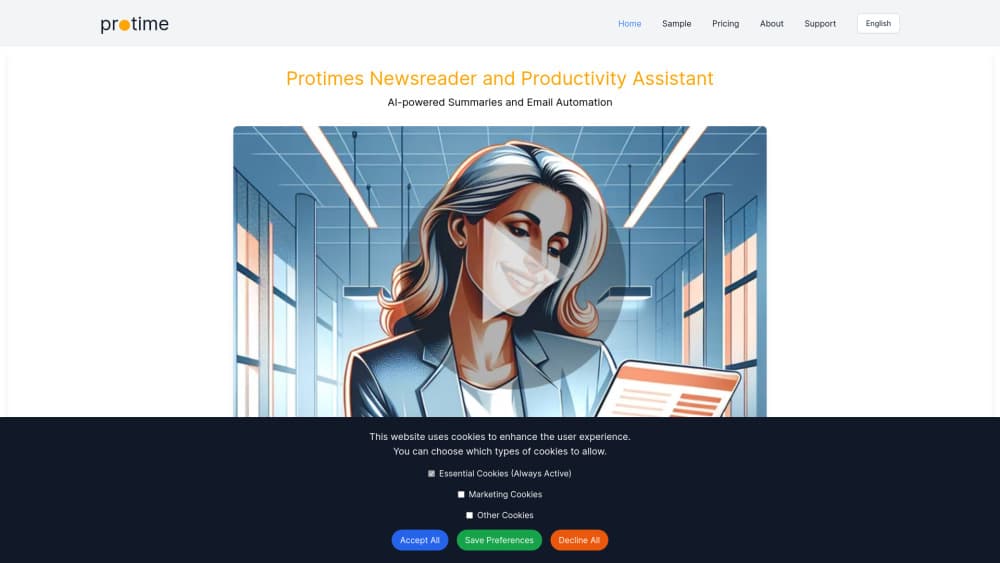
Protime is an inbox assistant built for Swiss business correspondence. It connects to a Gmail or Outlook mailbox, picks out the companies you actually exchange mail with, and then reads the official gazette, the SHAB, every working day to see what has been published about them. Bankruptcies, debt moratoriums, changes in who may sign for a company, newly announced bank details: all of it lands in a morning brief, with the official notice attached.
The useful part is where the warnings appear. When you start replying to a company in trouble, the draft carries an internal note saying so. When an email announces new bank details, Protime checks the register before you trust them. You still write, you still decide, you still press send.
Two limits matter. The register data is Swiss, so the checks only cover companies registered in Switzerland, and correspondence with foreign suppliers gets nothing beyond ordinary sorting. Protime also needs to read your mail to work, which means granting mailbox access to a third party. The company says content stays in the EU and Switzerland and that it runs on CASA Tier 2 certified infrastructure, but a cautious IT policy may still want a look first.
Getting Started
- Create an account at protime.ai. The trial runs 14 days and asks for no credit card.
- Connect Gmail or Outlook with one permission. Protime reads along and never sends anything in your name.
- Let it recognise your business partners. It builds the list from your own correspondence, so there's no import and no spreadsheet to maintain.
- Wait for the first morning brief. Register checks run every working day, and the results arrive the next morning.
- Work from the drafts. Each reply waits as a draft with any warnings attached. Read, edit, then send it yourself.
Product Information
A quick look at Protime's pricing, supported platforms, and performance.
Best for
The users, tasks, and scenarios where this tool fits best.
Users
- Owners and admin staff at Swiss SMEs
- Finance and accounts payable teams
- Consultants, trustees, and small law firms
Tasks
- Checking a supplier before a transfer
- Sorting a crowded inbox
- Drafting routine replies
- Tracking claim deadlines
Scenarios
- A partner goes bankrupt the week you were about to pay
- An email claims a new finance director and new bank details
- You need your industry's news without reading ten sites
Key features
Commercial register check on every email
Before you answer a message, Protime matches the sender's company against the Swiss commercial register and reads what the SHAB has published. If the company is bankrupt or under a debt moratorium, or if the person writing no longer has signing authority, the draft says so in plain text. Every warning carries a link to the official publication, which is the part that makes it usable in a dispute.
Morning brief with register changes and industry news
Each working day starts with one view: what changed at your partners, which deadlines are running, and what happened in your industry. A bankruptcy triggers a WhatsApp alert on the same day rather than waiting for the brief. The AI news briefing covers your sector, so the same screen answers "what's new" and "what's wrong", which is unusual for an inbox tool.
Replies drafted in your voice, sent only by you
Protime writes replies and leaves them as drafts. Nothing leaves your mailbox without your click, and the draft keeps any warning attached so you can't send a friendly confirmation to a company in liquidation without noticing. The tone follows your previous messages, which cuts the rewriting that makes most AI email drafts useless.
Automatic inbox sorting
Newsletters, cold outreach, and messages that only inform you get their own folders. The point isn't a tidier inbox for its own sake: the messages that need a decision stay at the top, and the ones that need nothing stop competing for attention. Sorting runs on the same mailbox connection, so there's nothing extra to configure.
Deadlines and tasks lifted out of email
Proposed meetings get pencilled into your calendar, and tasks mentioned in a message go onto your task list. For a bankruptcy notice, the deadline for filing a claim is added with a reminder two days before it expires. Missing that date means losing the claim, so this is the feature that pays for itself the first time it fires.
Watch services, Deal Coach, and Payment Guard
Beyond the inbox, Protime watches things you name: your client book up to 500 companies, newly registered trademarks that resemble yours, building applications near your properties, and newly founded companies in your cantons. Deal Coach spots price negotiations and suggests a counter-offer as a draft. Payment Guard, still rolling out, flags payment requests and bank details that don't fit a sender's usual pattern and tells you to call the number you already know.
Pros and cons
Pros
- The register check runs inside the draft, at the moment you'd otherwise wire money without looking anything up.
- Every warning links to the official SHAB publication, so you can show the source rather than trust a summary.
- Drafts only, never sent automatically. The tool advises and you decide, which is the right split for payment decisions.
- One mailbox connection covers sorting, drafting, calendar, tasks, and register monitoring. No second app to keep in sync.
Cons
- Swiss companies only. If your suppliers sit in Germany, Italy, or further afield, the register check has nothing to say about them.
- There's no free tier. You get 14 days to test, then CHF 7 per person per month at the lowest paid plan, so a team of ten starts at CHF 70.
- The fair-use cap allows up to 30 drafts and about 200 classifications per person per day. Heavy shared inboxes could hit that ceiling and lose drafting until the next day.
- Granting a third party read access to business email is a real security decision. The EU and Swiss hosting helps, but it's still your call to make.
Frequently asked questions
It reads your Gmail or Outlook mail, identifies the companies you correspond with, and checks them daily against the Swiss commercial register. You get a morning brief with anything published about them, warnings inside reply drafts, and replies written for you to approve.
Related content
Explore related tools, skills, and articles for Protime.
Protime Alternatives

Google EmbeddingGemma 2
Google DeepMind · Writing · Image · CodingGoogle EmbeddingGemma 2 is a 740M-parameter open model that turns text, code, images, audio, and video frames into vectors in one 768-dimension space, running on phones and laptops.

MePersona
MePersona, Inc. · Writing · Productivity · MarketingMePersona is an AI unified inbox for creators. It learns your voice, drafts replies to fan messages from 12 platforms, and sends only what you approve.

Fluence
Yay Software (Yannick Huchard) · Writing · Voice & Language · ProductivityFluence is an Android app that reads PDFs, EPUBs, Word files and web articles aloud, follows each sentence as it speaks, and answers questions about the text on the phone itself.