

Publish Studio
Rakesh Potnuru · Writing
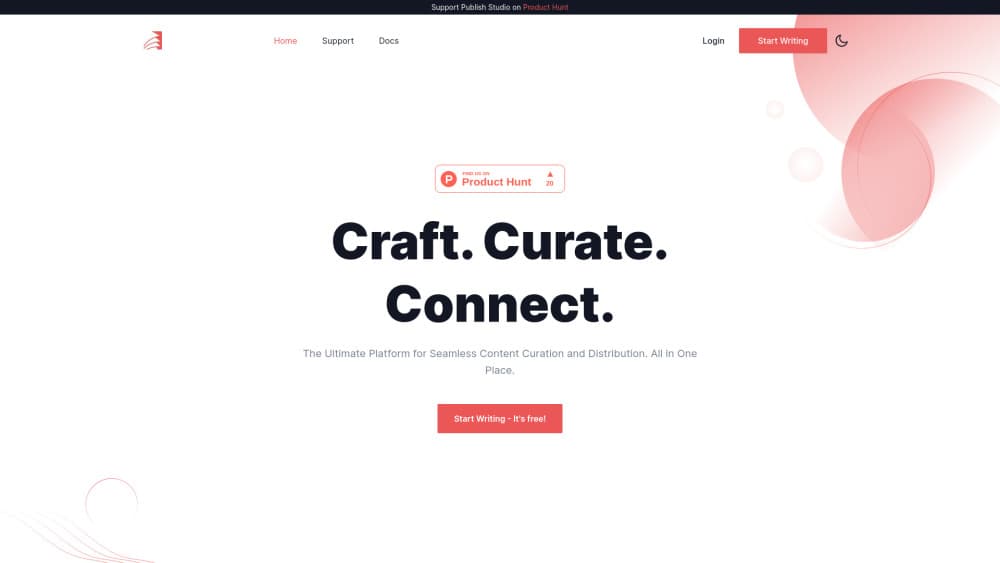
Publish Studio is a content publishing platform for writers who keep blogs on several sites. Draft in one writing workspace, then publish to Medium, WordPress, Dev.to, Hashnode, Ghost, or Blogger.
About Publish Studio
What Is Publish Studio
Publish Studio is a browser based writing and publishing tool built by independent developer Rakesh Potnuru. It targets a familiar problem: your articles live on Medium, your tutorials sit on Dev.to and your personal site runs on WordPress, so the same post has to be rewritten or reformatted three times.
The app puts drafting, media, scheduling and distribution in one place. You connect the blog accounts you already own, write once, and push the finished piece to each connected platform. Nothing is hosted by Publish Studio itself, so your posts keep living on your own accounts and domains.
The limits are worth knowing up front. It is a paid product at $2.99 per month with a 7 day trial, there's no free tier, and the platform list stops at mainstream blog services. Writers who publish mainly to social networks or email newsletters won't find those destinations here. It also won't design a site for you. Think of it as the desk where the writing happens and the switchboard that sends it out.
Getting Started
- Create an account at publishstudio.one and start the 7 day trial.
- Open Connections and authorize each blog platform you want to publish to, such as Medium, WordPress, Dev.to, Hashnode, Ghost, or Blogger.
- Draft the post in the editor. Use dictation if you'd rather talk it through, and pull images from the built in Pexels, Unsplash, ImageKit or Cloudinary search.
- Review the tone analysis panel, then pick your destinations and either publish right away or set a date for content scheduling.
- Check writing stats later to see how much you've produced and where the posts went.
Product Information
A quick look at Publish Studio's pricing, supported platforms, and performance.
Best for
The users, tasks, and scenarios where this tool fits best.
Users
- Independent bloggers
- Developer writers
- Content marketers running a company blog
Tasks
- Republishing a post across platforms
- Building a week of content
- Turning a spoken idea into a draft
Scenarios
- You write a tutorial for your own site but want the Dev.to crowd to see it
- A launch post has to go live on the company blog and Medium at 9am
- You're testing whether a niche blog earns traffic
Key features
Publish to Multiple Platforms
The core of the product. Connect your blog accounts once, then choose destinations per post and send the same piece to several of them at the same time. Supported services include Medium, WordPress, Dev.to, Hashnode, Ghost and Blogger, with new integrations added over time.
Rich Text Editor
A formatting toolbar covers headings, lists, links, quotes and inline styles, so a draft looks close to the published result before it leaves the editor. It's a writing surface rather than a page builder, which keeps the interface quick to learn.
Content Scheduling
Posts don't have to go out the moment you finish them. Set a date and time, stack several pieces into a queue, and let the platform release them. That turns a batch of drafts into a steady publishing rhythm without calendar reminders.
Dictation
Speak the first draft instead of typing it. Dictation transcribes your words into the editor, which suits writers who think out loud or draft while walking around with a headset on.
Tone Analysis
The editor reports on the emotional tone of what you've written, flagging passages that read harsher or flatter than you intended. It's a second opinion on your draft, not a rewrite engine, so you still decide what changes.
Built In Media Search
Image search from Pexels and Unsplash sits inside the editor, and ImageKit or Cloudinary accounts can be connected for images you already host. You add visuals without opening five tabs and hunting for the right file.
Import, Export and Writing Stats
Import existing posts to consolidate a scattered library, export drafts in several file formats when you need a local copy, and check writing stats to see output over time.
Pros and cons
Pros
- One draft reaches every connected blog, which removes the reformatting ritual that eats an afternoon.
- The $2.99 monthly price is low enough to test without a budget meeting.
- Dictation, tone analysis and image search live in the same window as the editor.
- Scheduling handles a full week of posts in one sitting.
Cons
- No free tier. The 7 day trial is the only way to check fit, so slow writers may pay before they know whether the workflow sticks.
- The destination list is limited to blog platforms. If your audience lives on LinkedIn, X or a newsletter, those posts still need a separate tool.
- It publishes to your accounts but doesn't host a blog, so you need an existing site or profile on each platform before the first send.
Frequently asked questions
No. It costs $2.99 per month and comes with a 7 day free trial. There's no permanent free plan, so the trial is your window to test the workflow.
Related content
Explore related tools, skills, and articles for Publish Studio.
Publish Studio Alternatives

Google EmbeddingGemma 2
Google DeepMind · Writing · Image · CodingGoogle EmbeddingGemma 2 is a 740M-parameter open model that turns text, code, images, audio, and video frames into vectors in one 768-dimension space, running on phones and laptops.

MePersona
MePersona, Inc. · Writing · Productivity · MarketingMePersona is an AI unified inbox for creators. It learns your voice, drafts replies to fan messages from 12 platforms, and sends only what you approve.

Fluence
Yay Software (Yannick Huchard) · Writing · Voice & Language · ProductivityFluence is an Android app that reads PDFs, EPUBs, Word files and web articles aloud, follows each sentence as it speaks, and answers questions about the text on the phone itself.