

PulseAI
Kimik Ads, Inc. · Marketing · Other
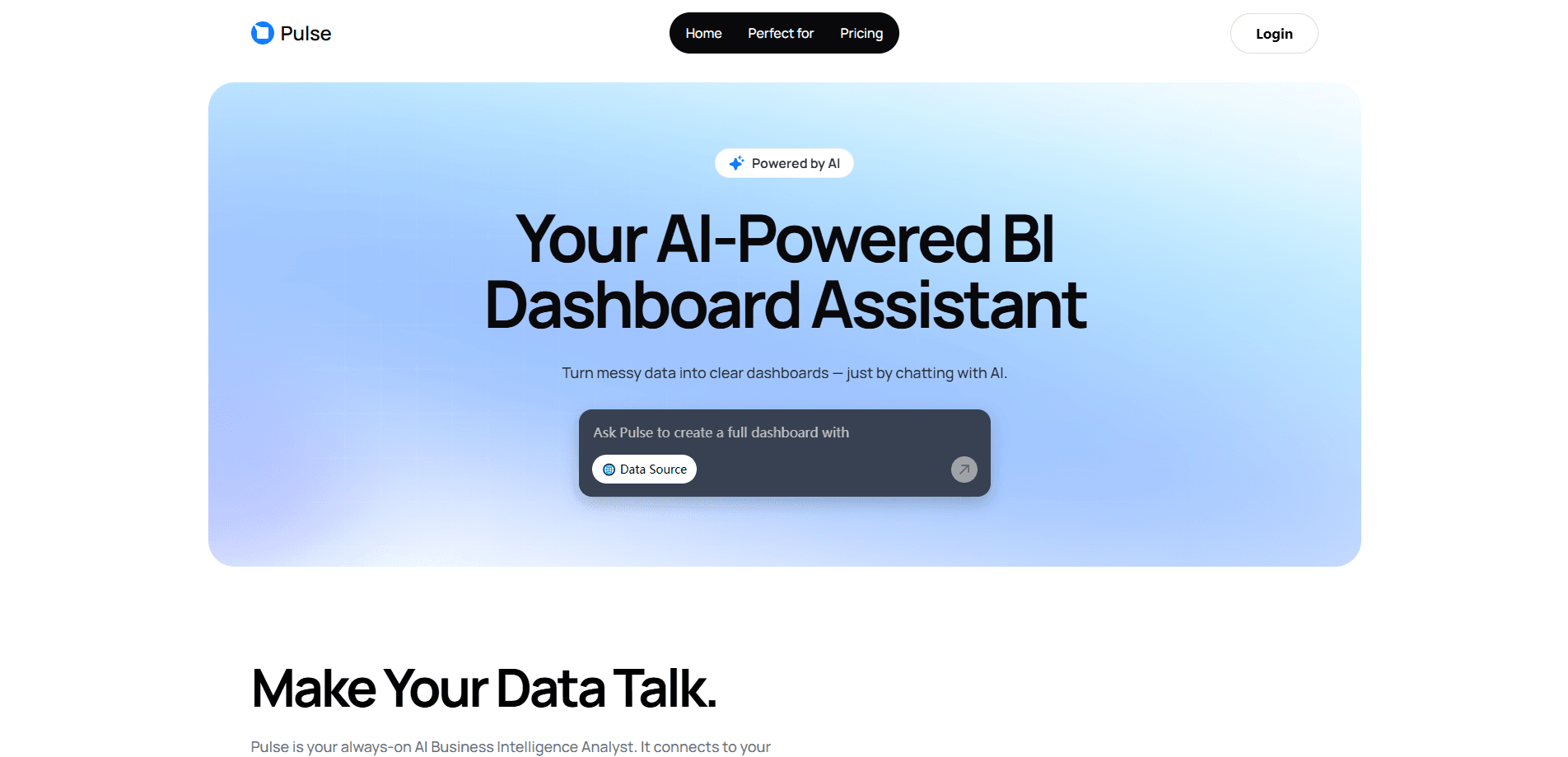
PulseAI is an AI business intelligence platform and dashboard builder that connects your data sources and turns plain language questions into interactive dashboards that refresh as your data changes.
About PulseAI
What Is PulseAI
PulseAI is an AI business intelligence platform and dashboard builder that connects the tools you already use and builds dashboards from natural language analytics. You link a data source, ask what you want to see, and it returns charts, tables, and KPIs you can click through. There's no SQL to write and no separate BI software to babysit.
The product targets the everyday problem of scattered reporting. If your numbers live across a spreadsheet, an ad account, and a store backend, PulseAI pulls them into one queryable workspace instead of making you assemble them by hand. It also works as an AI data analyst that watches for anomalies and trends so you don't have to refresh charts on a schedule.
The honest limit is scope. PulseAI is built for business reporting, not statistical modeling or data science work, and the lower plans cap how many AI questions you can ask each month. The free tier runs on a single project with 7-day data retention, so heavier users will outgrow it quickly.
Getting Started
- Create an account at app.usepulseai.com and pick a plan.
- Connect a data source such as a CSV file, Google Sheets, or Google Analytics.
- Ask a question in plain language, like which channel drove the most revenue last month.
- Adjust the generated dashboard, then let PulseAI refresh the visuals as your data updates.
Product Information
A quick look at PulseAI's pricing, supported platforms, and performance.
Best for
The users, tasks, and scenarios where this tool fits best.
Users
- Founders and CEOs who need fast answers without waiting on a data team
- Operations leads juggling several data sources
- Agency staff tracking client performance
Tasks
- Building a first dashboard for a new metric
- Monitoring daily or weekly campaign performance
- Answering follow-up questions mid-meeting
Scenarios
- Checking how a launch performed the morning after it ships, using data that synced overnight.
- Reviewing a client's ad spend before a call, with visuals that already reflect the latest sync.
- Tracking cash flow and spending for a small team without hiring an analyst.
Key features
Plain Language Dashboards
You ask a question in everyday wording and this dashboard generator returns charts, tables, and KPIs. The point is skipping the report-building step entirely, so a non-technical owner can get an answer without filing a ticket with an analyst.
100+ Data Integrations
PulseAI connects CSV and Excel files, Google Sheets, Google Analytics, Google Ads, Facebook, and Shopify, with custom API and database connectors on the top plan. The spread matters because most teams don't keep their numbers in one place, and the plan you pick sets how many sources you can link.
Automatic Anomaly and Trend Detection
The platform watches your metrics and surfaces unusual changes and emerging trends on its own. That turns reporting from a task you remember to run into something that runs in the background and only speaks up when a number moves.
Live Data Refresh
Dashboards update as your connected data changes, and the plan you choose sets the cadence. Free syncs monthly, Pro weekly, Growth daily, and Business hourly, so the freshness you get tracks how much you pay.
Business-Language Understanding
As a data analytics tool, PulseAI is tuned to read business terms and messy files, including restructured spreadsheets with inconsistent headers. That reduces the cleanup work that usually comes before any analysis, and it means you can point it at real files rather than pristine exports.
Built-In Security and Compliance
Files are encrypted in transit and at rest, access is controlled with role-based permissions, and the platform states it complies with GDPR and CCPA. PulseAI also says it doesn't train models on your data, which matters if you're connecting client or financial records.
Pros and cons
Pros
- Dashboards come from questions, so you don't need SQL or a separate visualization tool.
- Connects CSV, Google Sheets, Google Analytics, ads, and Shopify data into one workspace.
- Anomaly detection and trend tracking run without you setting up alerts.
- Data sync cadence scales from monthly on the free plan up to hourly on Business.
- The platform states it won't train models on your data and meets GDPR and CCPA.
Cons
- The free plan caps you at one project, one data source, and 7 AI Credits a month, so it's a trial more than a working setup.
- Power BI, Tableau, and Looker offer deeper modeling and governance features that PulseAI doesn't provide.
- Data retention tops out at 360 days even on the $399 plan, so long-range historical analysis isn't the focus.
- It's built for business reporting, so teams wanting statistical or predictive modeling will hit a wall.
Frequently asked questions
PulseAI builds business intelligence dashboards and answers questions about your data. You connect a source, ask in plain language, and it returns charts, tables, and KPIs you can interact with.
Related content
Explore related tools, skills, and articles for PulseAI.
PulseAI Alternatives

Emailwritr
Emailwritr · Writing · MarketingEmailwritr is an AI email copywriting tool built for affiliates, course creators, and online businesses that want more revenue from the list they already own. Instead of blank pages or generic chatbot prompts, this AI email writer generates welcome sequences, launch campaigns, cart recovery emails, and promo series from frameworks modeled on well-known direct-response copywriters. You connect your autoresponder, answer a few questions about your offer, and it writes the copy for you.

Prosp
Prosp · Writing · Voice & Language · MarketingProsp is an AI LinkedIn outreach tool built for agencies and sales teams, and it writes the message and the voice note in your own voice for each prospect so they actually reply. You connect your accounts, find leads, and let the AI draft and send personalized messages at scale, all from one inbox. It's built for people running outbound at volume. That's the whole pitch. Every touchpoint still has to feel human.

On Model
On Model · Image · MarketingOn Model is an AI fashion model tool that places your clothing on virtual models so online stores can get on-model product photos without booking a photoshoot. It runs as a Shopify app, letting you swap the model in an existing image, change backgrounds, and generate faces for cropped or headless shots. The goal is simple: match your product photos to your customers and stand out from competitors using the same supplier images.