

PureBox AI Email Cleaner
PureBox · Writing · Productivity
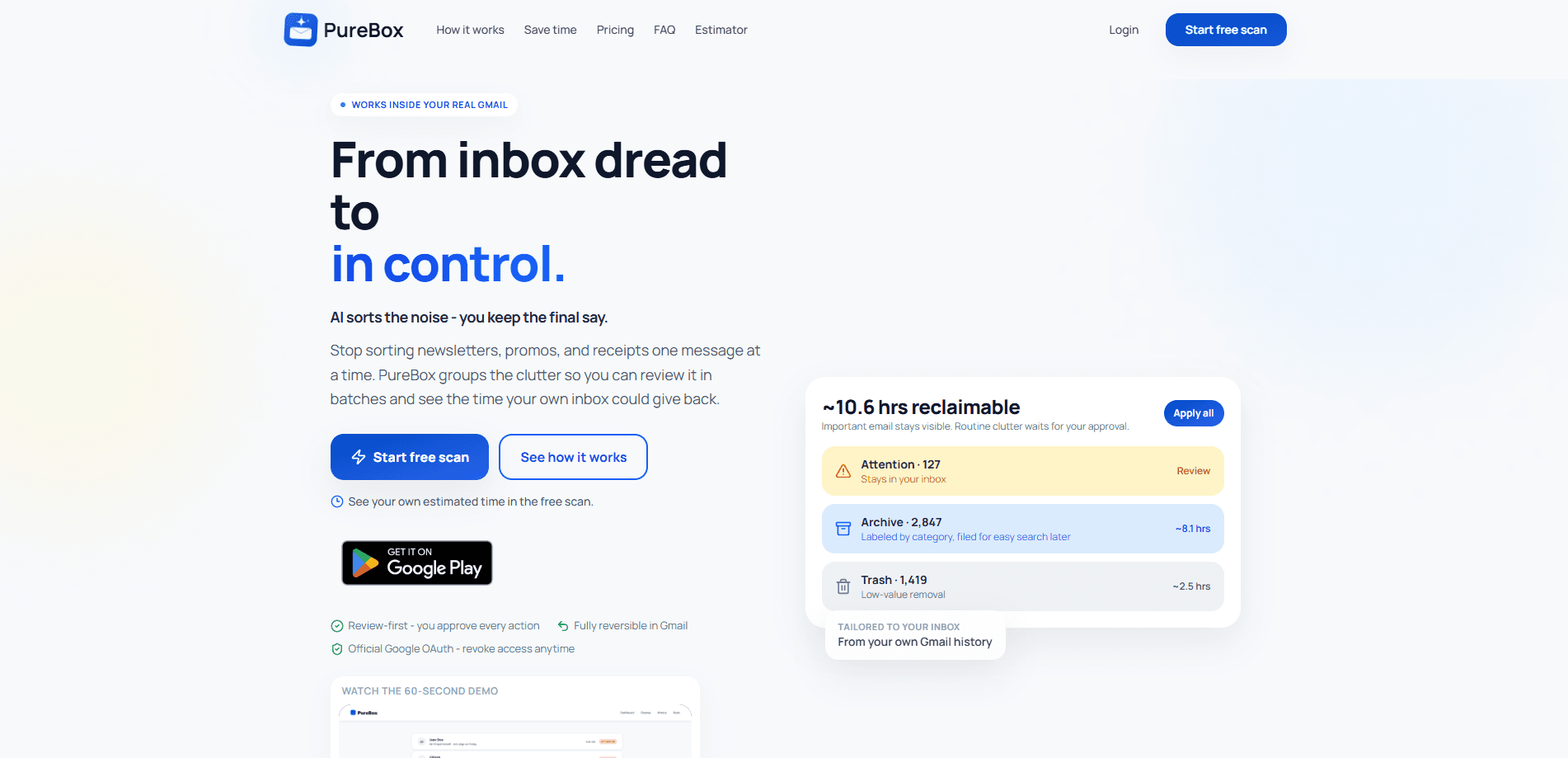
PureBox AI Email Cleaner is an AI email cleaner that scans your Gmail inbox and sorts every message into one of three tracks: Inbox, Archive, or Trash. It explains why each email lands where it does, then waits for you to approve the batch before anything moves. Think of it as an email triage tool that hands you a shortlist instead of a done deal. It works through official Google OAuth and keeps every action reversible.
About PureBox AI Email Cleaner
What Is PureBox AI Email Cleaner
PureBox AI Email Cleaner is a Gmail cleanup tool aimed at people whose inbox has turned into a backlog they dread opening. Instead of guessing, it reads your engagement history, groups messages by sender and pattern, and proposes where each one should go. The whole point is that you stay the decision maker.
The tool runs on Gmail only. That's a real limit. If your mail lives in Outlook, Yahoo, or a work Exchange server, PureBox won't touch it. Even inside Gmail, the free tier won't scan your entire inbox.
PureBox leans on a review-first email cleanup model. Every suggestion carries a reason, and nothing gets archived, trashed, or relabeled until you approve it. Trash items sit in Gmail for 30 days, archives stay retrievable, and labels can be removed. If the AI guesses wrong, and sometimes it will, you can put things back.
Getting Started
- Sign in with Google and grant the Gmail permission PureBox asks for.
- Let PureBox run a Smart Sample scan of your inbox in the background. It usually takes about 3 minutes, and it emails you when the sample is ready.
- Open the review queue and read the suggested Inbox, Archive, and Trash tracks, along with the reason behind each call.
- Apply the batch with one click once you're happy with the suggestions.
- Upgrade to Pro if you want continuous scanning and inbox-wide coverage.
Product Information
A quick look at PureBox AI Email Cleaner's pricing, supported platforms, and performance.
Best for
The users, tasks, and scenarios where this tool fits best.
Users
- Busy professionals who get buried in newsletters and promos and want an AI inbox organizer to clear them
- People returning to a neglected inbox after a break
Tasks
- Sorting mail into Inbox, Archive, and Trash with a stated reason for every call
- Reclaiming time from recurring clutter
Scenarios
- Daily Gmail inbox management for a personal account
- One-off cleanup of a bloated inbox
Key features
Review-First Classification
PureBox AI Email Cleaner never moves a message on its own. Every suggestion lands in a queue with the track it belongs to and the reason behind the decision. You scan the list, then approve the batch. It's slower than full automation, and that's the intent: the tool trades a little speed for trust that nothing important disappears while you're not watching.
Three-Track Sorting
The cleanup tool routes each email to Inbox, Archive, or Trash. Inbox holds messages that need a reply or a decision. Archive keeps useful mail you want to reference later. Trash catches the noise you never needed to see. Grouping by track makes a crowded inbox readable at a glance.
Sender Intelligence and Pattern Analysis
PureBox studies your engagement history to understand which senders matter and which ones don't. It uses that pattern to predict where new messages should go, so a recurring promo from a store you once visited gets flagged while a colleague's note stays in Inbox. The intelligence improves as it sees more of your mail, which means the first pass is often the roughest one you'll get.
Reversible Actions
Nothing is permanent. Trash items rest in Gmail for 30 days before deletion, archived mail stays retrievable, and applied labels can be peeled off. If the AI sorts something badly, you fix it without hunting through menus.
Continuous Delta Scans
Pro users get scheduled follow-up scans. New mail gets classified as it arrives, which means your inbox stays current without a manual pass each morning. The free tier stops at a one-time sample, so the always-on coverage is a paid feature.
Remote MCP Access
PureBox exposes an MCP server so compatible AI assistants can work with your cleanup plans. The setup never shares your Gmail password or OAuth tokens with the assistant; actions run through server-owned, review-first plans. It's aimed at technical users, but it hints at where inbox management is heading.
Pros and cons
Pros
- Every suggestion comes with a plain reason, so you can judge the sorting logic instead of trusting it blindly.
- Actions are reversible, which lowers the cost of a wrong call.
- The free sample of up to 100 emails lets you test the tool before paying anything.
- Scheduled delta scans on Pro keep new mail classified as it arrives.
- Official Google OAuth keeps the permission scope narrow.
Cons
- Gmail is the only supported inbox, so Outlook, Yahoo, and work accounts are out of scope.
- The free tier is a one-time manual sample, not a continuous cleanup service, which limits how much you can judge before upgrading.
- Frequent filers who clear mail daily will see less benefit than people who let the inbox pile up.
Frequently asked questions
It's an AI email cleaner for Gmail. It scans your inbox, sorts messages into Inbox, Archive, and Trash, and explains each suggestion. You approve the batch before anything moves.
Related content
Explore related tools, skills, and articles for PureBox AI Email Cleaner.
PureBox AI Email Cleaner Alternatives

Google EmbeddingGemma 2
Google DeepMind · Writing · Image · CodingGoogle EmbeddingGemma 2 is a 740M-parameter open model that turns text, code, images, audio, and video frames into vectors in one 768-dimension space, running on phones and laptops.

MePersona
MePersona, Inc. · Writing · Productivity · MarketingMePersona is an AI unified inbox for creators. It learns your voice, drafts replies to fan messages from 12 platforms, and sends only what you approve.

Fluence
Yay Software (Yannick Huchard) · Writing · Voice & Language · ProductivityFluence is an Android app that reads PDFs, EPUBs, Word files and web articles aloud, follows each sentence as it speaks, and answers questions about the text on the phone itself.