

Pushary
RalphNex OÜ · Coding · Productivity
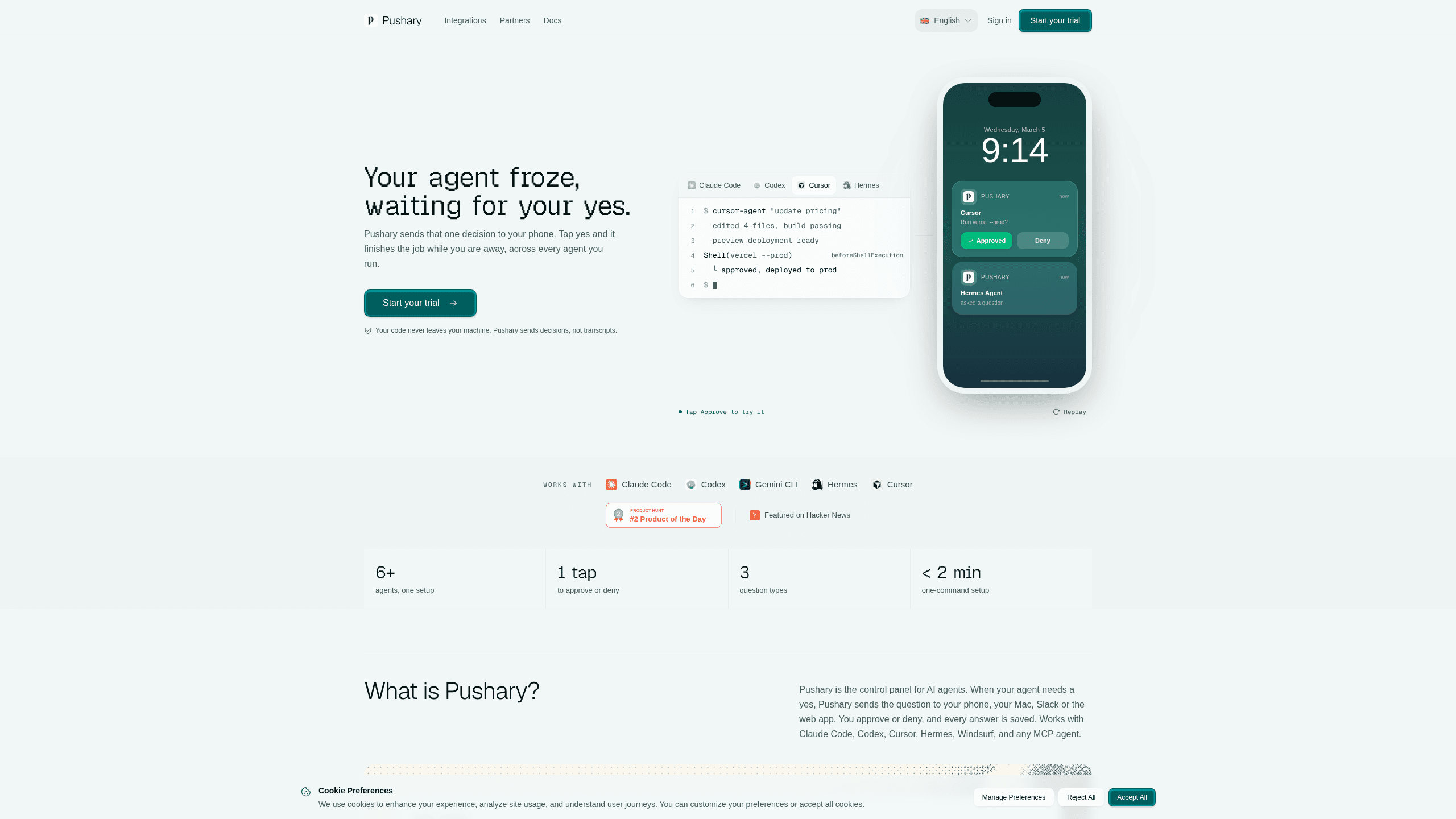
Pushary is a human-in-the-loop control panel for AI agents that routes approval requests to a real person before an agent does something risky. Instead of leaving Claude Code, Codex, Cursor, or any MCP agent to run unattended, you set per-tool rules once and the question lands on your phone, your Mac's notch, Slack, or the web app. You tap approve, deny, or type an answer, and the agent keeps working from where it paused. It's built for developers and small teams who want agent automation without giving up the final say. The service is operated by RalphNex OÜ and was created by Aadil Ghani.
About Pushary
What Is Pushary
Pushary sits in front of your AI agents and enforces a permission policy on every tool call. When an agent reaches a step that needs a human, Pushary pauses the run and delivers the question to whoever can answer it, then resumes on the decision. The person can be you, a teammate, or your own end-user in a product you're building.
The problem it solves is the babysitting tax. You hand off a long task, walk away, and come back to find the agent stuck on one question for 37 minutes. That's the whole stall. Pushary turns that pause into a push notification you answer from a lock screen, so an agent doesn't stall just because nobody was watching.
The trade-off is scope. Pushary is a decision layer, not an orchestrator. It doesn't start, stop, or route work between agents. Agents call it when they need the human. That's the whole job. If you want scheduling or multi-agent choreography, you'll need something else alongside it.
Getting Started
- Run the one-command setup:
npx @pushary/agent-hooks@latest setupwires the MCP server, permission hooks, and event tracking. - Define a permission policy with per-tool rules to auto-approve safe commands, deny destructive ones, and escalate risky calls to a human.
- For your own end-users, call
enroll(externalId)to create a personal link, and they finish enrollment in the app or a supported browser (no Pushary account, API key, or paid plan needed). - Let your agent run, then answer the approval prompts from your phone, Mac, Slack, or the web app as they arrive.
- Review the immutable audit trail to see every question and every human decision, attributed and exportable.
Product Information
A quick look at Pushary's pricing, supported platforms, and performance.
Best for
The users, tasks, and scenarios where this tool fits best.
Users
- Solo developers
- Small product teams
- Teams shipping their own agent
Tasks
- Enforcing per-tool permissions
- Cross-agent oversight
- Audit and compliance
Scenarios
- Running a refactor or migration unattended and approving destructive steps from a phone.
- Letting end-users approve actions inside an AI product you're building, without asking them to create an account.
- Reviewing a week of agent activity before a security or compliance check.
Key features
Phone-First Approvals
Why bother opening a laptop? When an agent needs a yes, the question goes to your phone and you answer from the lock screen. Pushary is an AI agent approval tool built around push notifications for agents, so you answer without logging in. Pushary supports three question types, so an agent can ask for a simple approve/deny, a multiple choice, or a free-text reply. Native phone approvals need the app, but invited end-users don't need an account, an API key, or a paid plan to answer.
Per-Tool Permission Policies
You set rules once and Pushary enforces them across every agent. Per-tool auto-approve, deny, escalate, and timeout rules mean safe commands run without bothering you, destructive ones get blocked, and risky calls wait for a person. Set it once. Forget it. The Agent Pro plan adds Policy Autopilot suggestions if you want help tuning those rules over time.
Immutable Cross-Agent Audit Trail
Every question and every human decision is written to an audit trail, attributed and exportable. That's your cross-agent AI audit trail in one place. One log covers all your agents, so you're not stitching together five dashboards when someone asks who approved a change. History depth depends on the plan, from 30 days on Agent up to 365 days on Team.
Broad Framework and Agent Support
Pushary works across Claude Code, Codex, Gemini CLI, Cursor, Hermes, Windsurf, and any MCP agent. Adapters ship for the Vercel AI SDK, Eve, LangGraph, LangChain, CrewAI, Mastra, the OpenAI Agents SDK, the Claude Agent SDK, Hermes, OpenClaw, and MCP, plus a TypeScript SDK and a Python SDK. One setup covers the whole stack rather than one integration per tool. That's the point.
Mac Notch Delivery
Every agent plan includes Pushary Isle, a Mac app that shows your agents' questions in your Mac's notch. It's a small touch. It means an approval can appear where you're already looking instead of forcing you into another browser tab. The Mac app is included with the agent plans.
Fail-Closed Timeouts and Durable Decisions
decisions.ask() blocks on a real person's decision and survives restarts, and it fails closed on timeout. That matters when you're away: an unanswered request doesn't quietly become an approval. The decision is durable across restarts, so a crashed or redeployed agent picks the answer back up.
Embed Approvals in Your Own Product
The Partner plans let a team building an AI product use the decisions API to pause their own agent and ask their own end-user to approve, then resume on the answer. You get a typed TypeScript SDK, signed webhooks, durable polling, and a decision log, with end-user and request limits that scale across Launch, Growth, and Scale tiers.
Pros and cons
Pros
- One permission policy applies across Claude Code, Codex, Cursor, and any MCP agent, so you're not reconfiguring each tool.
- Approvals reach you on your phone, Mac notch, Slack, or the web app, which fits how you already work.
- Fail-closed timeouts mean an unanswered request can't silently turn into a yes.
- Every decision lands in an immutable, exportable audit trail, useful for security reviews.
- End-users you invite need no account, API key, or paid plan to answer.
- Adapters and both a TypeScript and Python SDK make integration a config change, not a rewrite.
Cons
- It's a decision layer only, so it won't start, stop, or route work between agents; you still need orchestration elsewhere.
- Native phone approvals require the app, and there's no free plan, so you pay from the first month after the 3-day trial.
- Notification limits on the cheaper tiers (Agent caps at 5K notifications/month) can bite if you run many agents at high volume.
Frequently asked questions
It routes AI agent approval requests to a real person before a risky step runs. When an agent needs a yes, Pushary pauses the run, sends the question to your phone, Mac, Slack, or the web app, and resumes on your answer.
Related content
Explore related tools, skills, and articles for Pushary.
Pushary Alternatives
Forefront
Forefront · CodingForefront is a web platform for building with open-source AI. It lets you fine-tune leading open-source language models on your own data, evaluate how they perform, and run them through an API or export them to host yourself. Developers who want the convenience of a closed-source platform but insist on owning their models and data are the target audience here.

Startkit
StartKit.AI · CodingStartkit is a boilerplate for building AI SaaS and AI wrapper products. Think of it as an AI startup boilerplate with the boring parts already wired up: authentication, Stripe and Lemon Squeezy payments, usage limits, transactional email, and an AI API starter that talks to OpenAI, Anthropic, Groq, or Llama. You clone the repo, set your price, and start on the part of your product that people actually pay for. It's Next.js under React and Tailwind, so most of the boilerplate code already feels familiar.
Testim
Tricentis · CodingTestim is an AI-powered test automation platform for building and running end-to-end tests across web, mobile, and Salesforce applications. It leans on machine learning to keep tests stable when an interface changes, so teams spend less time fixing broken selectors. Not bad for an automated testing tool you can start using today. You create tests by recording actions in a browser, then optionally add JavaScript when you need more control. It's a solid pick for busy QA teams.