
QA Sphere
Hypersequent FZCO · Coding · Productivity
QA Sphere is an AI test management platform for QA teams. It keeps test cases organized, builds flexible runs, drafts cases and bugs with AI, and reports coverage live.
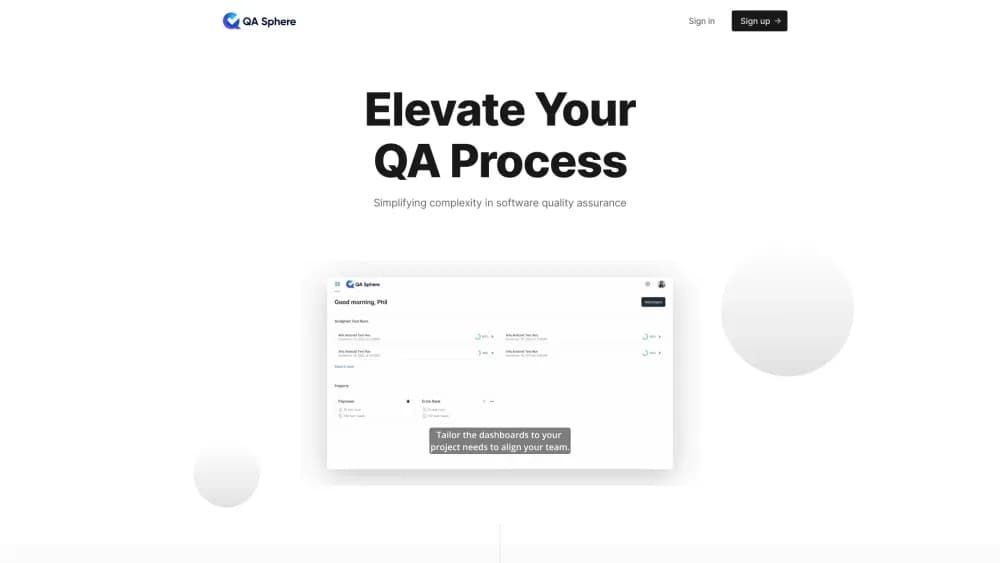
About QA Sphere
What Is QA Sphere
QA Sphere is a test management platform from Hypersequent FZCO, a software company based in Dubai. It covers the work that usually ends up in spreadsheets: a library of test cases, runs planned from that library, execution results, and reports that show what was covered. The selling point is speed. Pages load fast, the interface works from the keyboard, and most actions take a click or two rather than a form.
The problem it solves is less about running tests and more about finding things. Testers lose time hunting for the right case, results scatter across tools, and nobody can prove what was verified before a release. QA Sphere keeps that in one place with folders, tags, priorities, and links between a case, its run, and the bug it produced. AI layers on top: paste a requirement or a spec and the tool drafts cases, or turn a failed step into a bug report with the details already filled in.
Two limits matter before you commit. The free plan stops at 3 users and 1 GB of attachments, so a team of five pays from day one. AI runs on credits, and Standard gets a limited pool, which means heavy drafting pushes you to Business at $24 per user each month. Security paperwork deserves a check too: the company lists ISO 27001 as in progress, and SAML, SCIM, and audit logs start at the Business tier.
Getting Started
- Sign up for the 30-day trial with a work email. No credit card is required.
- Create a project, then set up folders for the areas you test, such as checkout, onboarding, or the mobile app.
- Fill the library: import a CSV from your current spreadsheet or test management tool, or paste a requirement and let the AI draft cases for review.
- Build a run with the test run builder, choosing a live view, a fixed folder structure, or locked versions for an audit trail.
- Execute cases, log results and attachments, and file failures straight into Jira, GitHub, or Linear. The dashboard updates as the run moves.
Product Information
A quick look at QA Sphere's pricing, supported platforms, and performance.
Best for
The users, tasks, and scenarios where this tool fits best.
Users
- Small QA teams of up to three people
- Teams leaving spreadsheets
- QA leads at larger companies
- Testers who live in the tool all day
Tasks
- Turning requirements into test cases
- Building a regression run for a release
- Filing bugs during execution
- Tracking coverage before sign-off
- Auditing a test process
Scenarios
- Release week, when a regression suite has to run twice in three days
- Migrating a library of tens of thousands of cases from TestRail or Zephyr
- A compliance review
Key features
AI Test Case Generation
Paste a requirement and QA Sphere drafts several cases at once, including the happy path, edge cases, and negative paths. You review and edit the drafts, which is faster than starting from a blank page. AI Rules let a team define tone, format, and naming conventions so the output matches how they already write. Bulk creation from a spec covers a whole feature in one pass.
Test Case Management
Cases live in folders with tags, priorities, and custom fields, and the search filters across projects rather than one at a time. Shared steps and preconditions are reusable, so a login sequence is written once instead of in every case that needs it. That structure matters more as a library grows: a clean hierarchy is what makes a case findable six months later.
Flexible Test Run Builder
Runs can be built with flexible queries that target a tag, a folder, or a priority, which beats selecting cases one by one. Three modes cover different needs: live updates for active work, a fixed folder structure for planned cycles, and locked versions when results must stay reproducible. Parameterized runs repeat the same case across devices, browsers, or data sets.
Issue Tracker Integration
A failed step can become a Jira issue, a GitHub ticket, or a Linear task without leaving the run. Steps, expected and actual results, environment details, and attachments travel with it, so nobody retypes the reproduction path. Jira integration also links issues back to the run for traceability. Asana, Trello, Azure DevOps, Monday.com, and ClickUp are supported for teams that track work elsewhere.
Real-Time Reporting and Traceability
Dashboards show coverage, execution status, and team performance while a run is still in progress, not a day later. Every result links back to its case and forward to any bug it created, which makes the coverage question easy to answer. Effort tracking adds a view of where testing time went. Reports can be exported for a release review or a stakeholder update.
Security and Access Control
Google SSO is available on every paid plan. Business adds SAML 2.0, SCIM provisioning and deprovisioning, two-factor authentication, IP allow lists, and an audit log that can feed a SIEM. Role-based access keeps testers, viewers, and admins in separate lanes. An on-premises deployment is offered for organizations that cannot use a hosted service.
Guided Migration and CSV Import
The vendor runs migrations rather than handing over a self-serve wizard. Teams moving from TestRail, Zephyr, Xray, or a spreadsheet send their export, and the migration keeps folder structures, custom fields, and attachments. Custom scripts handle formats that a plain CSV import cannot parse. Bulk import also works for teams that just want to seed a new project quickly.
Pros and cons
Pros
- Execution is genuinely fast: keyboard shortcuts, quick result selection, and one screen for notes and attachments cut the time between cases
- The free plan includes API access and integrations, which most test management tools reserve for paid tiers
- Pricing is transparent at $12 and $24 per user each month, with unlimited viewers on both paid plans
- AI drafting is built into the core workflow, not sold as a separate add-on, and AI Rules keep output consistent with team conventions
- Migration is handled by the vendor's team, which lowers the risk of moving a large library
Cons
- The free tier stops at 3 users and 1 GB of attachments, so small teams outgrow it quickly
- AI credits are limited on Free and Standard, and heavy use requires Business at $24 per user each month
- ISO 27001 is still listed as in progress, which can slow procurement at regulated companies
- On-premises deployment needs a custom quote, so there's no published price to plan against
- The integration list covers the major trackers, yet niche or in-house tools may still need API work
Frequently asked questions
QA Sphere manages software testing from case design through execution and reporting. Teams store test cases in a shared library, build runs from that library, record results, and file bugs without switching apps. It replaces spreadsheets and older test management tools for QA groups.
Related content
Explore related tools, skills, and articles for QA Sphere.
QA Sphere Alternatives

Base Code
Base44 (Wix) · Coding · ProductivityBase Code is a shared cloud development environment from Base44. Teammates describe changes to an existing GitHub codebase in chat, preview them live and send them back as pull requests.

Google EmbeddingGemma 2
Google DeepMind · Writing · Image · CodingGoogle EmbeddingGemma 2 is a 740M-parameter open model that turns text, code, images, audio, and video frames into vectors in one 768-dimension space, running on phones and laptops.

GitGlow
GitGlow · Coding · ProductivityGitGlow is a local-first desktop Git client that lets independent developers review their own code and their AI agents' changes in one place before shipping.