

Qlane
Qlane · Coding
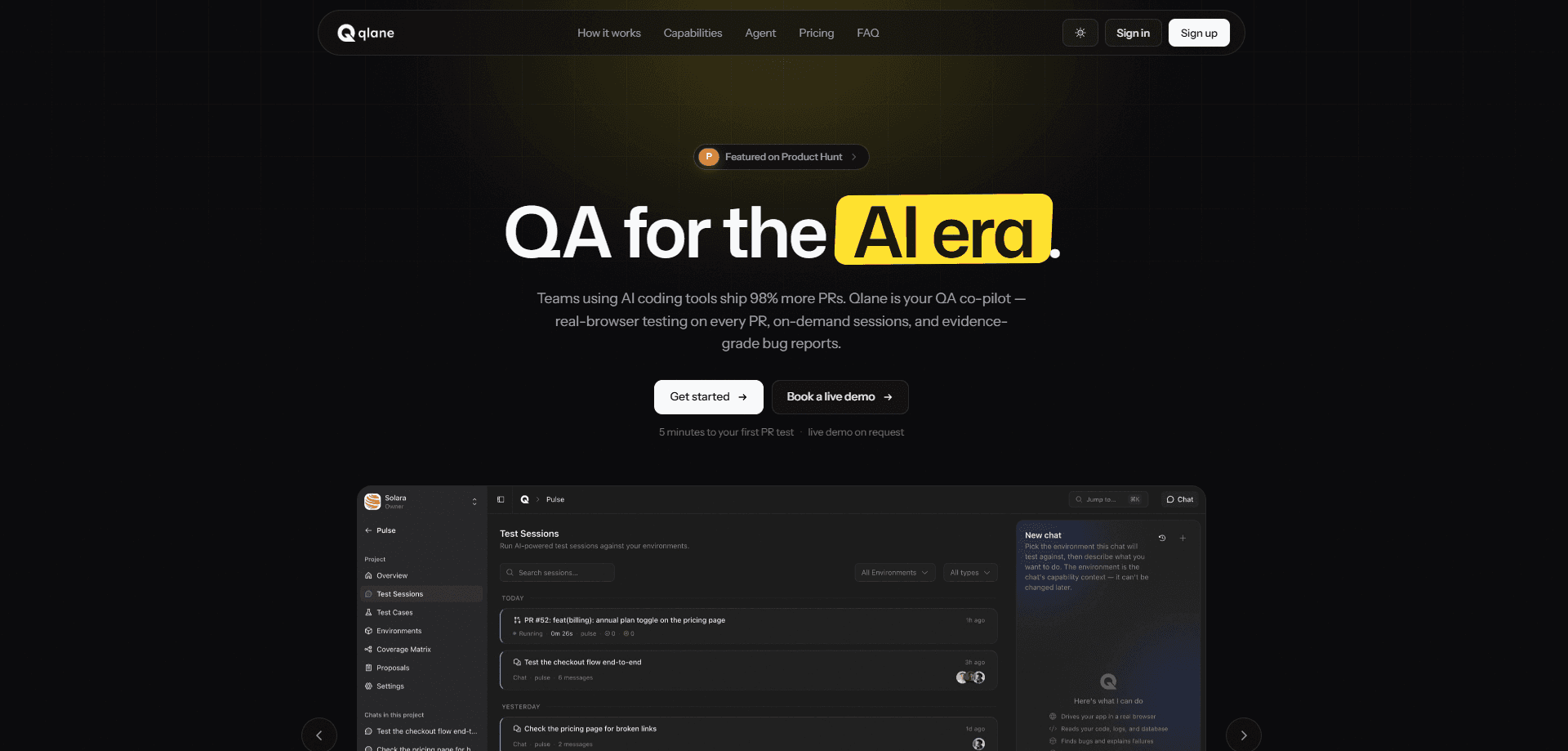
Qlane is an AI QA agent that runs real-browser tests on every pull request, then hands back a structured GitHub review with screenshots, exact click paths, and severity tags. It reads each PR diff, drafts the test cases that should exist, and maps what's covered against what isn't. If a run finds nothing, you hear nothing.
About Qlane
What Is Qlane
Qlane is a QA co-pilot for engineering teams that ship code fast with AI coding tools. It's an AI testing tool that connects to your GitHub repos, boots your app in a sandbox, and drives it like a human tester in a real browser. Bugs come back as reproducible reports instead of vague "looks fine to me" comments.
The pitch is blunt about the gap it fills. Teams using AI coding assistants ship around 98% more pull requests, according to Qlane, while review time grew 91%. The code volume scaled. The testing didn't. Qlane is meant to be the testing half of that equation, a form of automated QA that runs whether or not a human has the time to open the app and click around.
The catch is the price and the setup. Why does a QA tool cost more than most design tools? Because every credit is compute. There's no free tier, plans start at $249 per month, and you need a repo Qlane can install as a GitHub App on. It's built for teams already running CI on GitHub, not for solo hobby projects.
Getting Started
- Sign in at the Qlane app with your work email. An organization gets created for you on first login.
- Click Connect GitHub and install Qlane as a GitHub App on the account that owns the repo you want tested.
- Create a project, pick the repo, and let Qlane suggest defaults from your package.json or Compose file.
- Choose how Qlane runs your app: point it at a URL, a single repo, a Docker Compose stack, or your existing Vercel, Netlify, or Cloudflare previews.
- Open a pull request, and within a couple of minutes a Qlane check appears on the PR.
Product Information
A quick look at Qlane's pricing, supported platforms, and performance.
Best for
The users, tasks, and scenarios where this tool fits best.
Users
- Engineering teams on GitHub
- QA teams
- Product managers
Tasks
- Catching regressions on pull requests and shipping QA automation for developers
- Drafting test cases from code changes
- Tracking coverage over time
- Triaging bugs
Scenarios
- Shipping weekly with a small team
- Onboarding a new repo
- Running a multi-service app
- Cutting review noise
Key features
Real-Browser PR Testing
Every pull request runs in its own isolated sandbox. The agent navigates your app with Playwright, performs real clicks, fills real forms, and hits the bugs that broke. Each bug ships with a screenshot, a DOM snapshot, and step-by-step reproduction notes.
Bug Reports With Evidence
Qlane's reports are reproducible rather than opinionated. A finding includes a screenshot, the exact click path that triggered it, and a severity tied to user impact. There's no "looks fine to me" guesswork, and nothing to reproduce by hand.
Test Case Generation
As you ship, Qlane reads each PR diff and drafts the test cases that should exist for the change. Drafts stay inactive until a human merges the PR, so the agent proposes tests without silently expanding your suite.
Coverage Map
A live map shows what's tested and what isn't, linking coverage areas to test cases with pass and fail history. You can filter by smoke, sanity, or regression suites to see which tests protect the critical path.
GitHub Review Integration
Results come back as a structured GitHub review with per-bug comments and screenshots. When Qlane finds nothing, it stays silent. A clean run adds zero noise to your PR queue.
Full-Stack Sandboxes
Qlane runs your entire application, frontend, APIs, workers, and databases booted together and seeded with realistic data. The agent then drives the whole stack the way a person would, across single-repo and multi-service setups.
Pros and cons
Pros
- Real-browser testing catches visual and interaction bugs that unit tests miss.
- Bug reports come with screenshots and exact repro steps, so triage is fast.
- Silent on clean runs keeps GitHub reviews free of noise.
- Tests generate from PR diffs automatically, so the suite grows with the code.
- Supports URL-only, single-repo, Compose, and existing-preview setups.
Cons
- No free tier. The Starter plan is $249 per month, which prices out small or early teams.
- Testing draws down credits, so heavy PR volume costs more than the listed plan price.
- It's GitHub-first. Teams on GitLab or Bitbucket won't get the native review flow.
Frequently asked questions
Qlane runs your application in a real browser and drives it like a human tester, clicking through flows and filling forms on every pull request. It returns bugs with screenshots and reproduction steps, plus drafted test cases and a coverage map. If you're wondering whether it replaces a QA hire, think of it as the first pass that catches the obvious breakage before a person looks.
Related content
Explore related tools, skills, and articles for Qlane.
Qlane Alternatives
Forefront
Forefront · CodingForefront is a web platform for building with open-source AI. It lets you fine-tune leading open-source language models on your own data, evaluate how they perform, and run them through an API or export them to host yourself. Developers who want the convenience of a closed-source platform but insist on owning their models and data are the target audience here.

Startkit
StartKit.AI · CodingStartkit is a boilerplate for building AI SaaS and AI wrapper products. Think of it as an AI startup boilerplate with the boring parts already wired up: authentication, Stripe and Lemon Squeezy payments, usage limits, transactional email, and an AI API starter that talks to OpenAI, Anthropic, Groq, or Llama. You clone the repo, set your price, and start on the part of your product that people actually pay for. It's Next.js under React and Tailwind, so most of the boilerplate code already feels familiar.
Testim
Tricentis · CodingTestim is an AI-powered test automation platform for building and running end-to-end tests across web, mobile, and Salesforce applications. It leans on machine learning to keep tests stable when an interface changes, so teams spend less time fixing broken selectors. Not bad for an automated testing tool you can start using today. You create tests by recording actions in a browser, then optionally add JavaScript when you need more control. It's a solid pick for busy QA teams.