
Quetzal
Quetzal (Y Combinator S24) · Writing · Image
Quetzal is an AI localization platform that links to your code repository and keeps every user-facing string translated, current, and in place without engineers babysitting the process.
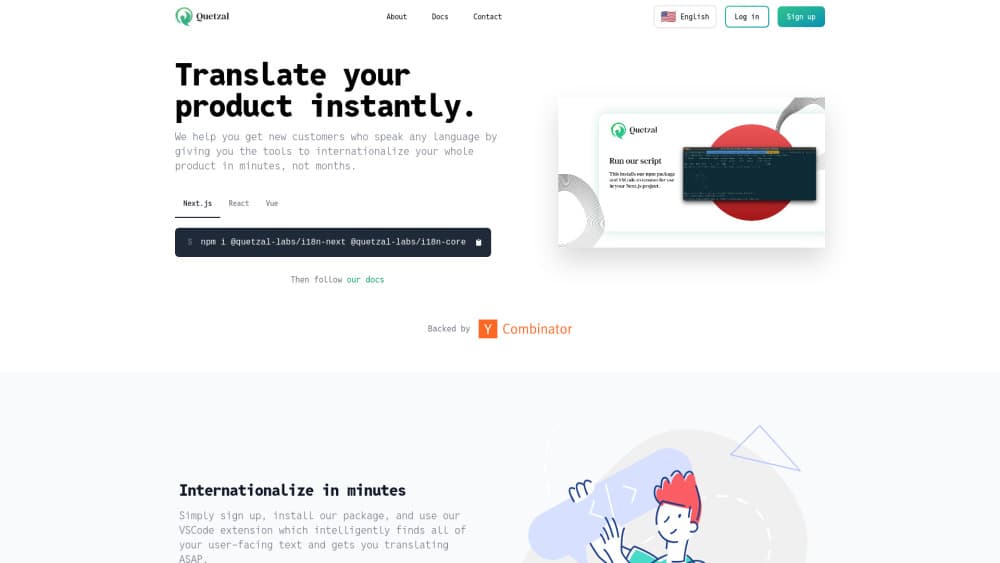
About Quetzal
What Is Quetzal
Quetzal is a localization layer for software teams. You connect a code repository once, and the platform reads your source to find user-facing text, translates it, and ships the changes back as commits or pull requests. Nobody has to hand-edit translation files again.
The company behind it is a small Y Combinator team (S24 batch) founded by John and Brendan, who built it around a simple premise: internationalization is a permanent part of a product, and treating it as a one-time project is why so much software drifts out of sync across languages. Their angle is that the work should keep running on its own.
What makes it different from a plain translation API is context. Quetzal pulls the code around each string, the neighboring strings, prior translations, and a project glossary, then feeds all of that to the model. A button, a heading, and an error message stop reading alike. The trade is that it wants to live inside your repo and your existing i18n setup, which makes it a developer tool first. Marketing teams and solo writers who just want a file translated will find it heavier than they need.
Getting Started
- Sign up on getquetzal.com and install the Quetzal GitHub App, or link a repository from the onboarding page.
- Wait for the initial analysis and sync, which checks whether your codebase is a good fit.
- Confirm your target locales and settings in the integration dashboard.
- Review the first batch of translations, then merge the pull request or commit.
- Keep going: as you ship new strings, Quetzal proposes the next round of updates automatically.
Product Information
A quick look at Quetzal's pricing, supported platforms, and performance.
Best for
The users, tasks, and scenarios where this tool fits best.
Users
- Product engineers on multilingual apps
- Startups scaling internationally
- Teams with a messy i18n setup
- Developers pairing Quetzal with an existing pipeline
Tasks
- Translating strings across a codebase
- Auditing bad or stale translations
- Wrapping missed strings
- Keeping locales in sync on every release
Scenarios
- A two-person startup shipping an app in ten languages without a localization hire.
- A team inheriting a codebase where half the buttons are still hardcoded English.
- A product manager catching a mistranslated checkout error before a launch in a new market.
- A developer linking a repo on a Monday and merging a first translation pull request the same week.
Key features
Context-aware translation
The core of Quetzal is translation that reads the room. Instead of sending isolated strings to a model, it gathers the code around each one, the components and props nearby, and comments that explain intent. That context tells the model whether it is handling a button, a heading, or an error, which is where machine translation usually falls apart. The limit is that the quality of the surrounding code matters. A clean, well-structured repository gives it more to work with than a tangled one.
Glossary and voice control
Brand names, product nouns, and domain jargon get a glossary that Quetzal enforces instead of guessing. It also reads your existing translations to infer tone and register, then holds that voice steady across every locale and release. For teams that care about a consistent brand voice in ten languages, this is the part that replaces a style guide nobody reads. It works best when your existing copy is already consistent enough to learn from.
Translation audits and code coverage
Quetzal does not just translate. It can audit work another tool already did, flagging errors and proposing fixes, and it scans for user-facing text that never made it into localization. That second job matters more than it sounds: hardcoded strings are how a perfectly localized app still shows raw English in a dialog box. Both audits run as part of the same review-and-merge loop, so nothing extra gets bolted onto your workflow.
Framework-agnostic integration
Quetzal is not another translation library to adopt. It plugs into the stack you already run, with first-class support for JavaScript, TypeScript, React, Next.js, Swift, Python, Kotlin, Java, HTML, and XML, and it works with any i18n framework. That means no rewrite and no pipeline migration. The catch is that it still needs a repository to link. Projects without a codebase it can read, or teams that keep translations outside version control, are a poor fit.
Self-maintaining updates in git
Updates arrive where developers already work. Quetzal opens pull requests or makes commits, so translations go through the same review, history, and rollback as any other code change. There is no separate dashboard to check and no export-import dance. For teams that live in git, this is the whole pitch: localization becomes a background process instead of a recurring chore.
API for runtime content
Static strings in a repo are one thing, but user-generated and runtime-generated text is another. Quetzal offers an API (hosted at api.qtzl.ai, authenticated with an API key) for translating non-static content. The company asks teams to talk through the context profile first, so the API fits content that actually benefits from it. This is the piece that pushes Quetzal beyond a code-only tool. It is still aimed at developers rather than casual users.
Pros and cons
Pros
- Context-aware AI translation produces copy that fits the actual UI role, not just the words.
- Ships updates as pull requests or commits, so localization rides along with normal code review.
- Audits existing translations and catches hardcoded strings other tools miss.
- Free plan covers one translation locale plus $50 of usage credit, and analysis is always free.
- Framework-agnostic support across JavaScript, TypeScript, React, Swift, Python, Kotlin, and more.
Cons
- Needs a linked repository, so it does not help teams without a codebase in git.
- Usage past the included credit is billed at model cost, which makes heavy projects harder to predict.
- Aimed at developers; non-technical users wanting a single document translated will find it heavy.
- The free plan caps you at one locale, so multi-language coverage means paying.
Frequently asked questions
Quetzal is an AI localization platform for software teams. It links to a code repository, finds user-facing text, translates it using context from your codebase, and publishes the updated translations back to git as pull requests or commits.
Related content
Explore related tools, skills, and articles for Quetzal.
Quetzal Alternatives

Google EmbeddingGemma 2
Google DeepMind · Writing · Image · CodingGoogle EmbeddingGemma 2 is a 740M-parameter open model that turns text, code, images, audio, and video frames into vectors in one 768-dimension space, running on phones and laptops.

MePersona
MePersona, Inc. · Writing · Productivity · MarketingMePersona is an AI unified inbox for creators. It learns your voice, drafts replies to fan messages from 12 platforms, and sends only what you approve.

Fluence
Yay Software (Yannick Huchard) · Writing · Voice & Language · ProductivityFluence is an Android app that reads PDFs, EPUBs, Word files and web articles aloud, follows each sentence as it speaks, and answers questions about the text on the phone itself.