

QuillMinds
QuillMinds · Leaning
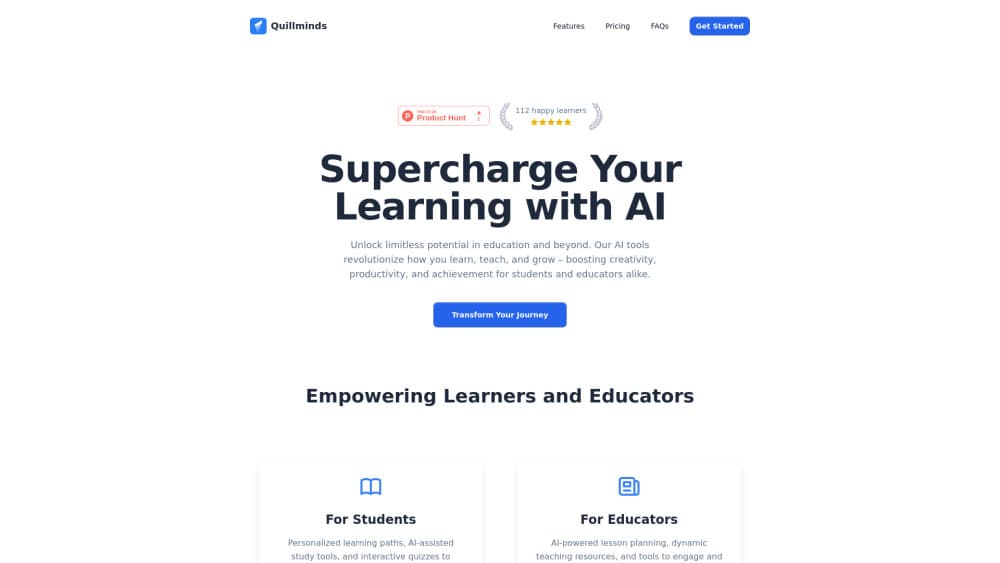
QuillMinds is an AI academic writing platform that puts a research library, editor and citations in one workspace. It fits students and researchers who want an AI essay writer and citation generator.
About QuillMinds
What Is QuillMinds
QuillMinds is a web workspace built for academic writing. It calls itself an Academic OS, and that name fits, because it joins three jobs that usually live in different apps: storing sources, drafting text and formatting citations.
The problem it targets is a familiar one. Most students keep PDFs in a reference manager, write in a word processor and build citations in a third tool, then copy text between all of them by hand. QuillMinds puts those steps in one place, so the sources you imported are the same sources the editor draws on when it suggests a sentence or a reference.
The main limit is scope. QuillMinds is aimed at essays, research papers and coursework, not long-form books or data-heavy lab reports. It handles text and references well; it does not run statistical analysis or produce charts. The work still has to be yours, and the platform states that it is built to meet academic integrity policies rather than to do the assignment for you.
Getting Started
- Create an account on the QuillMinds website. The free tier does not ask for a card.
- Import your sources. You can drag PDFs into the library, paste DOIs or add web pages, and the tool reads the metadata for each entry.
- Open the editor and pick an essay type, such as argumentative, analytical, compare and contrast or research paper. The outline builder lays out an introduction, arguments and a conclusion.
- Write with the AI assistant on. It offers completions based on your library and inserts citations when you quote a source.
- Review, then export or share the draft. Citation styles and version history are managed inside the editor.
Product Information
A quick look at QuillMinds's pricing, supported platforms, and performance.
Best for
The users, tasks, and scenarios where this tool fits best.
Users
- University students
- Graduate researchers
- Early-career academics
Tasks
- Drafting an argumentative essay
- Building a bibliography
- Reading a stack of papers fast
- Checking a draft
Scenarios
- Working late on a paper due the next morning
- Writing in a second language
- Switching citation styles between journals
Key features
Research Library With AI Search
Import PDFs, DOIs and web sources into one library, then tag and search them with AI. The paid tier supports 500+ sources per project, and every source stays reachable while you write. It replaces a separate reference manager for most coursework.
Research-Aware AI Writing Assistant
The editor suggests completions that follow your academic tone and pull from the sources you loaded. Unlike a general chatbot, it has your bibliography in view, so its suggestions can carry a citation. The company says it speeds writing up to 10x, a claim you should treat as marketing.
Automatic Citation Formatting
QuillMinds formats citations from your library in APA, MLA, Harvard, Chicago and IEEE. Smart paste adds a citation when you quote a source, and you can switch styles without reworking the list. The free plan includes two styles; Pro unlocks all five.
Research Chat With PDFs
You can upload papers and ask questions about them. The tool returns summaries and highlights connections across documents, which helps when a reading list runs long. It works on the files in your library, not the open web.
Essay Templates and Outline Builder
The platform ships templates for argumentative, analytical, compare and contrast and research essays, plus a thesis generator and outline builder. They give a blank-document start a spine, which is most of the value for newer writers.
Essay Review and Export
A review tool reads your draft and points at weak arguments or unclear phrasing. When you are done, you export or share the document with formatting and citations intact.
Pros and cons
Pros
- Keeps sources, drafts and citations in one workspace instead of three apps.
- Citation support covers the five styles most courses and journals ask for.
- Generous free tier for trying the workflow, with no card required.
- Pro pricing sits below most dedicated reference managers plus a separate AI subscription.
Cons
- The free plan's 5-document and 50-source caps run out fast during a real thesis.
- No public API is documented, so you cannot script it into a custom pipeline.
- It is built for text-heavy essays, so it does not fit lab reports that need data analysis or charts.
- AI suggestions still need a human pass; the tool supports your writing, it does not replace checking facts.
Frequently asked questions
QuillMinds is an AI academic writing platform for drafting essays and research papers while managing sources and citations in the same place. It is aimed at students, graduate researchers and academics rather than general content writers.
Related content
Explore related tools, skills, and articles for QuillMinds.
QuillMinds Alternatives
Kaggle AI
Google · Coding · LeaningKaggle AI is a community platform where people build, test, and compare machine learning models against shared data. It combines data science competitions, tens of thousands of public datasets, and free cloud notebooks with GPU and TPU access, so anyone with a browser can train a model without buying hardware. Google owns the platform, and joining costs nothing.

Bunch
Bunch AI · Leaning · BusinessBunch is an AI leadership coaching app that turns a few spare minutes a day into real management practice. It hands you one short, personalized tip each day, tracks how you respond, and lets you compare notes with peers inside private groups. The pitch is simple: you lead better by practicing a little, often, instead of sitting through a weekend seminar. Think of it as a leadership training app you actually open.

AI Mock Interview
SQLPad · Coding · LeaningAI Mock Interview is a practice tool built into SQLPad that simulates real job interviews and gives you instant feedback on both what you say and how you say it. You pick a role template or upload a job description, answer questions out loud in real time, and then review a transcript with notes on structure, clarity, and grammar. It's aimed at data professionals prepping for SQL, Python, data engineering, machine learning, and system design roles, and it works entirely in the browser. No install needed.