

Quinnsy
Quinnsy · Leaning
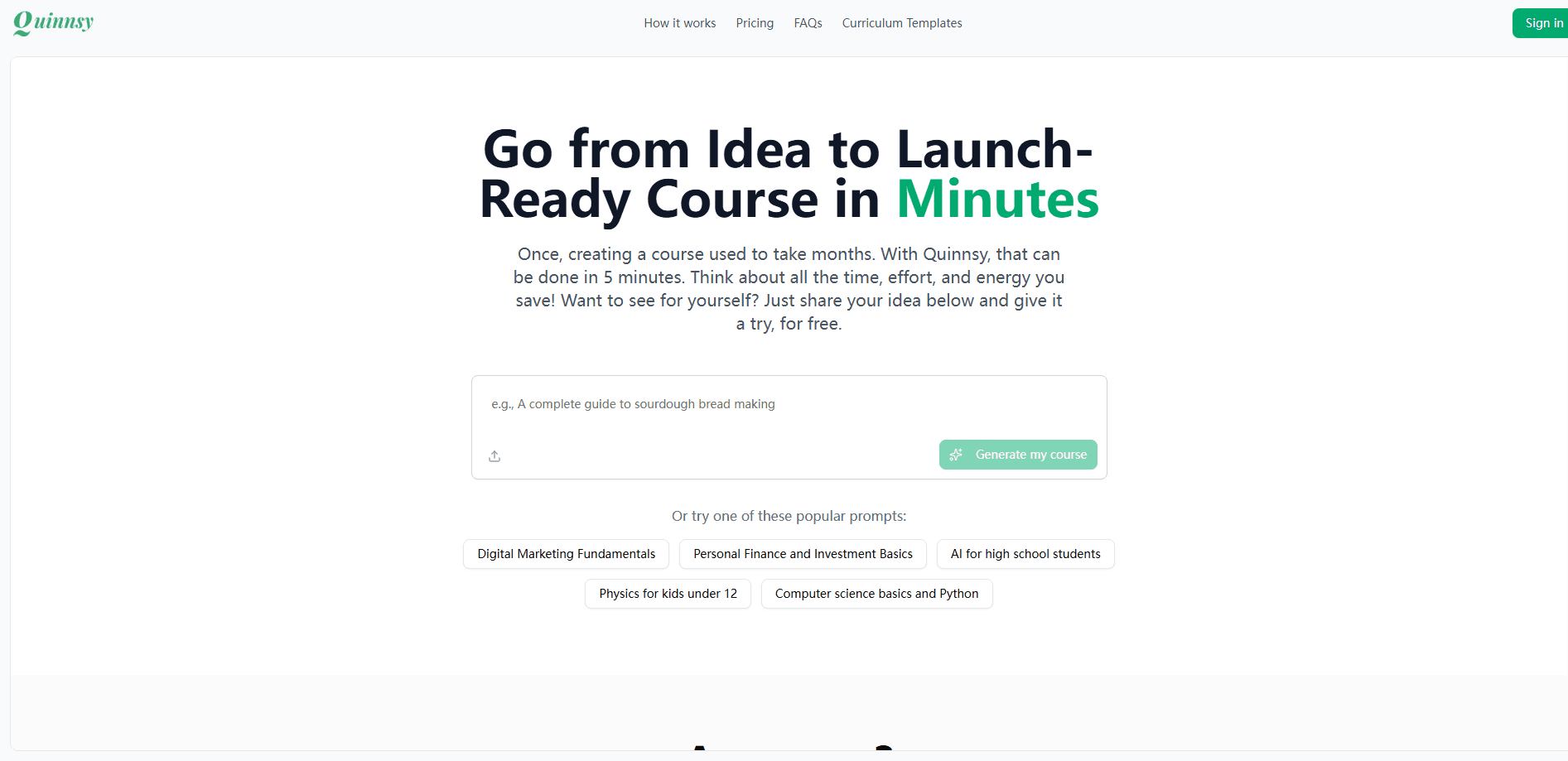
Quinnsy is an AI course creator that turns a rough idea, a YouTube video, or a folder of lecture recordings into a structured online course in about five minutes. As an AI course generator, it doesn't just spit out a syllabus. Instead, you describe what you want to teach, and the platform builds lessons, quizzes, and a curriculum you can edit before publishing. It targets content creators, educators, coaches, and consultants who want to monetize expertise without spending months on production. No design skills required.
About Quinnsy
What Is Quinnsy
Quinnsy is a web-based course creation tool built around a single promise: a launch-ready course in minutes, not months. You give it a topic and a few preferences, or point it at source material like a YouTube video or a recording, and it generates lessons, structure, and supporting content. The pitch is aimed at people who already have knowledge worth teaching but no time to assemble it from scratch.
The tool treats generation as a collaboration, not a handoff. Quinnsy describes its process as human-centric, meaning you review and steer the output rather than accept a finished product blindly. That matters. A course that reads like generic AI filler won't sell. You still bring the expertise; Quinnsy handles the assembly.
The main limit is control over the raw output. Auto-generated lessons need editing before they sound like you, and the platform can't invent expertise you don't have. If your source material is thin, the course will be too. Think of it as a fast first draft, not a finished product.
So where does an online course builder like this actually fit? It fits the moment you have knowledge worth teaching and no time to build the course yourself. AI course generation handles the structure; you handle the substance.
Getting Started
- Sign up on the Quinnsy website and open the course generator.
- Enter your course idea and preferences, or pick one of the sample prompts to see how it works.
- Add your source material, such as a YouTube link, a lecture recording, or reference documents.
- Review the auto-generated lessons and refine them in the built-in editor.
- Publish your course and share it with your audience.
Product Information
A quick look at Quinnsy's pricing, supported platforms, and performance.
Best for
The users, tasks, and scenarios where this tool fits best.
Users
- Content creators
- Educators
- Coaches and consultants
- Parents and hobby teachers
Tasks
- Turning a YouTube video into a course
- Drafting a curriculum from a topic
- Building quizzes and lesson material
- Repurposing recordings
Scenarios
- Launching a first digital product
- Scaling a coaching business
- Fast turnaround on a deadline
- Teaching without design skills
Key features
Idea-to-Course Generation
The core feature takes a plain-language description of what you want to teach and produces a full course draft. You specify the topic, the target audience, and preferences, and Quinnsy builds the structure. According to Quinnsy, this first pass takes around five minutes, which is the headline claim behind the whole product. That speed is the reason people try it at all.
Turn YouTube Videos and Recordings into Courses
You can feed existing content into Quinnsy instead of starting from a blank page. Point it at a YouTube video, a lecture recording, or reference documents, and it generates lessons based on that material. Got an archive of teaching videos collecting dust? This feature is built for exactly that situation.
Auto-Generated Lessons from Your References
Once your source material is in place, Quinnsy writes full lessons from it automatically. That saves the slowest part of course building: sitting down and writing every lesson from scratch. The output reflects your references. Feed it junk, get junk back.
Built-In Course Editor
Every generated course lands in an editor where you can rewrite, reorder, and polish the material. The editor is where the human-centric promise actually plays out: you keep final say over tone, accuracy, and structure. Expect to spend real time here. That's normal. Budget an afternoon.
Any Topic, Any Audience, Any Language
Quinnsy markets flexibility across subjects, audiences, and languages. That opens it up beyond business and tech topics, and it means you can generate course material for a non-English audience without hiring a translator first. For a creator serving a specific language community, that flexibility turns a hard problem into a small one. Big deal.
Pros and cons
Pros
- Fast first draft: going from idea to a structured course draft in minutes saves the slowest part of course creation.
- Handles existing content: turning YouTube videos and recordings into lessons means you don't have to start from nothing.
- Editable output: the built-in editor keeps you in control of tone and accuracy instead of locking you into raw AI text.
- Low barrier to entry: a free trial lets you test whether course selling fits your audience before paying.
- Multi-language support: you can build courses for audiences outside English without hiring a translator first, which matters a lot if your audience doesn't read English at all.
Cons
- Output needs heavy editing: auto-generated lessons read like a draft, so factor in real editing time before launch.
- Thin sources produce thin courses: if your input material is shallow, the generated course will be too, and no amount of editing will turn a vague video into a course people are willing to pay for.
- Limited public pricing detail: the site pushes the free trial hard but doesn't spell out every paid tier clear enough to compare at a glance, which slows down budget planning.
Frequently asked questions
Quinnsy turns an idea or existing content into a structured online course. You describe a topic or upload source material, and it generates lessons, quizzes, and a curriculum you can edit and publish. That's the whole job.
Related content
Explore related tools, skills, and articles for Quinnsy.
Quinnsy Alternatives

Kaggle AI
Google · Coding · LeaningKaggle AI is a community platform where people build, test, and compare machine learning models against shared data. It combines data science competitions, tens of thousands of public datasets, and free cloud notebooks with GPU and TPU access, so anyone with a browser can train a model without buying hardware. Google owns the platform, and joining costs nothing.

Bunch
Bunch AI · Leaning · BusinessBunch is an AI leadership coaching app that turns a few spare minutes a day into real management practice. It hands you one short, personalized tip each day, tracks how you respond, and lets you compare notes with peers inside private groups. The pitch is simple: you lead better by practicing a little, often, instead of sitting through a weekend seminar. Think of it as a leadership training app you actually open.

AI Mock Interview
SQLPad · Coding · LeaningAI Mock Interview is a practice tool built into SQLPad that simulates real job interviews and gives you instant feedback on both what you say and how you say it. You pick a role template or upload a job description, answer questions out loud in real time, and then review a transcript with notes on structure, clarity, and grammar. It's aimed at data professionals prepping for SQL, Python, data engineering, machine learning, and system design roles, and it works entirely in the browser. No install needed.