

rabbit
Rabbit · Other · Chatbot
Rabbit R1 is a palm size AI device from Rabbit that runs rabbit OS3. Speak a request and it answers, translates, records, or runs tasks on your connected computer, all for a flat $199.
About rabbit
What Is Rabbit R1
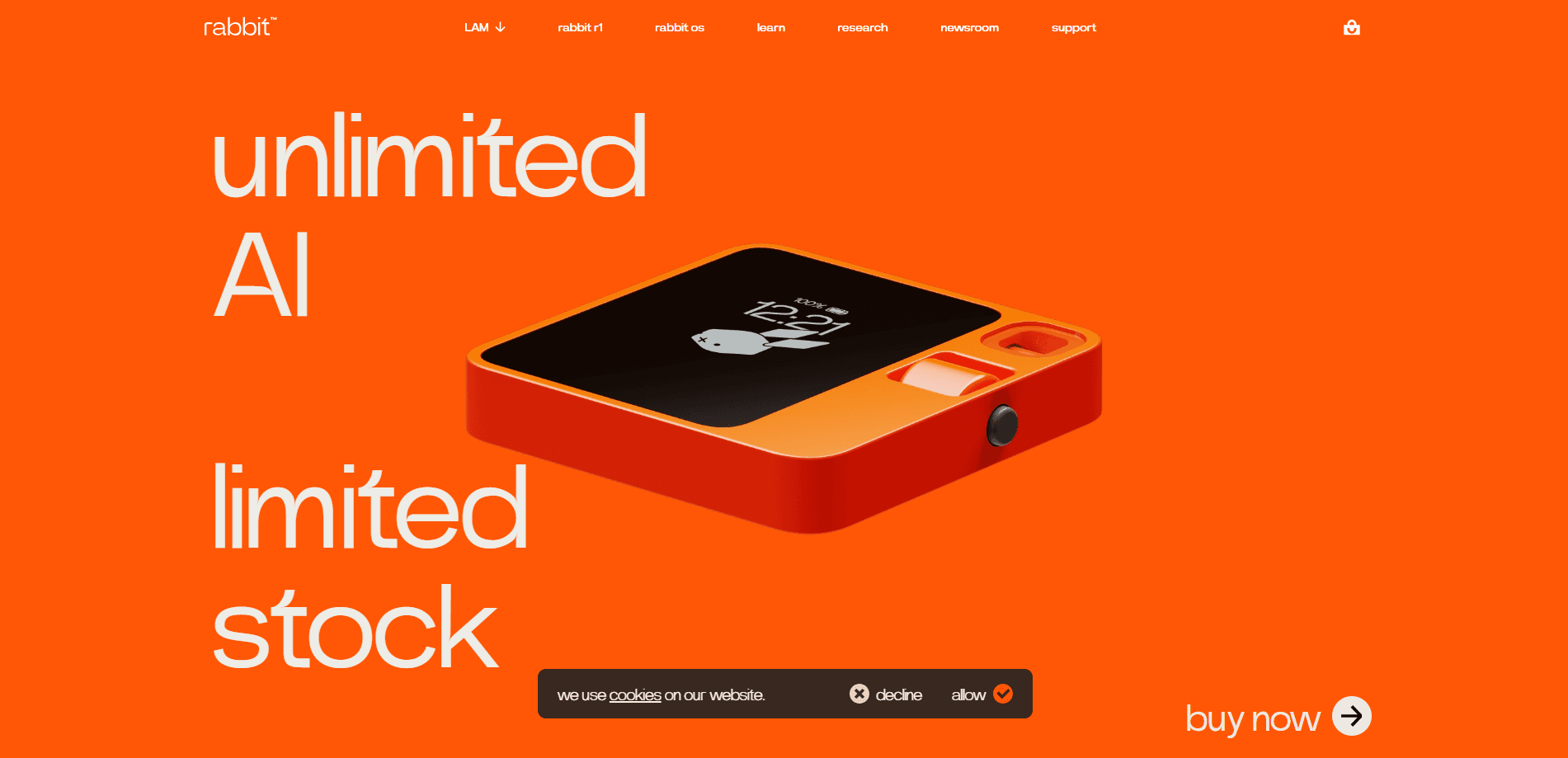
Rabbit R1 is a small orange square made by Rabbit, the company founded by Jesse Lyu. It packs a 2.88 inch touchscreen, a rotating camera the team calls the Rabbit Eye, and a scroll wheel, all inside a body that weighs about 115 grams. You press the side button, speak, and the device answers or moves a job forward. Those are the Rabbit R1 specs worth knowing before you buy.
It isn't a phone, and Rabbit doesn't claim it will replace one. The pitch is narrower. Instead of tapping through apps yourself, you describe what you want and let the assistant take the steps in the background. Early buyers found the launch software rough, and Rabbit spent the following two years shipping frequent over the air updates to fix that.
The main limits are the connection and the cloud. Most of what R1 does depends on a network link, because the heavy models run on Rabbit's servers rather than on the device. If you're offline, it can't do much. The current OS3 build also leans on a separate Rabbit account and, for computer tasks, a desktop you've connected. Between the hardware and that account, the Rabbit R1 price stays a flat $199 with no add on fees.
Getting Started
- Set up a Rabbit account on the web, then pair it with the device using the on screen code.
- Connect to Wi Fi or insert a 4G LTE SIM card so R1 stays online without a phone.
- Press the side button and speak a request, then flick the scroll wheel to review the answer or task on screen.
- For computer work, install the Rabbit companion on a Mac, Windows, or Linux machine and link it to your account.
- Add skills or touch the camera to translate, record, or capture something, then let OS3 handle the rest.
Product Information
A quick look at rabbit's pricing, supported platforms, and performance.
Best for
The users, tasks, and scenarios where this tool fits best.
Users
- People who want a distraction free AI companion
- Commuters and travelers
- Curious early adopters
- Tinkerers and hobbyists
Tasks
- Getting a quick spoken answer
- Recording and summarizing notes
- Offloading computer chores
- Asking for a translation on the go
Scenarios
- A thought on the walk home
- Cleaning up a messy folder
- Traveling somewhere you don't speak the language
- A busy day of small questions
Key features
Voice First Control
The whole point of R1 is talking to it. Hold the side button, say what you need, and release. Rabbit says the device responds in about half a second, and the small screen shows the answer or the step it's taking so you can follow along. It's built for the moments when pulling out a phone and tapping through menus feels like too much.
Rotating Rabbit Eye Camera
The camera sits on a swivel, so you point it forward for a scene or back at yourself for a video call, and flipping it away acts as a privacy cover. Rabbit uses it for translations, object recognition, and snapping quick photos. It isn't a substitute for a phone camera for serious photography, but it handles the point and ask jobs the device is made for.
rabbit OS3 and Skills
The current software moves R1 beyond simple questions. OS3 keeps memory and context around your work, so you don't repeat your setup every time. You can add compatible skills for jobs you want the assistant to take on, rather than building each one from scratch, and a longer task keeps running after you close the window.
Connected Computer Tasks
With OS3, R1 can reach the files and software on a linked Mac, Windows, or Linux machine. Ask it to tidy a folder or gather research, and it works on that computer instead of just replying in chat. A feature called DLAM lets it see the screen and work through an app when a task needs it, which you approve before it runs. It's the Rabbit R1 features people reach for once they stop treating it as a chat toy.
Bring Your Own Model
OS3 doesn't lock you to one AI provider. You can bring an API key from a supported source and pick which model powers your work, while your memory, skills, and connected computers stay tied to your account. The list includes Claude and GPT family models alongside options like OpenRouter and local models, so switching doesn't mean rebuilding everything.
On Device Recording and Translation
R1 handles voice memos, on device recordings, and smart summaries without turning to your phone. It also does live translation through the camera or the mic, which is one of the few jobs that shows off a dedicated device better than a phone. Both features live behind the same button you use for everything else.
Pros and cons
Pros
- $199 one time with no subscription, which keeps the running cost low compared to devices that add a monthly fee.
- The pocket shell and 115 gram body make it easy to carry and quick to grab for a one off question.
- OS3 ties the device to skills, memory, and your connected computers, so it can do more than answer.
- You can point R1 at a model and an API key of your choice instead of being stuck with one provider.
- Two years of steady updates have smoothed out a launch that reviewers once called rough.
Cons
- Most features depend on a live connection. Offline, R1 can't do much beyond basic on device recordings, which limits it on flights or in dead zones.
- The price is the only way in. There's no free plan and no way to try the software without buying the hardware.
- Tasks that lean on the cloud can lag, and the pace of change means the experience moves as updates roll out.
- Third party agents you can load are experimental and not supported by Rabbit, so anything beyond the core features is on you.
Frequently asked questions
It's a pocket AI device for spoken answers, translations, recording and summarizing voice notes, and handing longer jobs to your connected computer through OS3. It isn't built to replace your phone, so it works alongside it rather than instead of it.
Related content
Explore related tools, skills, and articles for rabbit.
rabbit Alternatives

Odyssey 3
Odyssey · OtherOdyssey-3 is Odyssey's foundation world model. It simulates physics in real time, turns a prompt into an interactive environment, and adapts to robots, cars and games.

JarvisCore
Prescott Data · Coding · Productivity · OtherJarvisCore is an open source Python runtime where AI agents work as equal peers on an agent mesh, claim tasks from a shared ledger, and reach external services through a zero-trust broker.
Clef
Cloudflare · Business · OtherClef is Cloudflare's open-source decision model for Workers AI. It returns calibrated probabilities for typed questions, not generated text, so agents can classify, route, and act fast.