

RapidMCP
RapidMCP · Coding
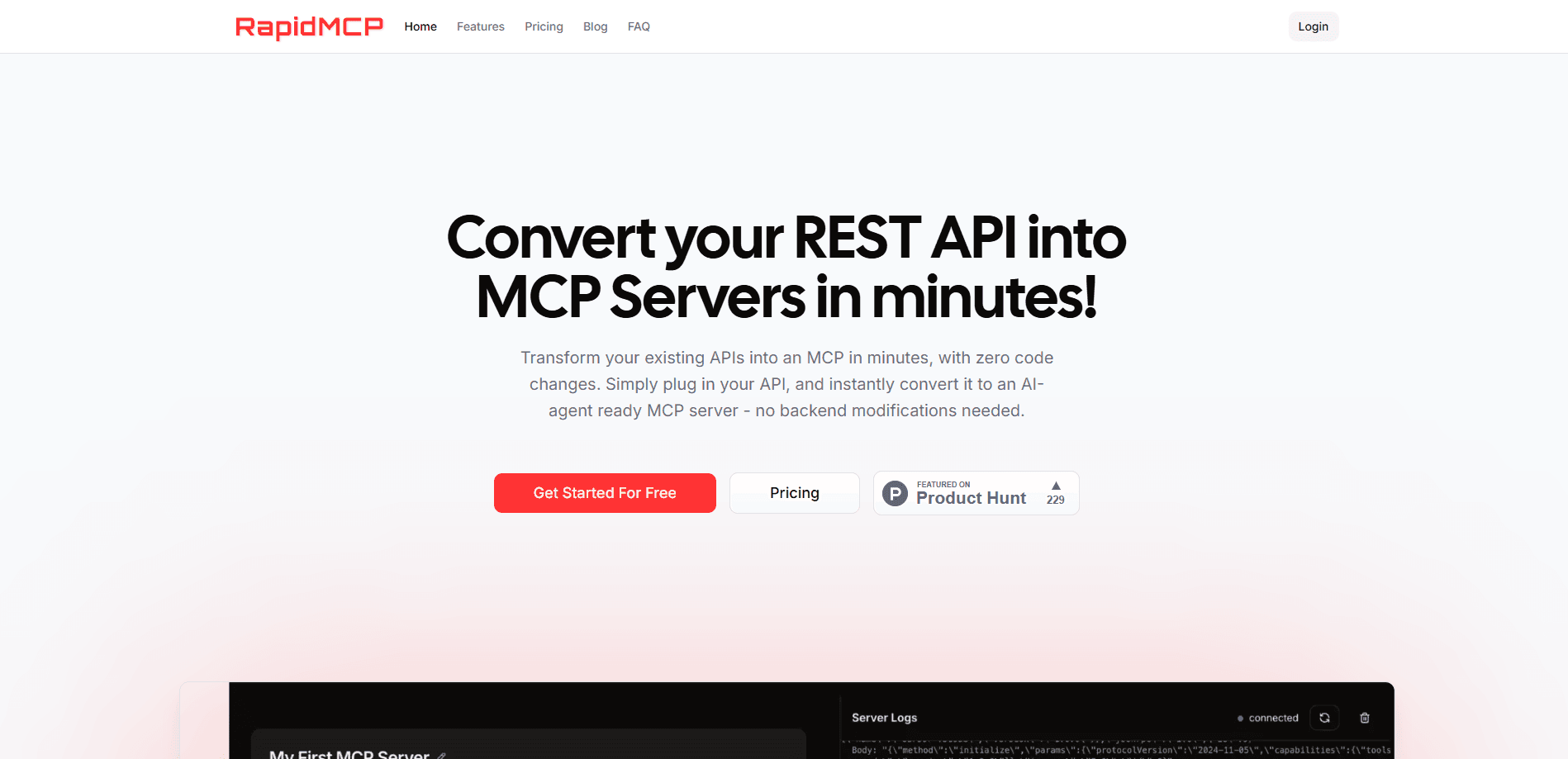
RapidMCP converts your existing REST API into an AI-agent ready MCP server in minutes, with no code changes, then tracks and audits every tool call an AI agent makes.
About RapidMCP
What Is RapidMCP
RapidMCP is a tool that turns REST API to MCP server conversions into a matter of minutes. It sits between your API and any AI agent that speaks the Model Context Protocol, then exposes your endpoints as callable tools. An agent asks for a user record, and RapidMCP routes that request to GET /api/users and hands back the result.
The problem it solves is plumbing. Getting an AI agent to talk to a company's APIs usually means writing adapter code, wiring up function calling, and rebuilding it every time the agent platform changes. RapidMCP skips that work. You point it at your API, and the endpoints become tools the agent can call.
The main limit is that it only works with APIs. If you have a spreadsheet, a desktop app, or a service with no REST endpoints, there's nothing to convert. Your API also has to be reachable from RapidMCP's servers, so a purely internal API behind a firewall needs the self-hosted plan.
Getting Started
- Sign up for a free account at rapid-mcp.com; no credit card is required.
- Connect your REST API by plugging in its base URL and endpoints.
- Review the generated tools. Each endpoint becomes an MCP tool with a name, description, and parameter schema.
- Copy the connection details into an MCP client like Claude Desktop, Cursor, or any agent that supports the protocol.
- Watch the dashboard. Tool calls, timings, and errors show up there as agents start using your API.
Product Information
A quick look at RapidMCP's pricing, supported platforms, and performance.
Best for
The users, tasks, and scenarios where this tool fits best.
Users
- Backend and API developers
- Startup engineering teams shipping AI features
- Platform teams at larger companies
Tasks
- Exposing a REST API to agents
- Auditing agent behavior
- Adding MCP prompts and resources
Scenarios
- Shipping an MCP server for a public product
- Testing an agent integration before it ships
- Proving API usage for a security review
Key features
Instant API to MCP Conversion
You plug in your REST API and RapidMCP maps its endpoints to MCP tools without touching your backend. That means no SDK to install, no function-calling glue to write, and no code deploy to expose a new tool. The conversion takes minutes rather than days, which matters when you're racing a release.
Tool Tracing and Visualization
Every tool call gets logged with details, and the dashboard shows the calls visually so you can see how agents use your API. When an agent picks the wrong tool or passes bad arguments, this is where you spot it. It also tells you which endpoints actually get traffic, which is useful for pruning an overgrown tool list.
Auditing and Compliance
RapidMCP keeps audit trails of API activity for security reviews and troubleshooting. If you need to show what an agent did and when, the record is there. For regulated teams this is often the difference between shipping an agent feature and shelving it.
MCP Prompts
You write prompt templates inside the RapidMCP dashboard, and RapidMCP handles the server side of the protocol for you. That lets you shape how an agent approaches a task without editing agent code. Teams that want consistent outputs across sessions lean on this.
MCP Resources
You can connect a database as a read-only resource so an agent reads from it without you writing integration code. Resources are the pull side of MCP, the counterpart to tools, and useful when an agent needs context rather than an action. RapidMCP manages the protocol details so you don't have to.
MCP Marketplace Publishing
You can publish your MCP server to a public marketplace and offer customers a straightforward way to connect your API to their agents. That turns your API into something discoverable inside the agent workflow instead of a URL buried in docs. For API-first products, it's a distribution channel as much as a feature.
Pros and cons
Pros
- Converts an existing REST API into MCP tools with no code changes, so there's no separate integration layer to maintain.
- Free tier covers 1 MCP server and 500 tool calls a month, enough to test the workflow end to end.
- Tool tracing and audit trails are built in, which most DIY MCP setups skip.
- Self-hosted option keeps sensitive APIs on your own infrastructure for compliance.
- Pay-as-you-go pricing means light usage stays cheap instead of forcing a flat subscription.
Cons
- No REST endpoints means no conversion, so the tool is useless for apps, spreadsheets, or services without an API.
- Tool call limits cap free and Pro plans, so high-traffic agents need the pay-as-you-go tier or a config change.
- Your API must be reachable from RapidMCP's servers, which rules out purely internal APIs unless you self-host.
- Self-hosted pricing isn't published; you have to contact sales, which slows down a quick evaluation.
Frequently asked questions
It converts your existing REST API into an MCP server so AI agents can call your endpoints as tools. You plug in the API, and RapidMCP exposes each endpoint as a tool an agent can discover and call, with no changes to your backend.
Related content
Explore related tools, skills, and articles for RapidMCP.
RapidMCP Alternatives

Base Code
Base44 (Wix) · Coding · ProductivityBase Code is a shared cloud development environment from Base44. Teammates describe changes to an existing GitHub codebase in chat, preview them live and send them back as pull requests.

Google EmbeddingGemma 2
Google DeepMind · Writing · Image · CodingGoogle EmbeddingGemma 2 is a 740M-parameter open model that turns text, code, images, audio, and video frames into vectors in one 768-dimension space, running on phones and laptops.

GitGlow
GitGlow · Coding · ProductivityGitGlow is a local-first desktop Git client that lets independent developers review their own code and their AI agents' changes in one place before shipping.