

Rask AI
Rask AI (Brask) · Writing · Video
Rask AI is an AI dubbing and video localization platform that translates audio and video into more than 135 languages, using cloned voices, lip-sync, and captions to keep speakers sounding like themselves. Teams use it to localize marketing clips, podcasts, and online courses, either inside the app or through an API for high-volume work.
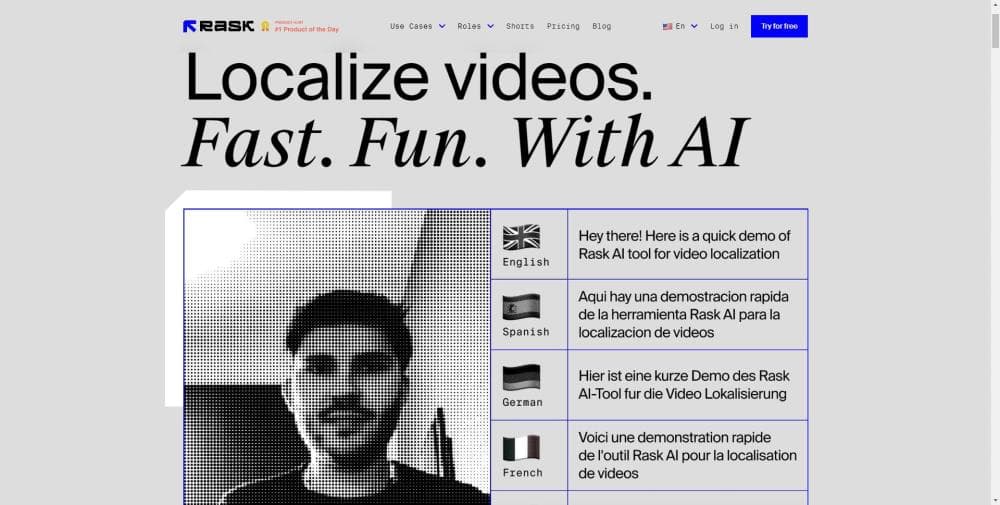
About Rask AI
What Is Rask AI
Rask AI is a browser-based tool for turning one video into many language versions without re-recording anything. You upload a file or paste a YouTube link, pick your target languages, and the platform handles transcription, translation, and dubbing on its own. The point is reach: a course creator, a marketing team, or a podcaster can serve viewers who don't speak the source language.
The platform comes from Brask, a company that has focused on AI video products since 2020. Rask AI itself launched in 2023 and grew fast, and the company says it now serves more than four million users. What separates it from general-purpose video editors is the depth of its localization features: automatic speaker detection, voice cloning, lip-sync, and a shared glossary that keeps brand terms consistent across a whole team.
The main limits are cost and control. Dubbing runs on a minute-based credit system, so long projects add up, and the free tier barely covers a single short clip. Machine output still needs a human pass for specialized vocabulary, which is why the built-in transcript editor matters more than it sounds.
Getting Started
- Create a free account at rask.ai; no credit card is needed to start.
- Upload a video or audio file, or paste a YouTube, Vimeo, Zoom, or Google Drive link.
- Choose your source and target languages, then select a voice option such as voice cloning or a library voice.
- Review the editable transcript, fix any terms the AI got wrong, and confirm the speech settings.
- Render the dubbed file, optionally add lip-sync or captions, and download the result.
Product Information
A quick look at Rask AI's pricing, supported platforms, and performance.
Best for
The users, tasks, and scenarios where this tool fits best.
Users
- Content creators and YouTubers
- Online course instructors
- Marketing and localization teams
Tasks
- Translating long-form podcasts
- Localizing product and training videos
- Adding captions and subtitles
Scenarios
- Building a second-language channel
- Scaling localization daily
- Meeting compliance and brand standards
Key features
Translation into 135+ Languages
Rask AI translates from nearly any source language into more than 135 target languages, covering both common and smaller markets. For a creator, that range means the same file can go out to audiences that would otherwise need separate recording sessions.
Voice Cloning
The platform clones a speaker's voice and reuses it in 32 languages, so a dubbed video still sounds like the original host. Voice cloning matters most for known personalities, since viewers recognize the voice and follow the message more easily.
Multi-Speaker Detection
Rask AI detects how many people are speaking in a clip and dubs each of them, rather than flattening a conversation into one voice. It fits interviews, panels, and any footage where overlapping speakers would otherwise sound wrong.
Lip-Sync
Lip-sync matches the translated audio to the speaker's mouth movements. The idea is a viewing experience that doesn't feel dubbed, and it's a step teams reach for when a video is meant to look native to the target market.
Auto-Generated Captions
The tool generates captions and either embeds them in the video or exports them as SRT files. Captions cover viewers watching without sound and improve accessibility for audiences who rely on text.
Translation Dictionary and Glossaries
Teams can store preferred translations in a shared glossary so recurring terms stay consistent and don't need fixing on every project. This is the feature that makes Rask AI realistic for businesses with strict brand wording.
Transcript Editor and Redubbing
Every project keeps an editable transcript. You can correct the text and redub without redoing the whole file, which is the practical way to handle jargon, names, and compliance requirements.
Rask API for Scale
The API lets companies automate translation for large volumes of audio and video. Firms translating hours of content daily can wire it into their own pipeline instead of uploading each file by hand.
Pros and cons
Pros
- Supports more than 135 languages and clones voices in 32 of them, covering far more markets than single-purpose dubbing tools.
- The transcript editor lets you fix AI mistakes and redub, which keeps specialized and technical content usable.
- A shared glossary and team spaces keep terminology consistent across a whole localization program.
- Unlimited re-editing and redubbing on paid plans means corrections don't burn extra minutes.
- The API and batch uploads suit businesses that localize content at high volume.
Cons
- Dubbing runs on minute-based credits, so translating a long catalog across many languages gets expensive fast; a 5-minute video into 2 languages uses 10 minutes.
- The free plan includes only 3 minutes, enough to test the workflow but not to finish a real project.
- Voice cloning works in 32 languages, so the rest of the 135+ language list relies on standard library voices.
- Output still needs a human review for specialist terms, which adds a step for teams without an editor on hand.
Frequently asked questions
Rask AI is an AI video translation tool that dubs audio and video into more than 135 languages. People use it to localize marketing videos, podcasts, lectures, and online courses, and to generate captions and subtitles without a separate tool.
Related content
Explore related tools, skills, and articles for Rask AI.
Rask AI Alternatives

Google EmbeddingGemma 2
Google DeepMind · Writing · Image · CodingGoogle EmbeddingGemma 2 is a 740M-parameter open model that turns text, code, images, audio, and video frames into vectors in one 768-dimension space, running on phones and laptops.

MePersona
MePersona, Inc. · Writing · Productivity · MarketingMePersona is an AI unified inbox for creators. It learns your voice, drafts replies to fan messages from 12 platforms, and sends only what you approve.

Fluence
Yay Software (Yannick Huchard) · Writing · Voice & Language · ProductivityFluence is an Android app that reads PDFs, EPUBs, Word files and web articles aloud, follows each sentence as it speaks, and answers questions about the text on the phone itself.