

Re:Connect
RealEye · Voice & Language
Re:Connect is a browser-based dictation tool from RealEye that turns any laptop webcam into a hands-free way to type with your eyes, aimed at people who need assistive technology or a dictation tool.
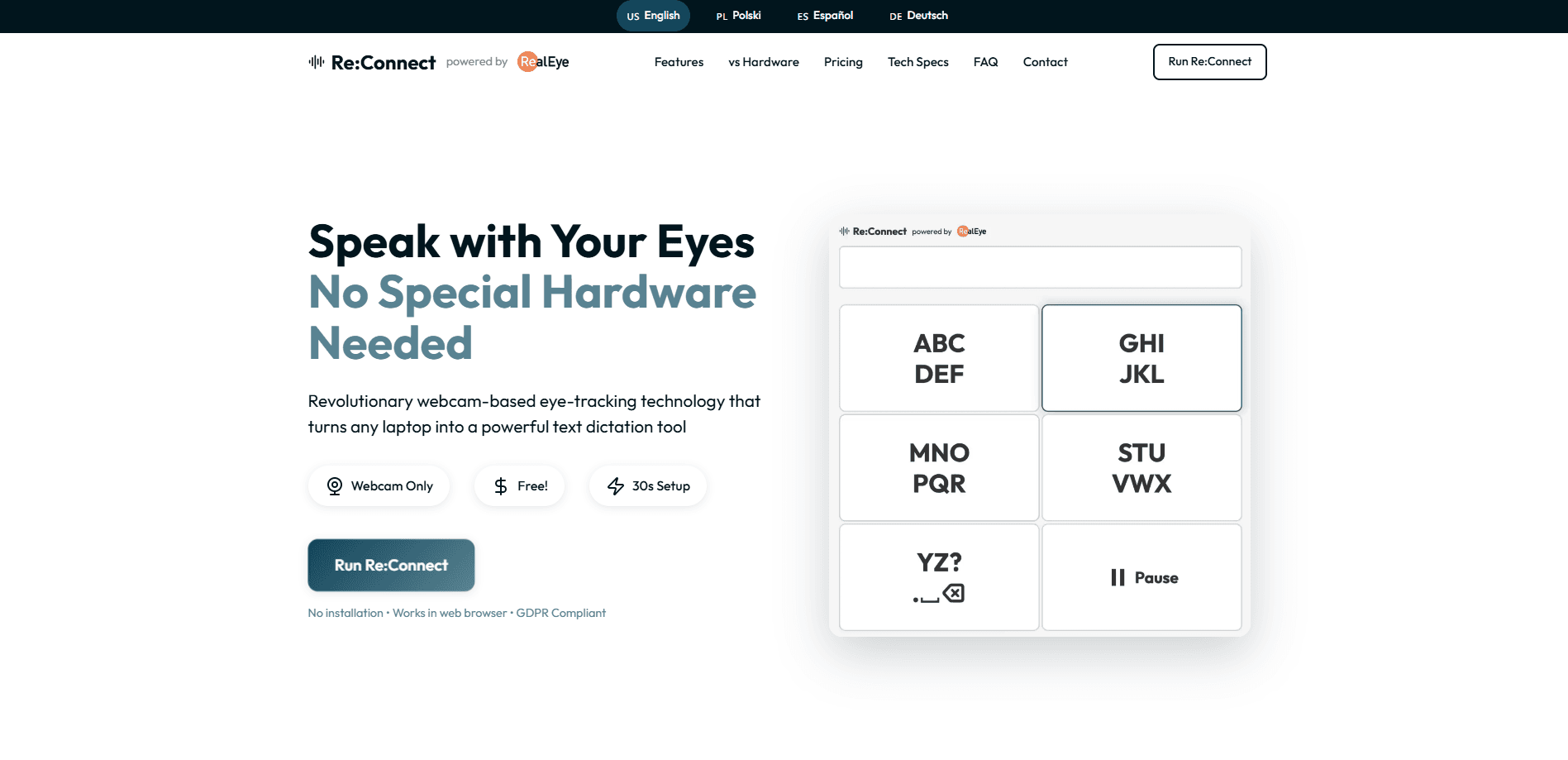
About Re:Connect
What Is Re:Connect
Re:Connect is a web app from RealEye, a company that has been building webcam-based eye-tracking tech since 2017. It offers eye tracking dictation: it uses your laptop's ordinary camera to follow where your eyes look, then turns those movements into text and spoken words. There's no headset, no infrared sensor, and nothing to plug in.
The point is access. People with limited hand movement, or anyone who finds a keyboard slow and tiring, can write and talk using only their gaze. RealEye says its webcam approach reaches research-grade accuracy, which is enough for dictation even if dedicated hardware still wins on raw precision.
The biggest limits are practical. Everything runs in a browser, so you need a modern laptop with a webcam, a steady light source, and a short calibration before you start. Full offline use only covers basic features, since AI voice and cloud saving still need a connection. It's a genuine dictation software option, not a research demo.
Getting Started
- Open the Re:Connect website in Chrome, Firefox, Safari, or Edge and allow camera access.
- Run the quick four-point calibration, which takes under 30 seconds.
- Look at on-screen keys or text areas to dictate, adjusting the time offset to match your pace.
- Tweak colors, layout, and voice settings, then save your setup for next time.
Product Information
A quick look at Re:Connect's pricing, supported platforms, and performance.
Best for
The users, tasks, and scenarios where this tool fits best.
Users
- People with limited hand mobility
- Users with motor conditions such as ALS or spinal injury
- Caregivers and accessibility coordinators
Tasks
- Writing emails and messages hands-free
- Drafting longer text for school or work
- Practicing speech in another language
Scenarios
- Daily communication at home
- Schoolwork and remote study
- Early-access trials before buying hardware
Key features
Webcam-Only Eye Tracking
Re:Connect runs on the camera your laptop already has, so there's no headset or sensor to buy. RealEye pairs computer vision with machine learning to track gaze at around 30 frames per second, with response latency under 100 milliseconds. For dictation and access work, that's fast enough to feel responsive.
Dictation and AI Voice
Gaze input builds text on screen, and the built-in AI voice reads it back in a natural tone. You can shape the voice toward your own speaking style, which matters for people who rely on it to talk for them. It turns a writing tool into a full speech tool.
Privacy-First Local Processing
All eye-tracking happens inside your browser, and video never leaves the device. RealEye states the tool is GDPR compliant, so nothing gets uploaded to a server. For accessibility users who are sensitive about being watched, local processing removes a real worry.
Multi-Language Support and Text Correction
The tool covers ten-plus languages, including English, Spanish, French, German, Italian, Portuguese, Russian, Chinese, and Japanese, with voice synthesis for each. Smart auto-correction and word suggestions cut down on misread gaze input, which keeps longer writing sessions usable.
Customizable Interface and Speed
Colors, layouts, and the time offset are all adjustable, letting users match the interface to their comfort and typing speed. RealEye designed this around the idea that no two users hold a gaze the same way, so the pacing controls sit at the center of the experience.
Runs in Any Modern Browser
Re:Connect is a web app with no download or install step, working in Chrome 88+, Firefox 85+, Safari 14.1+, and Edge 88+, and it's mobile and tablet friendly. After the first setup, basic functions can run offline, but AI voice and cloud saving need a connection.
Pros and cons
Pros
- Works on any laptop with a webcam, so there's no hardware to buy or install.
- Setup takes about 30 seconds with a four-point calibration.
- Video stays on the device and processing is local, which fits privacy-sensitive users.
- Supports ten-plus languages with voice output for each.
- Free to use right now during the early-access period.
Cons
- Webcam tracking is less precise than dedicated eye-tracking hardware, so very fine control is limited.
- Full offline use only covers basic features, and AI voice needs a connection.
- Requires a modern browser and decent lighting, which can mean a weaker experience on older or dimly lit setups.
- Premium features and final pricing are still on the roadmap, so the paid tier isn't settled yet.
Frequently asked questions
Re:Connect uses computer vision and machine learning to reach research-grade accuracy, and RealEye says it covers about 90% of what dedicated hardware offers. Hardware still edges it out on raw precision, but for dictation and access use the webcam approach is enough.
Related content
Explore related tools, skills, and articles for Re:Connect.
Re:Connect Alternatives

Prosp
Prosp · Writing · Voice & Language · MarketingProsp is an AI LinkedIn outreach tool built for agencies and sales teams, and it writes the message and the voice note in your own voice for each prospect so they actually reply. You connect your accounts, find leads, and let the AI draft and send personalized messages at scale, all from one inbox. It's built for people running outbound at volume. That's the whole pitch. Every touchpoint still has to feel human.

Wordly AI Translation
Wordly · Voice & Language · ProductivityWordly AI Translation is a real-time AI translation and captioning platform built for meetings, conferences, and events. It delivers live translation, captions, transcripts, and summaries in more than 60 languages, and attendees join by scanning a QR code or opening a link instead of using dedicated headsets. The platform works with Zoom, Microsoft Teams, Google Meet, and Webex, and it's designed for organizations that want multilingual access without hiring human interpreters for every session. Simple as that.
Musicful
Musicful AI · Voice & Language · VideoMusicful is an AI music generator and AI music video maker that turns text to music in minutes. Give it a text prompt, a set of lyrics, or a hummed melody and it returns a finished track with vocals and instruments. It also doubles as an AI song generator, produces music videos from the songs you create, and offers an AI cover tool plus a developer API. The platform runs in a web browser and through an Android app, so you can start a song on desktop and pick it up on your phone.