

Re-Engage
Re-Engage · Marketing
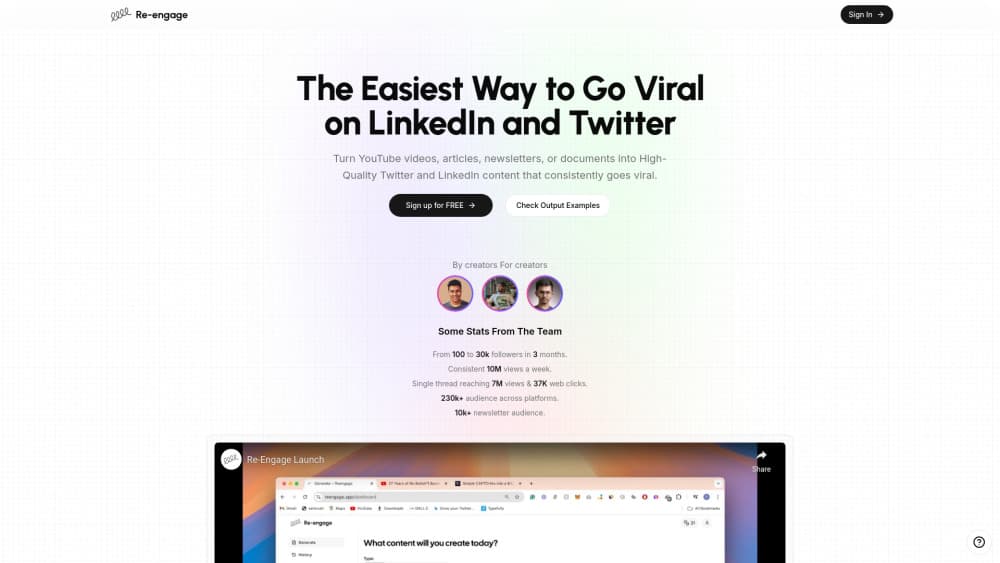
Re-Engage is a content repurposing tool that turns YouTube videos, articles, newsletters, and documents into Twitter and LinkedIn posts built for reach.
About Re-Engage
What Is Re-Engage
Re-Engage is a web tool built by a small team that grew its own accounts to more than 100 million views before packaging the method into software. You paste in a YouTube link or drop in the text of an article, newsletter, or document, pick a format, and it writes social media posts aimed at Twitter and LinkedIn growth.
The idea is to skip the blank page. Instead of staring at a video transcript and guessing how to turn it into a thread, you let the tool draft several formats at once, then edit what it gives you. It fits creators, YouTubers, and professionals who already publish long-form work and want a second life for it on other platforms.
The limits are real. Re-Engage only outputs text for Twitter and LinkedIn, so it won't make Instagram Reels, short-form video scripts, or repurpose into other formats. Each generation also burns a credit, and the plans cap how many posts you get per month. Treat it as a drafting assistant, not an autopilot, and you'll get the most from it.
Getting Started
- Sign up on the Re-Engage site and pick a plan, since the paid tiers are what unlock credits.
- Paste in a YouTube video link, or the text of an article, newsletter, or document you want to repurpose.
- Choose the output format: a Twitter thread, a long-form post, or a short post.
- Click the "Re-engage" button and let the tool generate the draft.
- Review the result, adjust the tone and hook to match your voice, then post it on Twitter or LinkedIn.
Product Information
A quick look at Re-Engage's pricing, supported platforms, and performance.
Best for
The users, tasks, and scenarios where this tool fits best.
Users
- YouTubers sitting on a backlog of videos
- Creators growing on Twitter and LinkedIn
- Newsletter writers and bloggers
- Professionals building a personal brand
Tasks
- Turning a YouTube video into a Twitter thread
- Writing a LinkedIn post from an article
- Repurposing a newsletter into short posts
- Drafting a long-form LinkedIn post
Scenarios
- A creator publishing weekly on YouTube
- A solo founder who writes once and posts everywhere
- A small marketing team without a social writer
Key features
YouTube video to social posts
Paste a YouTube link and Re-Engage reads the transcript, then writes posts from it. This is the core of the tool: you don't need to export captions or copy the transcript by hand, since the link is enough to start. For creators with a video library, it turns old uploads into fresh content without a new recording.
Multiple output formats
Re-Engage generates a Twitter thread, a long-form post, or a short post from the same source. The thread format suits a video with several points, while the long post fits LinkedIn pieces that need more length. Short posts work for a single takeaway. Picking the format up front shapes how the draft is structured.
Article, newsletter, and document input
The tool isn't limited to video. You can drop in the text of an article, a newsletter, or a document and get social posts back. That opens repurposing to writers who don't publish on YouTube, and it means one piece of written work can feed several posts instead of a single channel.
Built for Twitter and LinkedIn growth
Re-Engage is tuned for virality on Twitter and LinkedIn specifically, not as a general scheduler. The team behind it grew their own content to more than 100 million views and built the tool around that playbook. The drafts aim at hooks and structure that hold attention on those two feeds.
Simple, few-click workflow
The process is deliberately short: paste, pick a format, generate. There's no heavy editor or project setup to learn first, which keeps the tool usable between other tasks. That simplicity is the point for people who want posts out fast rather than a full content calendar.
Pros and cons
Pros
- Accepts video links, articles, newsletters, and documents, so it covers several source types rather than just YouTube.
- Generates a thread, a long-form post, or a short post from one source, letting you test formats without rewriting.
- The workflow is short, so drafts come out in a few clicks instead of a full writing session.
- Built by a team that grew its own accounts past 100 million views, so the formats follow a known playbook.
- Output is aimed at Twitter and LinkedIn, the two platforms the tool is tuned for.
Cons
- No free plan, so you pay before you can test whether the tone matches your voice.
- Credits run out. Each thread, long post, or set of three short posts costs a credit, and the plans cap totals at 80 or 200 per month.
- Output is text only for Twitter and LinkedIn. There's no video, image, or Instagram format.
- Transcripts are capped at 40,000 characters, so very long videos or documents need trimming first.
- Drafts still need editing. The tool gives you a starting point, not a finished voice, and the results depend on how much you shape them.
Frequently asked questions
Re-Engage repurposes existing content. Use it to repurpose content for social media, turning one source into several posts. You paste a YouTube video link or the text of an article, newsletter, or document, and it writes Twitter and LinkedIn posts from it.
Related content
Explore related tools, skills, and articles for Re-Engage.
Re-Engage Alternatives

ngram 2.0
ngram · Video · Marketingngram 2.0 is an AI video generator for teams. It turns a prompt, a screen recording, or a product URL into a narrated explainer, product demo, or AI avatar video, and every scene stays editable.

shippedit.me
Krawlup · Marketing · Businessshippedit.me now redirects to Krawlup, a web platform that audits SEO, AEO and page speed every week, then hands the fixes to AI coding agents over MCP.

MePersona
MePersona, Inc. · Writing · Productivity · MarketingMePersona is an AI unified inbox for creators. It learns your voice, drafts replies to fan messages from 12 platforms, and sends only what you approve.