

Read It - Turn Your Newsletters and Articles Into A Podcast
Alex Beal · Voice & Language
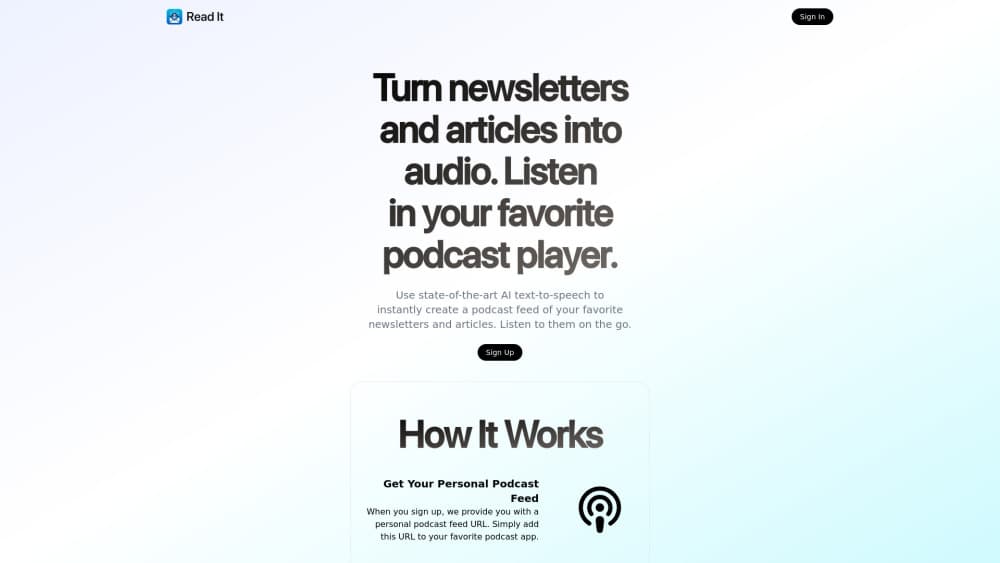
Read It turns newsletters and web articles into AI narrated audio, then drops each one into a private podcast feed you can play in any podcast app.
About Read It - Turn Your Newsletters and Articles Into A Podcast
What Is Read It
Read It is a web service that reads your newsletters and articles out loud. You sign up, get a personal feed address and a personal email address, and from then on the service converts text to speech and publishes the audio as podcast episodes.
The problem it solves is a full inbox. Newsletters pile up because reading them takes a quiet half hour you don't have, while commuting and dog walks are full of dead time. Read It moves the reading into the listening. Forward a newsletter to your Read It address, or click the bookmarklet on a web page, and the article turns up as an episode in the podcast app you already use.
The limits are worth knowing before you commit. It's audio only, so there's no highlight, no annotation, and no way to skim. You pay by the character, which makes a long weekly digest noticeably more expensive than a short one. Everything runs in the browser, and the audio lives in a feed your podcast app has to refresh, so a new article won't appear the second you send it.
Getting Started
- Sign up on the Read It site with an email address. New accounts come with free credits and no card is required.
- Copy your personal podcast feed URL and paste it into your podcast app as a custom feed.
- Save the personal Read It email address to your contacts, then forward newsletters to it.
- Or install the bookmarklet in your browser and click it on any article you want narrated.
- Open your podcast app, refresh the feed, and the new episode shows up in the list.
Product Information
A quick look at Read It - Turn Your Newsletters and Articles Into A Podcast's pricing, supported platforms, and performance.
Best for
The users, tasks, and scenarios where this tool fits best.
Users
- Newsletter subscribers with a backlog they never clear
- Commuters and walkers who already listen to podcasts
- Readers with low vision or reading fatigue
Tasks
- Turning a weekly newsletter into audio
- Listening to a single long feature article
- Catching up on research reading while driving
Scenarios
- A three hour train ride with twelve unread newsletters
- A morning routine built around a podcast app
- Research for a work project
Key features
Personal Podcast Feed
Every account gets a private feed URL that you paste into Apple Podcasts, Overcast, Pocket Casts, or any player that supports a custom RSS address. New audio arrives as a normal episode, with the article title as the episode title. That means playlists, speed controls, sleep timers, and car playback all work through the app you already know.
Newsletter Forwarding Address
Read It gives you a personal email address, and anything forwarded there gets converted to speech and added to the feed. There's no filter to configure and no rule to write. The newsletter's own formatting drops away, which is good for listening and bad if the issue depends on charts or tables.
One Click Bookmarklet
The bookmarklet sits in your browser toolbar and turns the page you're reading into audio with a single click. It handles ordinary article pages, not paywalled text you can't see or video. For a page you found mid search, that's faster than switching tabs to a converter.
AI Text to Speech
The narration comes from an AI text to speech engine rather than a recorded host, so any text can be read, including a newsletter that went out ten minutes ago. Delivery is steady and clear enough for long listening sessions. The site doesn't advertise a voice library, so plan on one default narrator for your feed.
Pay As You Go Credits
Read It charges by volume instead of selling a monthly subscription. The posted rate is 10,000 characters for 25 cents, which covers a typical medium length article. New accounts get free credits to test the service without entering billing details. Light users can go weeks on a small top up.
No App to Install
Signup, feed management, and credit purchases all happen in a browser. On a phone you add the feed to your podcast app and never open the Read It site again. That's the whole point of the design: one less app on the home screen, one more feed in the player you already use.
Pros and cons
Pros
- The podcast feed approach means no new player to learn. Your existing app handles playback, speed, and downloads.
- Pay as you go removes the subscription trap. A light month costs cents instead of a fixed monthly fee.
- Free credits at signup let you test the voice quality on your own newsletters before paying anything.
- Forwarding an email is the lowest effort way to convert a newsletter, and it needs no browser extension.
- The bookmarklet covers the other half of the problem, the articles you find while browsing.
Cons
- Character based billing punishes long reads. A 40,000 character deep dive costs a dollar, and a daily newsletter habit adds up quietly.
- Audio only, with no transcript view, highlighting, or per paragraph navigation, so you can't skim or jump to a section.
- Episodes appear only after your podcast app refreshes the feed, which can take minutes on a phone.
- No documented voice choice or language settings, and nothing on the site suggests an API, so building it into another workflow isn't an option.
Frequently asked questions
It converts newsletters and web articles into spoken audio and publishes them as episodes in a private podcast feed. You forward an email or click a bookmarklet, and the audio shows up in whatever podcast app you use.
Related content
Explore related tools, skills, and articles for Read It - Turn Your Newsletters and Articles Into A Podcast.
Read It - Turn Your Newsletters and Articles Into A Podcast Alternatives

Foley
Hanamori Labs, LLC · Voice & Language · Productivity · AI AssistantFoley is a voice to-do list that turns a spoken sentence into a filed task, complete with project, date and time, then helps you plan the day around what is already there.

HireKey
HireKey · Voice & Language · Productivity · LeaningHireKey is an AI job search copilot built by a former tech recruiter. It checks role fit, tailors resumes, runs interview practice and tracks every application.

Fluence
Yay Software (Yannick Huchard) · Writing · Voice & Language · ProductivityFluence is an Android app that reads PDFs, EPUBs, Word files and web articles aloud, follows each sentence as it speaks, and answers questions about the text on the phone itself.