

Reader Alive
Nocoly.com Limited · Voice & Language
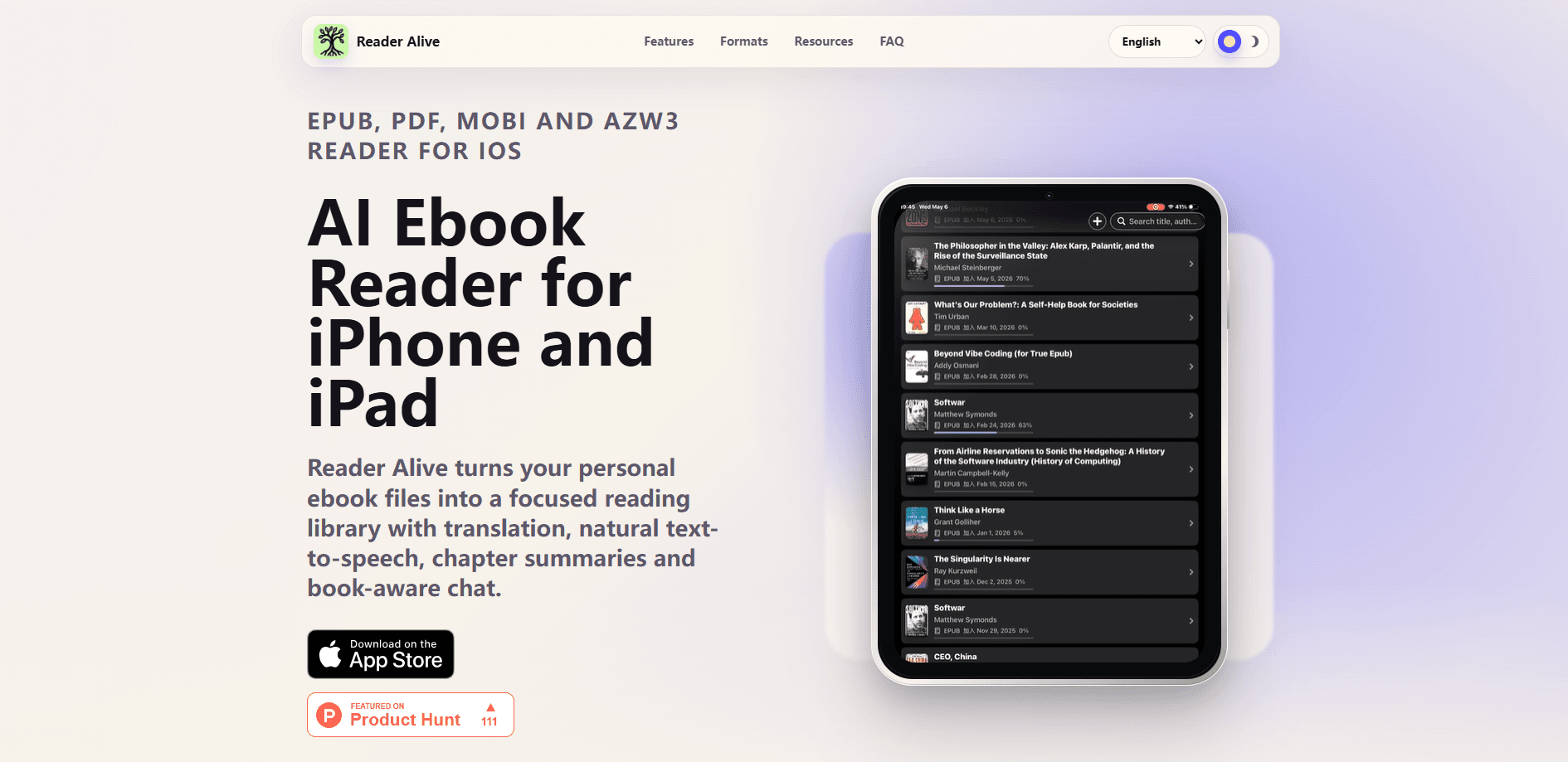
Reader Alive is an AI ebook reader for iPhone and iPad that turns the files you already own into one library. It opens EPUB, PDF, MOBI and AZW3 books, then layers on translation, natural text-to-speech, chapter summaries and a chat tool that answers questions from the text you're reading. The full AI features sit behind a subscription. Free users get the reader. Paid users get the assistant.
About Reader Alive
What Is Reader Alive
Reader Alive is an iOS reading app built for people who bring their own book files rather than buying everything from a store. You import EPUB, PDF, MOBI or AZW3 files from Files, Finder, AirDrop, iCloud Drive, a Wi-Fi transfer or the iOS Share Sheet, and they land in a single library you can browse on both iPhone and iPad. Books prepared in Calibre fit right in.
The pitch is simple. Reading gets help when you need it. Select a sentence and translate it, or convert a whole chapter. Switch on text-to-speech as a text-to-speech ebook option when your eyes are tired. Ask the app to summarize a dense chapter or explain who a character is, and it answers using the passage in front of you instead of drifting off topic. iCloud keeps your library and your current page synced across your Apple devices.
The catch is the paywall. Translation, narration and book chat all need a subscription, so the free version is closer to a normal reader. It's also iOS and iPadOS only, with a Mac build that needs an Apple silicon chip. No Android, no Windows, no browser version.
Getting Started
- Install Reader Alive from the App Store and open it on an iPhone or iPad running iOS 17.0 or later.
- Import a book through Files, AirDrop, Finder, iCloud Drive, a Wi-Fi transfer or the iOS Share Sheet.
- Pick a reading mode, then adjust fonts, themes, text size, line spacing and progress display to taste.
- Select text to translate it, or open the AI menu to summarize a chapter, listen with text-to-speech or chat about the book.
- Sign in to iCloud if you want your library and reading position to follow you across your Apple devices.
Product Information
A quick look at Reader Alive's pricing, supported platforms, and performance.
Best for
The users, tasks, and scenarios where this tool fits best.
Users
- Language learners
- Students and researchers
- Long-form readers
- People with personal ebook files
Tasks
- Translating a passage or a whole chapter mid-read
- Listening to a book during a commute or workout
- Turning a dense chapter into a quick recap
- Asking questions about what you just read
Scenarios
- Studying a foreign-language novel
- Catching up on a technical manual or textbook
- Reading across an iPhone and an iPad
- Handling older ebook files
Key features
EPUB, PDF, MOBI and AZW3 in One Library
Reader Alive isn't tied to one store or one format. It works as an EPUB reader for iPhone and as a PDF reader for iPad, then keeps older MOBI and AZW3 files usable on the same library. Files come in from Files, AirDrop, Finder, iCloud Drive, Wi-Fi transfer or the Share Sheet, so you don't have to convert anything before reading. If you already manage a library in Calibre, those files fit straight in.
Translation Without Leaving the Book
You can translate a selected passage or an entire chapter while staying inside the text. That matters most for foreign-language readers, who'd otherwise bounce between a book and a translation app. The reading view keeps the original and the translated text tied together, so you don't lose your place or the context around a line.
Natural Text-to-Speech
When a long session gets tiring, text-to-speech reads the book aloud in natural voices. Eyes need a break. It's built for the moments you'd rather listen than look, like a commute or a workout. Because narration follows the same book context as the other tools, you can switch between reading and listening without hunting for your position.
Chapter Summaries and Key Ideas
Paste in a heavy chapter and Reader Alive turns it into a summary, a set of key ideas, a timeline or an action list. It works as a chapter summary app for anyone who needs the gist before a lecture or a note-taking session. The output stays anchored to the chapter you're in, not to what the model happens to know.
Book-Aware Chat
Ask about the passage or chapter in front of you and the answers come back tied to that text. So what's the difference from a general chatbot? This one works from the book itself, not from whatever the model half-remembers. That's the line between "explain this chapter" and "tell me about this book in general." It's the feature that most separates Reader Alive from a plain ebook app.
Reading Experience Controls
Beyond the AI layer, the reader itself gives you what a good reading app should: page-flip or continuous scrolling modes, plus control over fonts, themes, text size, line spacing and how progress is shown. EPUB support means the text reflows to your settings rather than being locked to a fixed layout.
iCloud Sync
Sign in and your library and current reading position travel with you across your Apple devices. Start a chapter on your iPhone and pick it up on your iPad later. It's a small thing until you've lost your place on a 600-page book. Then it isn't.
Pros and cons
Pros
- Reads EPUB, PDF, MOBI and AZW3 in one iOS library, so you don't need separate apps per format.
- AI tools work from the text you're reading, which keeps summaries and chat answers on topic.
- Natural text-to-speech covers long listening sessions without leaving the book.
- iCloud sync carries your library and reading position across iPhone and iPad.
- Imports from Calibre, Files, AirDrop, Finder and Wi-Fi transfer fit existing workflows.
Cons
- Translation, narration and book chat all require a subscription, so the free version is a basic reader.
- iOS and iPadOS only. There's no Android, Windows or web version, which rules it out for cross-platform readers.
- The Mac build needs an Apple silicon chip, so older Intel Macs are out of luck.
- No public API for developers, and the developer hasn't announced one.
Frequently asked questions
It opens EPUB, PDF, MOBI and AZW3 files, so it doubles as an ebook reader for iOS across several common formats. EPUB books reflow to your font and layout settings, while PDFs open as fixed pages alongside your ebook library.
Related content
Explore related tools, skills, and articles for Reader Alive.
Reader Alive Alternatives

Foley
Hanamori Labs, LLC · Voice & Language · Productivity · AI AssistantFoley is a voice to-do list that turns a spoken sentence into a filed task, complete with project, date and time, then helps you plan the day around what is already there.

HireKey
HireKey · Voice & Language · Productivity · LeaningHireKey is an AI job search copilot built by a former tech recruiter. It checks role fit, tailors resumes, runs interview practice and tracks every application.

Fluence
Yay Software (Yannick Huchard) · Writing · Voice & Language · ProductivityFluence is an Android app that reads PDFs, EPUBs, Word files and web articles aloud, follows each sentence as it speaks, and answers questions about the text on the phone itself.